
DbGate in 2026: Quick Verdict
Quick Answer: DbGate is one of the broadest free database GUIs: 18 engines, SQL and NoSQL, including MongoDB, Redis, DynamoDB and DuckDB, in the free open-source Community edition, and it runs as a desktop app or a Docker web app. The Community edition is genuinely usable, not a crippled trial. The catch is the pricing shape: Premium is $120/year for one user, and the moment a second person needs the web application it becomes Team Premium at $150 per user per year.
Who should pick what:
- •You need NoSQL and SQL in one tool → DbGate Community covers both for free
- •You want a desktop app, offline, no server → DbGate
- •You want auditable open-source code → DbGate Community
- •You want a browser UI for a whole team without per-seat renewals → keep reading
What DbGate Actually Is
DbGate is an open-source database manager by Jan Prochazka. Version 7.3.1 shipped on 24 September 2026. Two things make it unusual in this field.
First, the engine list is genuinely long. Most "supports everything" tools mean twelve flavours of SQL. DbGate covers 18: MySQL, PostgreSQL, Oracle, SQL Server, SQLite, MongoDB, Redis, CockroachDB, MariaDB, CosmosDB, ClickHouse, Apache Cassandra, Amazon Redshift, libSQL, DuckDB, Firebird, Firestore and Amazon DynamoDB.
Second, it ships in both shapes. There is a desktop build for Windows, macOS and Linux, and a web build distributed as a Docker container and through the Azure and AWS marketplaces. Most competitors force the choice on you.
DbGate Pricing 2026
| Edition | Price | What you get |
|---|---|---|
| Community | Free (open source) | 1 user, unlimited connections, desktop and web apps, limited cloud features (max 5 connections, max 5 SQL files), community support |
| Premium | $12/month or $120/year | 1 user, cloud storage, AI tools (DB chat, explain error, custom themes), desktop app, email support |
| Team Premium | $15/user/month or $150/user/year | 2+ users, everything in Premium plus the web application, administration interface, external identity providers, Azure Managed Identity |
| DbGate Central | $15/user/month | Query API endpoints like a database: GraphQL, Shopify, oData, CSV/XML/JSON |
| Azure / AWS Edition | from $0.02/hour | Everything in Team Premium, unlimited users, cloud-native auth (Amazon IAM, Redshift) |
| Academic | Free | Full Team Premium for students and teachers, one year, renewable |
| DbGate Lite | Free | Runs entirely in the browser for SQLite, DuckDB, IndexedDB and local files |
All paid tiers carry a 30-day trial. Community, Premium and Team Premium prices verified on dbgate.io on 25 September 2026.
The Academic edition and DbGate Lite are the two most under-advertised things here. If you are a student, Team Premium costs you nothing. If you just want to poke at a SQLite file, Lite needs no install at all.
What the Free Edition Actually Limits
This is the part most reviews get lazy about. Community is not a time-limited demo. You get the full engine list, unlimited local connections, and both the desktop and web builds.
The limits are specific:
- •Cloud features are capped at 5 connections and 5 SQL files
- •One user. Not one seat licence: the multi-user surface (administration interface, identity providers) is a Team Premium feature
- •Support is community only, meaning GitHub issues
- •AI tools are Premium, so DB chat and explain-error are behind $120/year
For a solo developer working locally, none of those bite. For a team, the second and fourth do.
Where DbGate Is Simply the Better Tool
An honest review has to say where the competition wins, so:
NoSQL in the same window. MongoDB, Redis, DynamoDB, Firestore and CosmosDB alongside your SQL connections. The free Community edition includes them; elsewhere NoSQL is often a paid tier (DBeaver Lite) or a narrower list. If half your stack is Mongo, the decision is already made.
It is open source. You can read the code without buying anything. For teams with a procurement process that asks about auditability, that is a real answer rather than a promise.
Charts and a visual query designer. DbGate has both. They are Premium features, but they exist and they work.
The desktop option. A local app with no server to run is the right answer for a lot of people, and it is an answer DbGate can give.
Where the Pricing Bites
The shape of the pricing, not the number, is what to watch.
Premium at $120/year covers exactly one person and does not include the web application. The web app sits in Team Premium at $150 per user per year. So a four-person team that wants everyone in a browser is looking at $600/year, every year, or $1,800 over three years.
That is not unreasonable for what it does. It is just an annual per-seat model, and it behaves like one as the team grows.
The AI tools are worth a separate note: dbgate.io does not advertise a bring-your-own-API-key option, so the AI features are tied to the Premium subscription rather than to an API key you control.
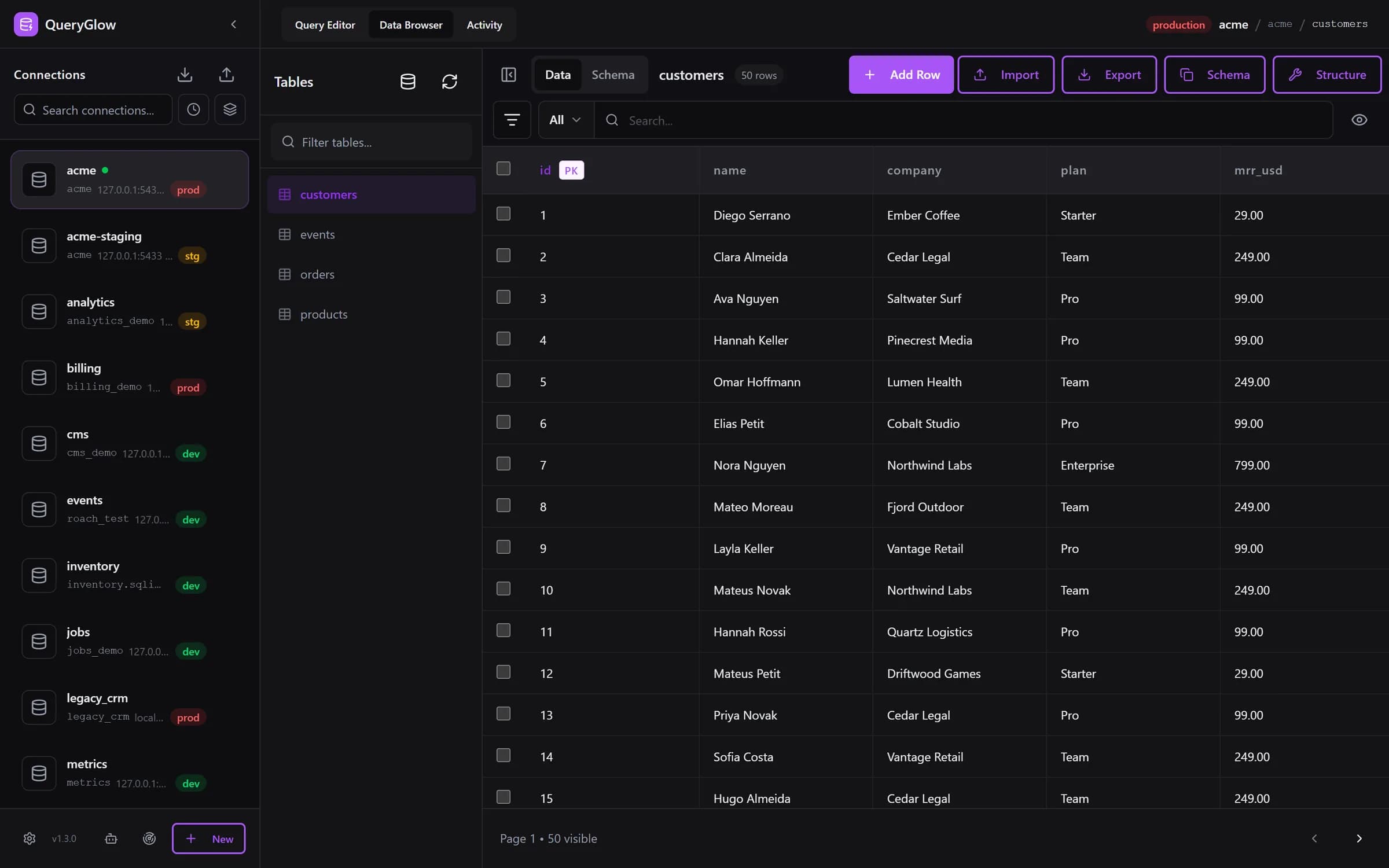
Want a web GUI for the whole team at a one-time price?
QueryGlow: six SQL engines, one browser URL for the whole team, $79 once.
See the tourAI Agent Access: Both Have It Now
Since version 7.2.3 (July 2026), DbGate ships an MCP server, so assistants like Claude can query your databases through it. Access is set per connection: No access, Read-only or Writable, defaulting to no access. The Community Docker build includes a read-only MCP server; query execution, data modification and granular access control are Team Premium.
QueryGlow ships MCP too, with a different emphasis. Tokens are SHA-256-hashed bearer tokens scoped to an explicit per-connection allowlist, read-only by default. The read-only guarantee is enforced at the database, not by pattern-matching SQL: Postgres runs inside BEGIN TRANSACTION READ ONLY, MySQL inside START TRANSACTION READ ONLY, SQLite in a separate worker process under PRAGMA query_only. Write tokens are opt-in, never allow DDL, and carry a per-statement affected-row rollback cap, defaulting to 1,000. Every agent call, including refused and paused ones, shows up in the Activity tab with the SQL (values masked), the agent and the outcome; one click pauses a single token or all of them, and agent statements time out after 30 seconds by default.
Neither approach is strictly better. DbGate gives you the broader surface; QueryGlow gives you tighter blast-radius controls on a narrower one, and does not put write access behind a subscription tier.
DbGate vs QueryGlow
| DbGate | QueryGlow | |
|---|---|---|
| Databases | 18, including NoSQL | 6 SQL: PostgreSQL, MySQL, MariaDB, SQLite, CockroachDB, TimescaleDB |
| Delivery | Desktop and Docker web | Docker web only, on a Linux server you run |
| Free tier | Yes, open source | No |
| Source code | Open source | Source code included after purchase, not open source |
| Price | $0 / $120 per year / $150 per user per year | $79 once, whole team |
| Web app for a team | Team Premium | Included |
| AI | Premium tier, no BYOK advertised | Your own OpenAI, Anthropic or Google key, entered in the app (stored encrypted on your server) or set in .env |
| What the AI sees | Not stated on dbgate.io | Table names, column names and types only. Never row data |
| Charts / query designer | Yes (Premium) | No |
| ER diagrams | Yes (dbgate.io's compare page lists them under Premium) | No |
| Custom themes | Premium | Included: Light, Dark or System, six accent colors or your own |
| MCP for AI agents | Yes, read-only free, write in Team Premium | Yes, write opt-in, no tier gate |
| Per-user accounts / RBAC | Team Premium | No. One shared login for people; agent calls are logged per token |
Features and prices as of September 2026.
Read that table in both directions. DbGate wins on breadth, on being free, and on having features QueryGlow simply does not have: there are no charts, no visual query designer, no ER diagrams and no role-based access control in QueryGlow, and it will not pretend otherwise.
QueryGlow's answer is narrower on purpose: six SQL engines, one browser URL, $79 once for the whole team, and no renewal. It is the self-hosted database GUI argument, not the do-everything argument.
Running DbGate in Docker
The web build is one command:
docker run -d --name dbgate -p 3000:3000 dbgate/dbgateThat is genuinely faster to first-run than QueryGlow, which is cloned and built on your server. QueryGlow's counterweight is ./queryglow install, which walks DNS verification, Let's Encrypt certificates and the password in one pass, so you land on an HTTPS domain rather than a bare port; ./queryglow update later backs up first and returns to the previous release on its own if the new one does not come up (see how updates work). If you want a broader look at that trade-off, our guide to running a database GUI in Docker covers both patterns.
Who Should Pick What
- •MongoDB or Redis in the mix? → DbGate (QueryGlow is SQL only).
- •Solo, local, budget of $0? → DbGate Community.
- •Student or teacher? → DbGate Academic, free Team Premium.
- •Need charts, ER diagrams or a visual query builder? → DbGate Premium.
- •A team that wants one browser URL and no annual renewal? → QueryGlow, $79 once.
- •Replacing phpMyAdmin specifically? → both work; our phpMyAdmin alternatives roundup ranks the field.
- •Replacing MySQL Workbench? → see MySQL Workbench alternatives, where DbGate also appears.
- •Coming from DBeaver? → our DBeaver SQL client guide covers what each edition costs.
FAQ
Is DbGate free?
Yes. The Community edition is open source and free, with both the desktop and web builds included. Cloud features are capped at 5 connections and 5 SQL files, AI tools require Premium, and support is community-only.
How much does DbGate cost?
Premium is $12/month or $120/year for one user. Team Premium is $15/user/month or $150/user/year and is the tier that includes the web application for 2+ users. Azure and AWS editions start at $0.02/hour with unlimited users.
Does DbGate support MongoDB?
Yes, along with Redis, DynamoDB, Firestore and CosmosDB. This is DbGate's clearest advantage over SQL-only tools.
Does DbGate work with AI assistants like Claude?
Yes. An MCP server landed in version 7.2.3 in July 2026. Each connection is set to No access, Read-only or Writable, defaulting to no access. The free Docker build gives read-only MCP; write access and granular control are Team Premium.
Is DbGate better than DBeaver?
For NoSQL and for web deployment, yes. DBeaver has the larger relational driver list and a longer track record. DbGate does not run on Java; DBeaver does. If RAM matters, test both on your own schema before committing.
Which SQL client can I run on my own server for the whole team?
QueryGlow runs on your own Linux server: ./queryglow install sets up the app with Docker, HTTPS through Let's Encrypt and the login, and the team then opens it from one URL in the browser. It works with PostgreSQL, MySQL, MariaDB, SQLite, CockroachDB and TimescaleDB and costs $79 once, source code included. Later, ./queryglow update makes a backup first and rolls back on its own if the new version does not come up.
Does QueryGlow have per-user accounts and roles?
No. QueryGlow has no per-user accounts or roles: sign-in happens at the web server with HTTP Basic Auth over HTTPS, and everyone who signs in has the same access. What limits the risk instead: by default, Safe Mode blocks destructive statements such as DROP TABLE, TRUNCATE and DELETE or UPDATE without WHERE, and the Query Editor asks before any write on a connection marked production. Each connection can use a database user that has only the grants it needs. AI agents get their own tokens, scoped to the connections you choose and read-only by default, and you can pause or revoke them. When someone leaves the team, you change the password on your server with htpasswd.
Try QueryGlow: A self-hosted database GUI that runs in your browser. Six SQL engines, schema-aware autocomplete, bring-your-own-key AI that only sees your schema, and scoped MCP tokens for AI agents with an activity log and a pause switch. $79 once, whole team, no renewal. See the live demo (the real app on a sample database, read-only, AI switched off, no signup).
Tags:
Built by an engineer. The app sends no telemetry.
One browser URL for the team. No renewal.
The whole team on one URL, a confirmation before writes on production, one-command updates with rollback. Self-hosted, $79 once.
“Beautiful interface and very intuitive.”
Jean-Francois, Mildor Violon, verified customer “I was looking at DBeaver and yours looked a little easier for what I was looking for.”
Mike, verified customer
Stripe checkout. You'll enter your GitHub username for the repo invite. No refunds, so try the read-only demo first.
$79 one-time. Self-hosted. No subscription.