
Quick Answer: Self-hosting Supabase via Docker Compose works and costs nothing in license fees, but you lose managed backups, point-in-time recovery, branching and multi-project Studio, and every upgrade is yours to own. The trade is full data control for full operational responsibility. The upside: your database is now plain Postgres, and you can pick better tools around it.
What Self-Hosting Supabase Actually Means
Supabase isn't one application. It's a stack of services (Postgres itself, GoTrue for auth, PostgREST for the auto-generated API, Realtime, Storage, the Kong gateway, and the Studio dashboard) wired together with Docker Compose. The official self-hosting guide brings the whole stack up with a git clone and docker compose up. We won't duplicate the setup steps here: the docs cover them well, and the exact steps shift between releases.
People self-host for three reasons: data has to stay on their infrastructure (compliance, residency, enterprise private clouds), they want out of usage-based pricing, or they simply want full control. All legitimate. But two things the tutorials gloss over:
First, self-hosted Supabase behaves as one project. No organizations, no multiple projects per instance, no branching. Running staging and production means running two full stacks.
Second, the docs are blunt about the deal. When you self-host, you are responsible for (quoting the official list) "server provisioning and maintenance," "security hardening and keeping OS and services updated," "service configuration and management," "Postgres database maintenance," "high availability and scalability," "backups and disaster recovery," and "monitoring and uptime" (official self-hosting docs, checked June 2026). That list is the entire contract.
The Honest Limitations Table
In October 2025, Supabase opened GitHub discussion #39820: a maintainer hired specifically to improve self-hosting asked the community what's working and what isn't. The replies are the best evidence you'll find anywhere. Here's what the community reports, set against the official position:
| Limitation | Community evidence (#39820, Oct 2025 onward) | Official docs (checked June 2026) |
|---|---|---|
| Backups & PITR | No scheduled backup facility; users script pg_dump or WAL archiving themselves | "Managed backups and PITR" listed as platform-only; disaster recovery is explicitly your responsibility |
| Upgrades | "New migrations added to the Postgres image don't run in a continuously deployed setting" (@BenIsenstein); unclear changelogs make production updates nerve-racking | A basic "Updating" section exists (pull latest, restart); no runbook for Postgres major-version upgrades |
| Analytics (Logflare) | Resource-heavy, recurring unhealthy-container reports (see also discussion #20211); some teams remove it outright | Optional and not started by default; BigQuery backend recommended for production |
| Studio scope | Single project, no orgs, no branching, no advanced metrics | Confirmed: branching, advanced metrics, ETL and the management API are platform-only |
| Config UX | Email templates need env vars and restarts instead of a dashboard UI; settings split across .env and docker-compose.yml | Configuration is documented, but spread across files |
| Support | Answers come from GitHub Discussions and Discord, when they come | "Self-hosted Supabase is community-supported" |
Credit where due: #39820 was started by Supabase, not against it, and a dedicated self-hosting hire is working through the backlog. The core services (Postgres, Auth, Storage, Realtime, PostgREST) are widely reported as solid in the same thread. Plan around the gaps; don't write the product off.
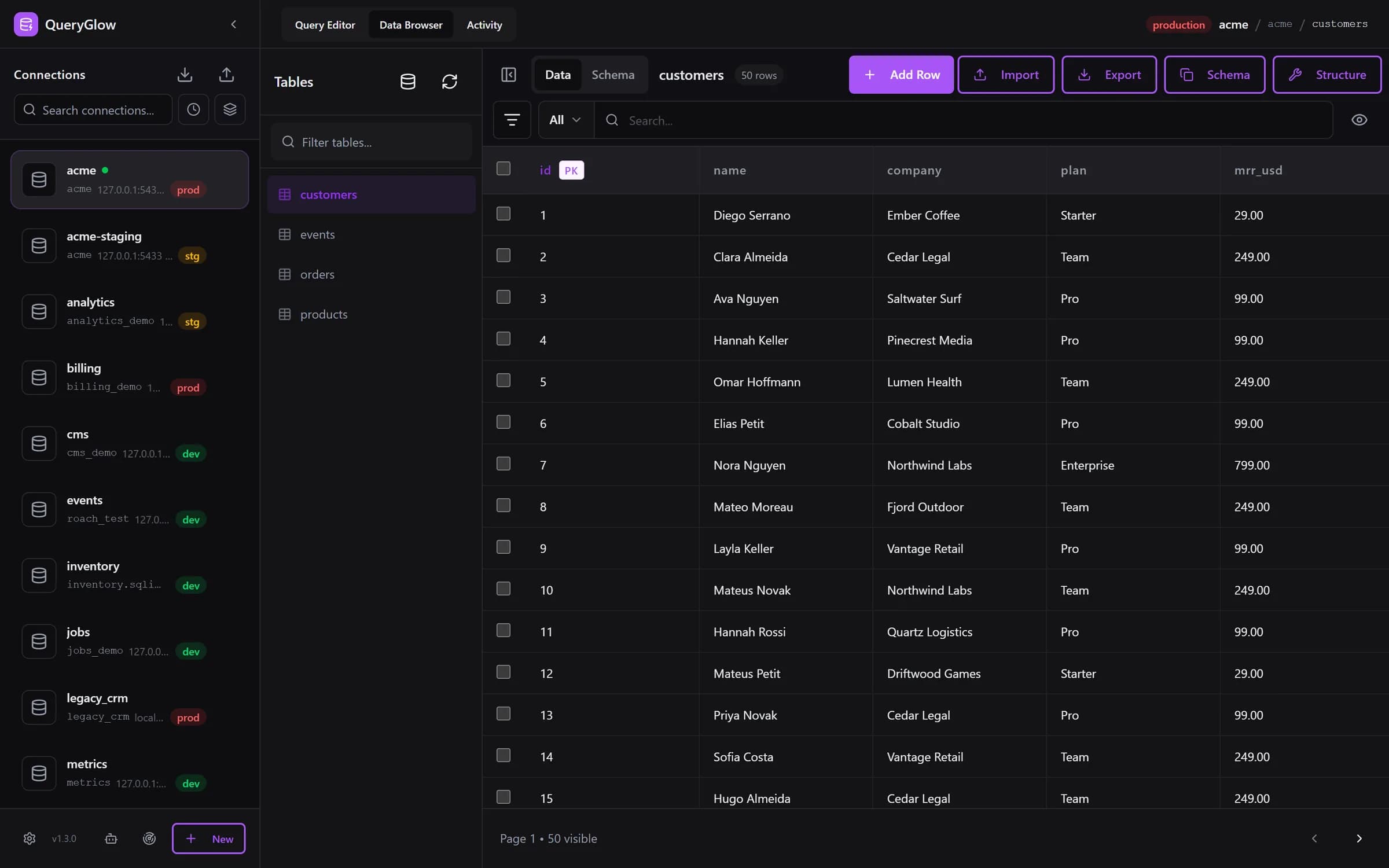
Self-hosted Supabase? Your database is just Postgres now.
QueryGlow is a self-hosted Postgres GUI your team opens from one URL, next to your Supabase stack. $79 once.
See the tourYour Database Is Just Postgres Now: Pick Your GUI
Here's the part most setup guides skip: once you self-host, the database under Supabase is plain PostgreSQL on a server you control. Studio stays available, but nothing forces you to use it for your daily database work.
QueryGlow runs as a Docker database GUI on the same server, right next to your Supabase stack: clone it, run ./queryglow install, and it either brings its own nginx with HTTPS or plugs into the nginx you already run. Your whole team opens it at a single URL in the browser, for $79 once. When Postgres listens on the same server, QueryGlow reaches it on 127.0.0.1 and Find local servers offers it; from elsewhere, built-in SSH tunnels reach the Postgres instance on your VPS without ever exposing port 5432, and the server's host key is pinned on first connect. Supabase hands out postgresql:// connection URLs: paste one and the form fills itself, and sslmode=verify-full in the URL also switches on Verify server certificate. In QueryGlow you get schema-aware autocomplete across your tables and a visual EXPLAIN plan that flags sequential scans and points at missing indexes, useful the day your PostgREST queries start crawling. The full QueryGlow vs Supabase Studio comparison covers the feature-by-feature breakdown.
To be explicit about scope: QueryGlow does not replace Supabase's auth, storage, or edge functions. Those stay exactly where they are. It covers the database-facing workflow: querying, inline editing, CSV import and export, performance inspection.
Two more things matter on a self-hosted stack. AI agents such as Claude Code or Cursor can query through QueryGlow with tokens that are read-only by default, enforced by the database itself, and every call shows up in the Activity tab. And QueryGlow's own upgrades are one command: ./queryglow update backs up QueryGlow's settings and data first and rolls back on its own if the new version does not come up. That covers QueryGlow itself, not your Supabase database; the pg_dump pipeline stays yours. See how updates work, or try the live demo first (the real app on a sample database, read-only, AI switched off, no signup).
When to Stay on the Cloud
Honesty time. Supabase Pro starts at $25/month (as of September 2026), and that buys real things: managed daily backups and upgrades you never think about, and someone else on call when storage misbehaves at 2 a.m.
Stay on the cloud if:
- •Nothing forces your data on-prem: no compliance or residency requirement
- •Your team is small and ops hours are your scarcest resource
- •You'd rather pay $300/year than build a backup-and-restore pipeline you also have to test
- •A weekend of downtime costs you more than a year of subscription
Self-host when the constraint is genuine: data residency, deployments inside enterprise private clouds (a recurring motivation in #39820), air-gapped environments, or predictable cost at a scale where usage-based pricing stings.
Either way, the database underneath is Postgres. The skills, and the tools you put next to it, transfer in both directions.
Tags:
Built by an engineer. The app sends no telemetry.
Put a Postgres GUI next to your self-hosted Supabase
Paste your Postgres URL, browse and edit tables, and see why a query is slow in a visual EXPLAIN plan. Self-hosted, $79 once.
“Beautiful interface and very intuitive.”
Jean-Francois, Mildor Violon, verified customer “I was looking at DBeaver and yours looked a little easier for what I was looking for.”
Mike, verified customer
Stripe checkout. You'll enter your GitHub username for the repo invite. No refunds, so try the read-only demo first.
$79 one-time. Self-hosted. No subscription.