Install on Every Machine
Desktop SQL clients need installation on every laptop. New team member? Install again. New machine? Install again. QueryGlow: deploy once, access everywhere.
Forget installing apps on every laptop. Deploy QueryGlow once, give your team the URL and the shared login, and work from any browser, on a laptop or a phone.
Desktop apps often charge per device. Cloud tools often charge per user per month. QueryGlow: $79 once. Any browser. Your whole team.
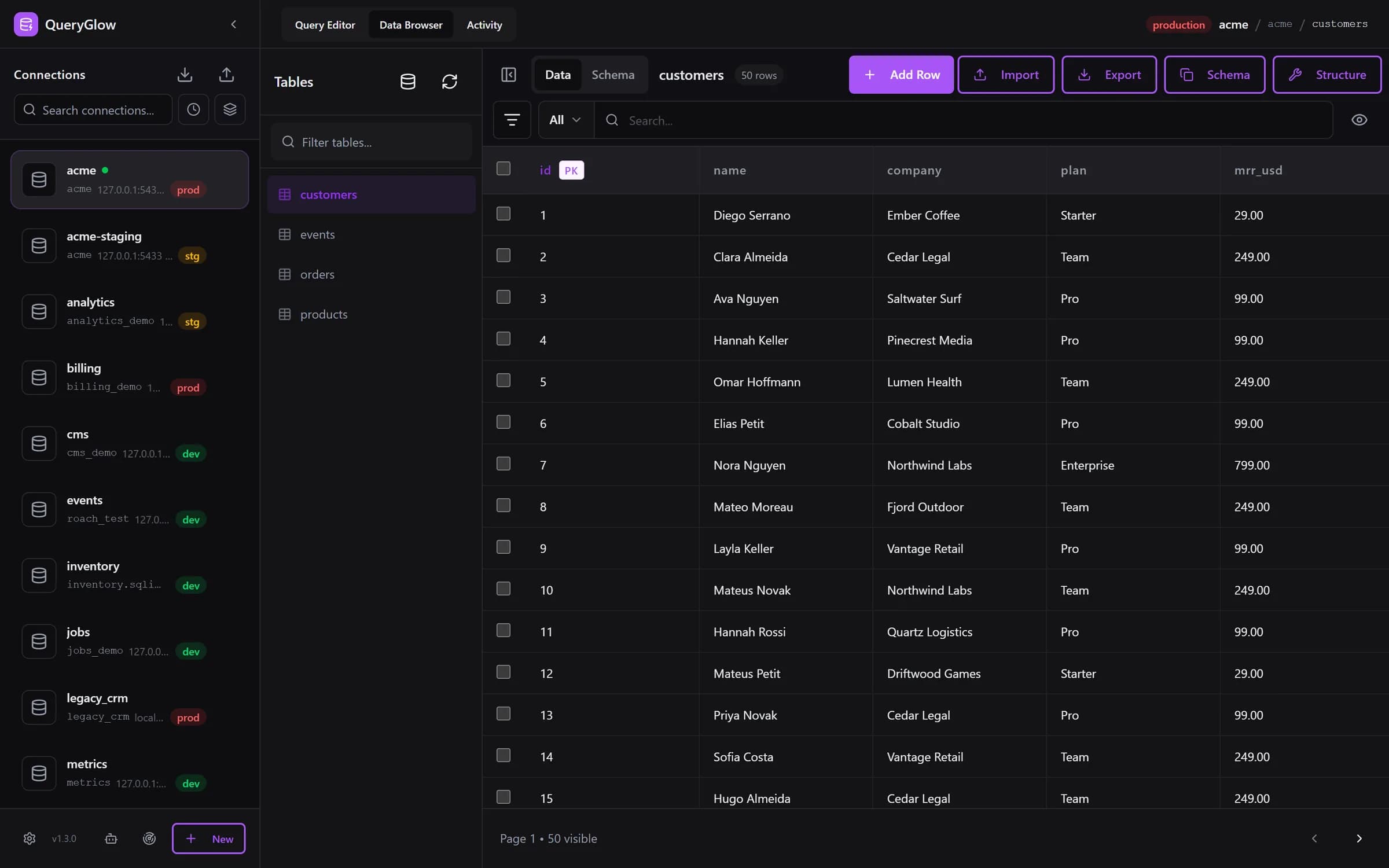
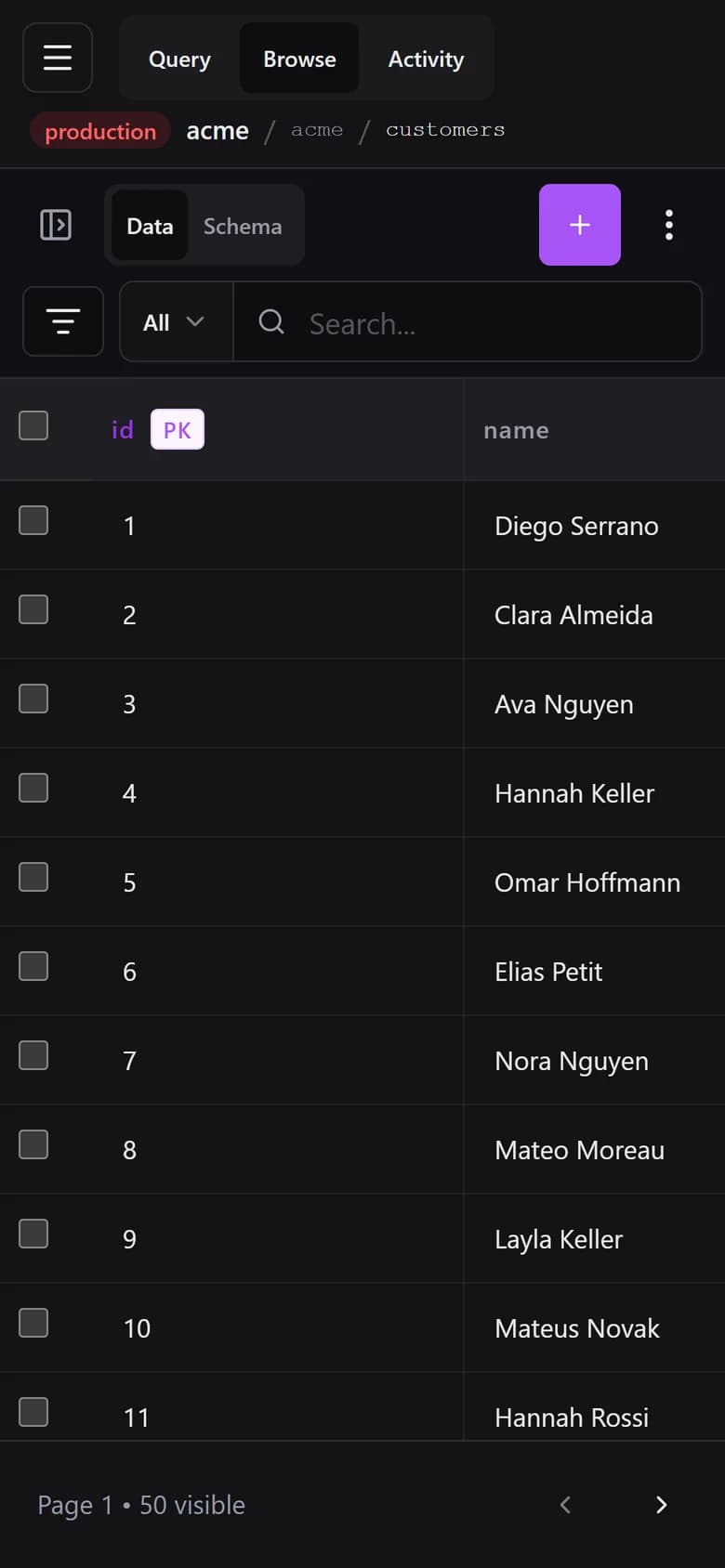
Desktop apps worked fine when everyone was in the office. Now? They're friction. The classic browser answer was phpMyAdmin.
Desktop SQL clients need installation on every laptop. New team member? Install again. New machine? Install again. QueryGlow: deploy once, access everywhere.
Production down while you're at dinner? Desktop apps don't help. QueryGlow runs in any modern browser, so the nearest browser is enough.
Many desktop tools charge per device or per user. QueryGlow is $79 once, and your whole team uses the same install from every device.
With desktop apps, everyone needs database passwords. With QueryGlow, database passwords stay encrypted on the server and your team signs in with one shared login. When someone leaves, you rotate the shared login and revoke any Agent Access tokens they created, instead of changing every database password.
| Aspect | Desktop Apps | QueryGlow (Web) |
|---|---|---|
| Access Method | Install app on each device | Open URL in any browser |
| Any Browser | Desktop OS only | Responsive layout with phone-width handling |
| Team Onboarding | Install, configure, share credentials | Share the URL and the team login |
| Credential Management | Each person stores passwords locally | Centralized, encrypted (AES-256-GCM) |
| Revoke Access | Change DB password for everyone | Rotate the shared login and revoke their agent tokens |
| Updates | Update on every machine | ./queryglow update on the server: backup first, automatic rollback |
| Data Location | Connection info on each laptop | Self-hosted, your servers only |
| Offline Access | Works offline | Needs network to server |
Desktop
Install app on each device
QueryGlow
Open URL in any browser
Desktop
Desktop OS only
QueryGlow
Responsive layout with phone-width handling
Desktop
Install, configure, share credentials
QueryGlow
Share the URL and the team login
Desktop
Each person stores passwords locally
QueryGlow
Centralized, encrypted (AES-256-GCM)
Desktop
Change DB password for everyone
QueryGlow
Rotate the shared login and revoke their agent tokens
Desktop
Update on every machine
QueryGlow
./queryglow update on the server: backup first, automatic rollback
Desktop
Connection info on each laptop
QueryGlow
Self-hosted, your servers only
Desktop
Works offline
QueryGlow
Needs network to server
See it before you pay
Open the live demo (read-only sample database, AI switched off), no signup. It is the same web app your team would open.
Stripe checkout. You'll need a GitHub account for the repo invite. No refunds, so try the read-only demo first.
QueryGlow is self-hosted. Your rows stay on your server. A login and HTTPS are built in; add more layers if you need them.
The installer puts nginx Basic Auth over HTTPS, with a Let's Encrypt certificate, in front of QueryGlow. One shared login for the team, asked once per browser.
All database credentials are encrypted at rest with AES-256-GCM and never sent to the browser. Even if someone accesses your server, they can't read your passwords without the key.
Describe what you want in plain English and review the SQL before it runs. Your own OpenAI, Anthropic or Google key, entered in the app and stored encrypted on your server, or set in .env.
Connect to databases behind firewalls with your private key, no external tools needed. The SSH host key is pinned on first use, so a swapped host is refused.
Ask AI sends your database type, table and column names with their types, and your prompt. Never rows.
On a connection marked production, the Query Editor shows the statement and asks before any INSERT, UPDATE, DELETE or DDL runs. On by default.
Company VPN
Require VPN connection to reach QueryGlow
Cloudflare Access
SSO authentication before reaching QueryGlow
Tailscale / WireGuard
Zero-trust network access
Put QueryGlow behind your VPN (the installer still needs a public DNS name and port 80 for the Let's Encrypt certificate). Team members on the VPN open it in a browser from anywhere: home, coworking space, or travel.
Production incident at 2am? Open QueryGlow in the nearest browser and run the fix query. On a production connection it shows you the statement and asks before it runs.
Manage every client database from your own instance; the client never handles your credentials. When the project ends, delete the connection. A client who wants QueryGlow for themselves buys their own license.
Contractors get the URL and the shared login, never the database passwords. When they're done, rotate the shared login and revoke any Agent Access tokens they created, instead of changing every database password.
QueryGlow isn't just a desktop app in a browser. One deployment serves the whole team, and everyone keeps their own setup in their own browser.
Describe what you want in plain English. QueryGlow generates the SQL using your actual schema. Coding agents get their own path too, via the database MCP server with scoped tokens, read-only by default, and every agent call in the Activity tab.
Web-based doesn't mean cloud-based. You deploy it, you run it.
Preferences are stored in each browser, so every teammate gets their own setup on the same install.
“Beautiful interface and very intuitive.”
“You want to edit a cell, you click that cell, you edit.”
Try the live demo first: the real app on a sample database, read-only, AI switched off, no signup. If it clicks, grab a lifetime license for $79.
After you pay: a GitHub invite to the private repository, then ./queryglow install on your server. Every 1.x update is one ./queryglow update away.