Credentials Over Slack
DMing database passwords in Slack. Pinning .env files in channels. It's insecure and you know it.
Stop sharing .env files over Slack. Give your team centralized access to every client database, self-hosted on your own infrastructure, so client rows stay on your server. $79 once for your whole team.
Illustration: a per-seat tool at $20 per user per month costs $200+/month for a 10-person team. QueryGlow: $79 once. Your whole team. Every client database.
One license, the same for every team size.
“Beautiful interface and very intuitive.”
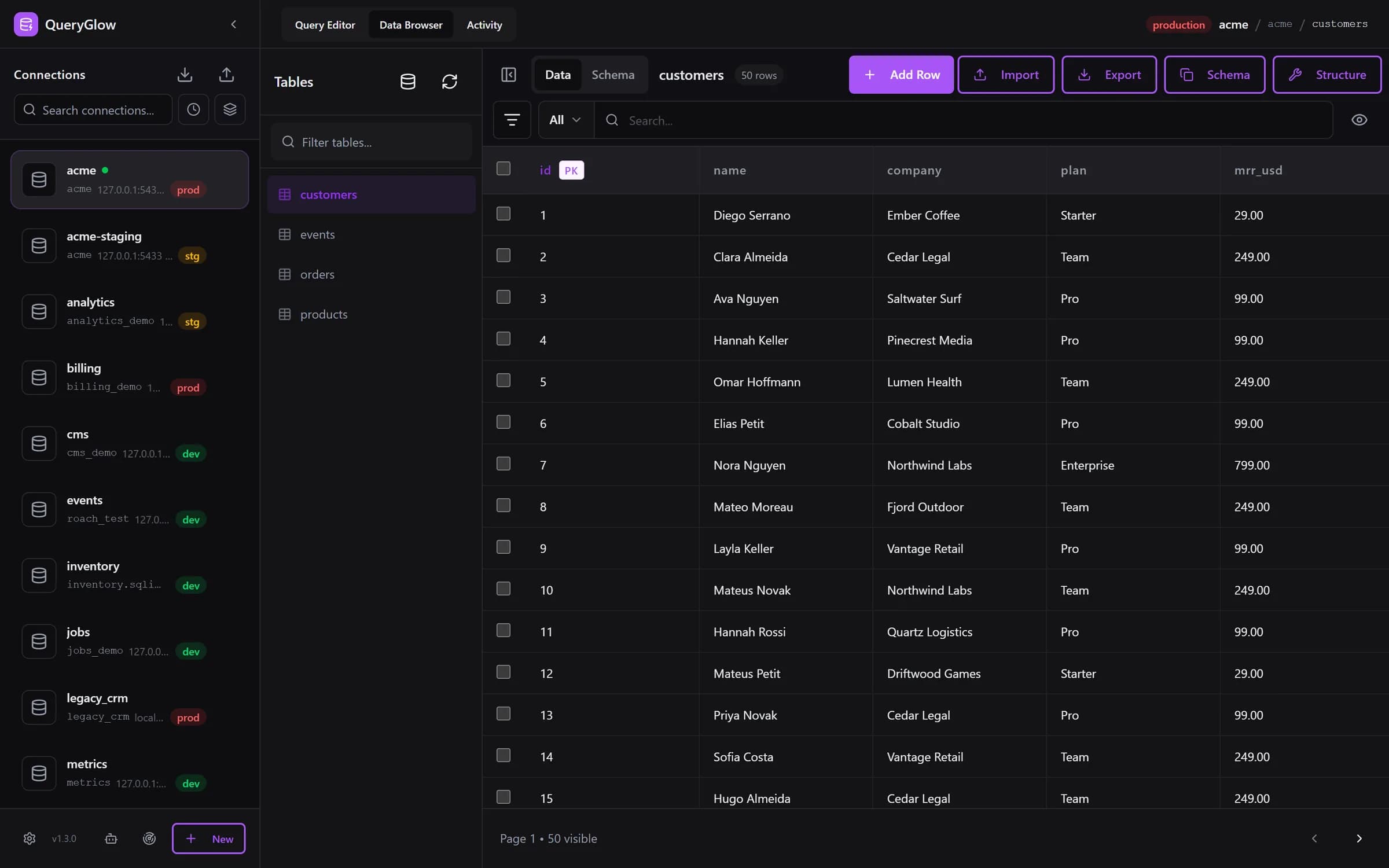
20 clients × 3 environments = 60 connection strings. Here's what goes wrong.
DMing database passwords in Slack. Pinning .env files in channels. It's insecure and you know it.
Illustration: a per-seat tool at $20 per user per month. 10 devs × $20/seat = $200/month. Add 3 contractors for a sprint? Another $60. Costs scale with headcount.
Contract ends. Now you need to rotate passwords on 15 databases. Or you don't, and hope for the best.
60 connection strings across 20 clients. Someone eventually runs DELETE on the wrong database.
Illustration: a per-seat tool at $20 per user per month vs QueryGlow
| Team Size | Per-Seat SaaS | QueryGlow |
|---|---|---|
| 5 developers | $1,200/year | $79 once |
| 10 developers | $2,400/year | $79 once |
| 15 developers | $3,600/year | $79 once |
| 20 developers | $4,800/year | $79 once |
| + 5 contractors | +$1,200/year | $0 extra |
Agencies fluctuate. Freelancers come and go. Don't pay $240/year for a seat used for 2 weeks.
See it before you pay
Open the live demo (read-only sample database, AI switched off), no signup. One license covers the whole agency, whatever its size.
Stripe checkout. You'll need a GitHub account for the repo invite. No refunds, so try the read-only demo first.
Multiple clients. Rotating contractors. Junior devs. We get it.
All credentials encrypted with AES-256-GCM on your server. Devs access databases through the UI without seeing raw passwords.
Production is red, staging amber, development green, across all 60 of your client connections. The header shows environment, connection, database and table, and on production the Query Editor asks before any write.
Search connections by name, engine, database, host or port. Sort by recently used, group by host, and resize the sidebar for long names. Every row shows the database and host:port.
A client hands over a DATABASE_URL? Paste it and the form fills itself. Find databases on this server lists every database a login can open and adds them in one go.
Give contractors a URL instead of installing software on their machines. When they leave, rotate the shared login and revoke any Agent Access tokens they created. No per-seat licenses to manage.
Run a separate QueryGlow instance per client group, each on its own small server, separate per client. Shut it down when the project ends; a client who wants to keep one buys their own license.
New dev on a project? They describe what they need and review the SQL before it runs. Your own OpenAI, Anthropic or Google key, entered in the app and stored encrypted.
Reach client servers with your private key, no terminal setup for every new dev. Host keys are pinned on first use, so a client server that suddenly presents a different key is refused.
./queryglow backup, restore and rollback cover the instance that holds your client credentials, and every ./queryglow update backs up first.
Letting coding agents at a client's staging database? The database MCP server gives each agent a read-only token for the connections you pick, and you can pause any agent with one click.
When a contract ends, rotate the shared login and revoke any Agent Access tokens they created, not fifteen database passwords.
Give the contractor your QueryGlow URL
Full database access without raw credentials
Rotate one shared login and revoke their agent tokens
The old way: Contractor leaves → rotate 15 database passwords → update 15 config files → redeploy 15 apps.
The QueryGlow way: Contractor leaves, rotate the shared login and revoke any Agent Access tokens they created.
All clients in one QueryGlow instance. Search the sidebar, sort by recent use, group by host; every row shows the database and host:port, and the header breadcrumb shows environment, connection, database and table. Simpler to manage.
One small server (or VPS) per client group, each with its own QueryGlow instance. Full isolation. Shut it down when the project ends. Two instances on the same server need manual changes.
One tool for PostgreSQL, MySQL, MariaDB, SQLite, CockroachDB and TimescaleDB client databases. No more switching between pgAdmin, MySQL Workbench and SQLite Browser.
Try the live demo first: the real app on a sample database, read-only, AI switched off, no signup. If it clicks, grab a lifetime license for $79.
After you pay: a GitHub invite to the private repository, then ./queryglow install on your server. Every 1.x update is one ./queryglow update away.