Subscriptions Eat Margins
$109 for the first year of DataGrip. $20 a month for an AI assistant. $15 a month for this. $29 a month for that. Before you know it, $200 a month is gone.
Subscriptions eat your margin. Keep your tools instead of renting them. Buy QueryGlow once, use it for every client project forever, self-hosted, so client rows stay on your own server.
DataGrip: $109 first year (individual). DBeaver Lite: $113/yr. Navicat Premium Enterprise: $999.99/yr (as of September 2026). QueryGlow: $79. Once. Forever.
“Quite frankly, for a one-time payment you really can't go wrong.”
“Beautiful interface and very intuitive.”
Every subscription cuts into your profit. Here's what you're dealing with.
$109 for the first year of DataGrip. $20 a month for an AI assistant. $15 a month for this. $29 a month for that. Before you know it, $200 a month is gone.
Client A uses MySQL. Client B uses Postgres. Client C uses SQLite. You end up with 3 different database tools.
Project ends. Now you need to share database access. Do you give them your credentials? Export everything manually?
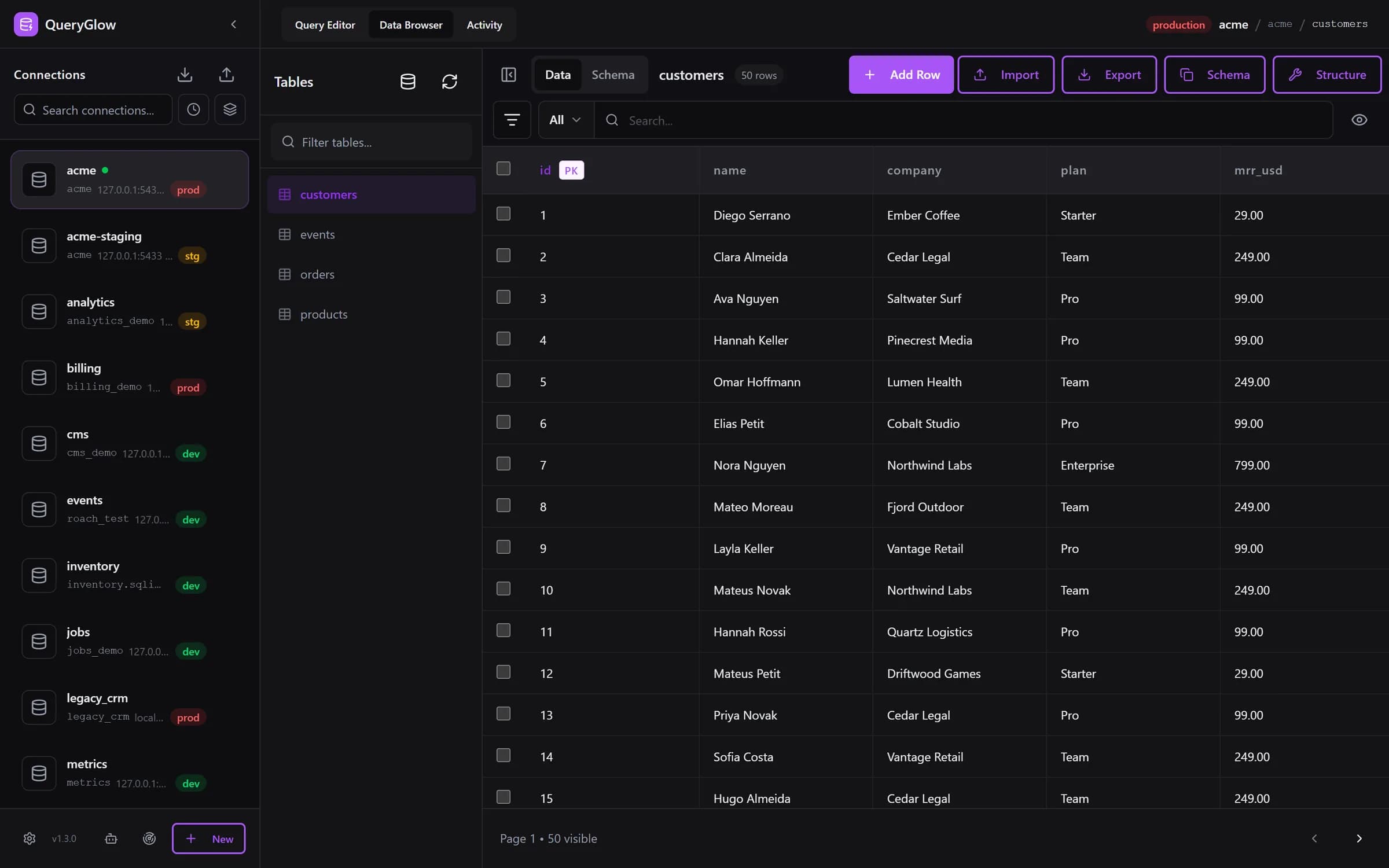
It's 2am, you're tired, you run a query on production instead of staging. That mistake costs you the rest of the night: the restore, the apology call to the client. QueryGlow marks production in red, and the Query Editor asks before any write runs there.
Typical database GUI prices per user vs QueryGlow, as of September 2026
Three releases since August 2026. Since 1.3.0 every update is a single ./queryglow update. See the changelog.
Keep the difference. That's your profit.
See it before you pay
Open the live demo (read-only sample database, AI switched off), no signup. If it fits, buy once and use it for every client.
Stripe checkout. You'll need a GitHub account for the repo invite. No refunds, so try the read-only demo first.
You're juggling multiple clients, different databases, tight deadlines. QueryGlow gets it.
PostgreSQL, MySQL, MariaDB, SQLite (copy the file into your QueryGlow data volume), CockroachDB, TimescaleDB. If your client runs one of these six, you're covered.
Paste the connection URL from the client's hosting dashboard and the form fills itself. Find databases on this server adds every database a login can open in one go.
Production is red, staging amber, development green. On production, the Query Editor shows the statement and asks before any write runs, for when you're switching between 5 client projects.
Reach client servers with your private key. No terminal setup, no separate SSH clients. The server's host key is pinned on first use, so a swapped host is refused.
Client data stays on your infrastructure. No third-party processor for database access (the optional AI assistant, if you enable it, sees table and column names and your prompt, never rows, and browsers load the SQL editor from cdn.jsdelivr.net), fewer compliance discussions.
It's midnight. You can't remember JOIN syntax. Describe what you need and review the SQL before it runs. Your own OpenAI, Anthropic or Google key, entered in the app.
The Data Browser reopens the table you last used on each connection. Show timestamps in your client's time zone and date format, without touching the stored value.
At a coffee shop? On a borrowed laptop? Traveling? Access your client databases from any browser.
./queryglow update backs up first, checks that the new version is serving, and rolls back on its own if it is not.
Project ending? Delete the connection. The database was always the client's; QueryGlow stays your tool.
QueryGlow on your own small VPS: your tool, not a client deliverable
Add their database and mark production: a red badge and a confirmation before every write from the Query Editor
Query and edit via your instance; the client never gets a login or the software
Project ends? Delete the connection. A client who wants their own QueryGlow buys their own license
Pro tip: Run a fresh QueryGlow instance per major client on its own small VPS. When the project ends, shut it down. A client who wants to keep an installation buys their own license. Each client stays separate.
No more switching between pgAdmin, MySQL Workbench, and SQLite Browser.
Try the live demo first: the real app on a sample database, read-only, AI switched off, no signup. If it clicks, grab a lifetime license for $79.
After you pay: a GitHub invite to the private repository, then ./queryglow install on your server. Every 1.x update is one ./queryglow update away.