
Quick Answer: DBeaver Community is free and covers 100+ SQL databases — most solo developers never need a paid tier. Need NoSQL, SSO, or the AI assistant? Lite at $113/user/year is the cheapest unlock. Teams that want web access without per-seat subscriptions should look at a self-hosted alternative like QueryGlow ($79 once, unlimited users).
DBeaver has 50k+ GitHub stars, a free Community edition, and three paid tiers with wildly different price tags. The Community version costs nothing. The paid lineup runs from Lite ($113/user/year) up to Ultimate ($510/user/year).
Which one do you actually need? That depends on your databases, your team, and whether you can live with the trade-offs. This guide breaks down each edition, the real costs, how to get running, and when you might want something else entirely.
What Is DBeaver SQL Client?
DBeaver is a universal database management tool that connects to over 100 databases through JDBC and proprietary drivers. It's built on the Eclipse platform and runs on Windows, macOS, and Linux.
The desktop tool ships as a free Community edition (open-source under Apache License) plus three paid tiers—Lite, Enterprise, and Ultimate. Companies like Amazon, Apple, Netflix, and Walmart use it—though which editions they run isn't public.
Quick Facts:
- •Databases supported: 100+ (PostgreSQL, MySQL, Oracle, SQL Server, MongoDB, and more)
- •Platform: Windows, macOS, Linux
- •License: Apache 2.0 (Community), Commercial (Lite/Enterprise/Ultimate)
- •GitHub stars: 50k+
- •First release: 2010
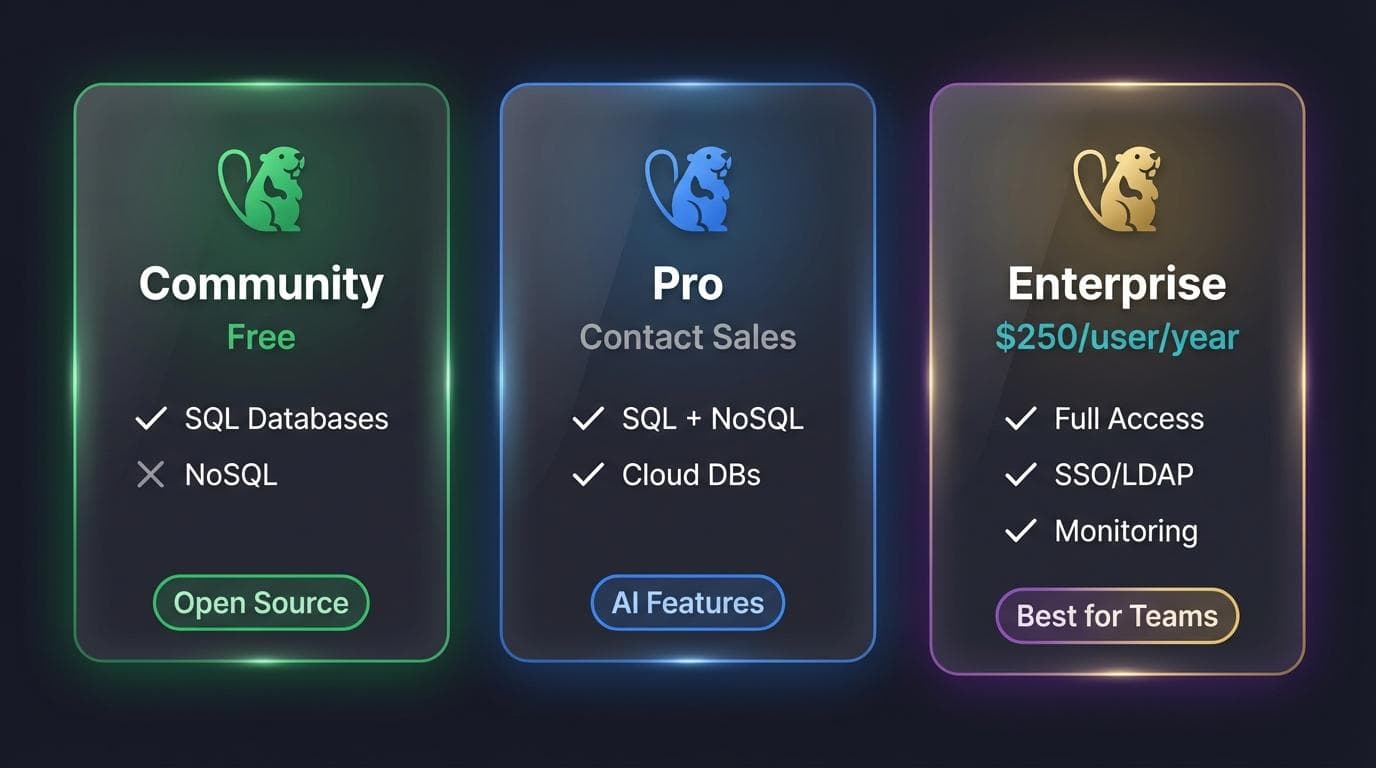
DBeaver Editions Compared: Community vs Lite vs Enterprise vs Ultimate
The gap between editions isn't just features—it's entire categories of databases and workflows. Here's what you get at each tier, useful when comparing DBeaver editions to alternatives. Note: DBeaver dropped its old "Pro" tier—the paid lineup is now Lite, Enterprise, and Ultimate, and perpetual licenses are no longer sold.
Community Edition (Free)
Community covers SQL databases: PostgreSQL, MySQL, MariaDB, SQLite, Oracle, SQL Server, and 100+ more—plus cloud warehouses like Snowflake, Redshift, and BigQuery via JDBC. You get the SQL editor with syntax highlighting, a data editor with filtering, ER diagrams, and SSH tunneling.
For personal projects and standard relational databases, Community is genuinely sufficient. The catch: no NoSQL, no AI assistant, no Visual Query Builder, no enterprise security.
Lite Edition ($113/user/year)
Lite is the entry-level paid tier. It unlocks NoSQL support—MongoDB, Cassandra, Redis—plus the Visual Query Builder (construct queries by dragging tables instead of writing SQL) and an AI assistant for SQL generation. It also adds enterprise authentication like SSO and Kerberos.
Enterprise Edition ($255/user/year)
Enterprise is DBeaver's "most popular" paid tier. On top of everything in Lite, it adds a task scheduler, additional administration and management tooling, and a higher support tier for teams running DBeaver day in, day out.
Ultimate Edition ($510/user/year)
Ultimate is the top desktop tier. It layers cloud-native integration on top of Enterprise—browsing and managing AWS, GCP, and Azure resources directly (Cloud Explorer, cloud storage)—useful when your databases live across cloud platforms.
Team Edition & CloudBeaver
Team Edition adds real-time collaboration and role-based access control. Pricing is role-based, from $82 (Viewer) to $810 (Administrator) per user per year.
CloudBeaver is DBeaver in the browser—no installation required. CloudBeaver Enterprise starts at $1,025/year (a server license for a minimum of 5 users, i.e. $205/user/year) and makes sense for teams that need web access without managing desktop installations. If you want that browser access without a per-seat server license, a self-hosted web-based SQL client like QueryGlow gives every teammate database access through a single URL.
| Feature | Community | Lite | Enterprise | Ultimate |
|---|---|---|---|---|
| SQL databases | ✓ | ✓ | ✓ | ✓ |
| NoSQL databases | ✗ | ✓ | ✓ | ✓ |
| Visual Query Builder | ✗ | ✓ | ✓ | ✓ |
| AI SQL assistant | ✗ | ✓ | ✓ | ✓ |
| SSO / Kerberos / LDAP | ✗ | ✓ | ✓ | ✓ |
| Task scheduler & admin tooling | ✗ | ✗ | ✓ | ✓ |
| Cloud-native (AWS/GCP/Azure) | ✗ | ✗ | ✗ | ✓ |
| Price (per user/year) | $0 | $113 | $255 | $510 |
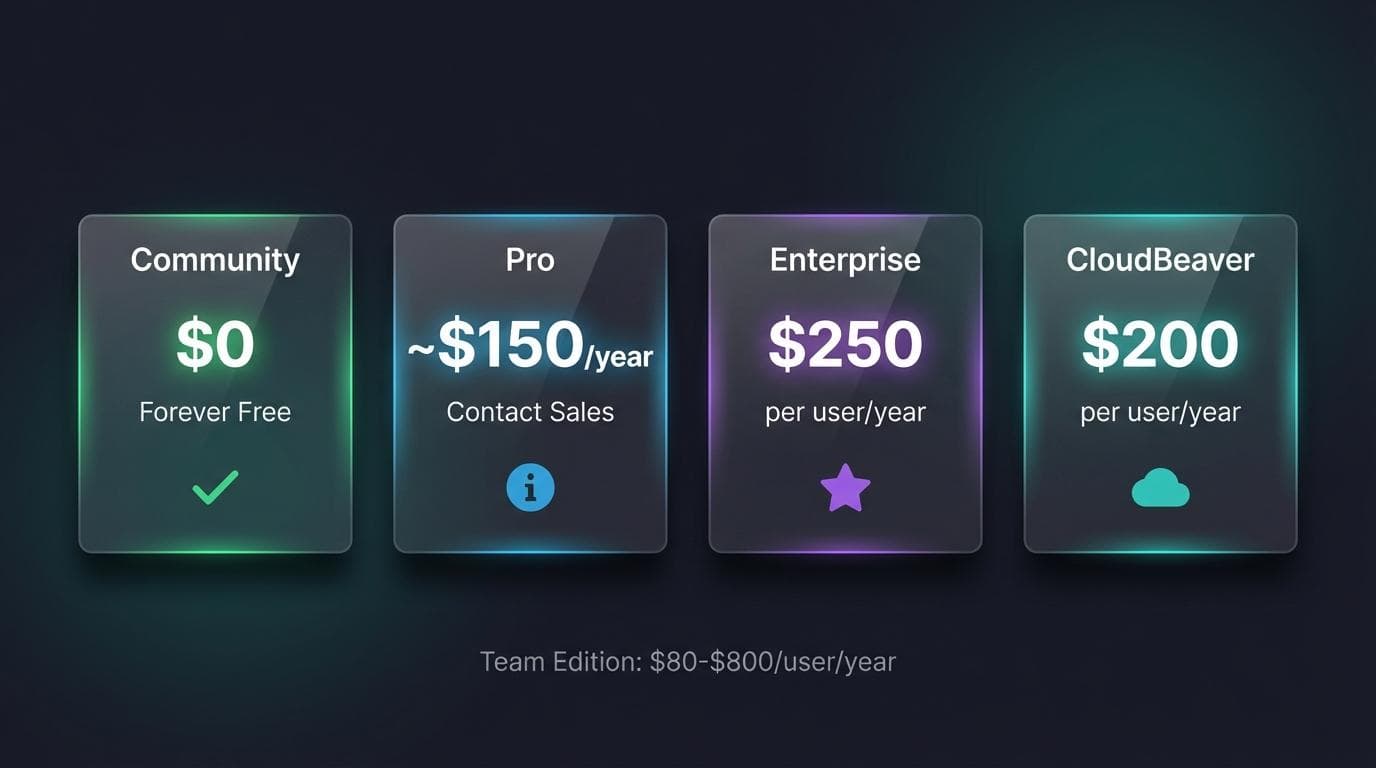
DBeaver Pricing Breakdown 2026
Free Tier Limitations
Community Edition costs nothing and stays that way—no trial period, no feature gates that expire. The Apache License means you can use it commercially without restrictions.
The limitations are functional, not artificial. No NoSQL. No AI assistant. No Visual Query Builder. No enterprise authentication. (Cloud warehouses like Snowflake, Redshift, and BigQuery do work in Community via JDBC—it's cloud-platform native integration that's paid.) For many developers, those limits never matter.
Paid Edition Costs
All paid prices are per user, per year, billed as a subscription (perpetual licenses were discontinued):
- •Lite: $113/user/year ($12/month) — the entry paid tier; adds NoSQL, Visual Query Builder, AI, and SSO.
- •Enterprise: $255/user/year ($26/month) — DBeaver's "most popular" tier; adds task scheduler and admin tooling.
- •Ultimate: $510/user/year — adds cloud-native AWS/GCP/Azure integration.
- •Team: $82–$810/user/year, role-based, scaling with collaboration features.
- •CloudBeaver Enterprise: from $1,025/year for web-based access (server license, minimum 5 users, i.e. $205/user/year).
Hidden Costs to Consider
The sticker price misses a few things:
- •Corporate requirements: Many companies mandate SSO or Kerberos authentication. That pushes you onto a paid edition (Lite is the cheapest with SSO) even if you only need Community features otherwise.
- •Database growth: Start with PostgreSQL, add MongoDB later, and suddenly Community isn't enough.
- •Per-user scaling: A 10-person team on Enterprise runs $2,550/year — $7,650 over three years. That compounds quickly.
All paid editions offer a 14-day free trial. Test the features you actually need before committing.
Key Features That Matter for SQL Development
SQL Editor & Autocomplete
DBeaver's editor is built on Eclipse's text framework. You get syntax highlighting for every supported database dialect, code completion that reads your schema, and execution plan visualization.
The autocomplete is context-aware—it suggests table names, columns, and functions based on your connection. Not as polished as JetBrains' implementation, but functional. For a deeper look at how DBeaver compares to DataGrip, the editor experience is a key differentiator.
Data Editor & Visualization
The data editor supports multiple view modes: grid, plain text, and record view. Custom filters work across any column, and you can edit cells inline without opening forms.
ER diagrams generate automatically from your schema. Useful for understanding unfamiliar databases or documenting existing structures.
Database Administration Tools
Schema editing, user management, session monitoring, and backup/restore tools ship with all editions. The depth varies—Enterprise gets performance dashboards and advanced monitoring.
Data transfer handles CSV, JSON, XML, XLSX, and Parquet. Import and export work through a wizard that maps columns and handles type conversions.
AI-Powered Features
Community has no built-in AI. The paid editions (Lite and up) unlock an AI assistant with integrations like OpenAI, GitHub Copilot, Azure OpenAI, and Google Gemini.
The AI reads your schema and generates SQL from natural language prompts. Quality depends on your schema complexity and the model you connect. If you want coding agents like Claude Code or Cursor to query the database directly, that needs a database MCP server with scoped, read-only-by-default tokens rather than an in-app assistant.
Want something lighter than DBeaver?
QueryGlow is lighter, self-hosted, and built for speed. Schema-only AI SQL and Safe Mode included.
DBeaver Setup: Installation Guide by Platform
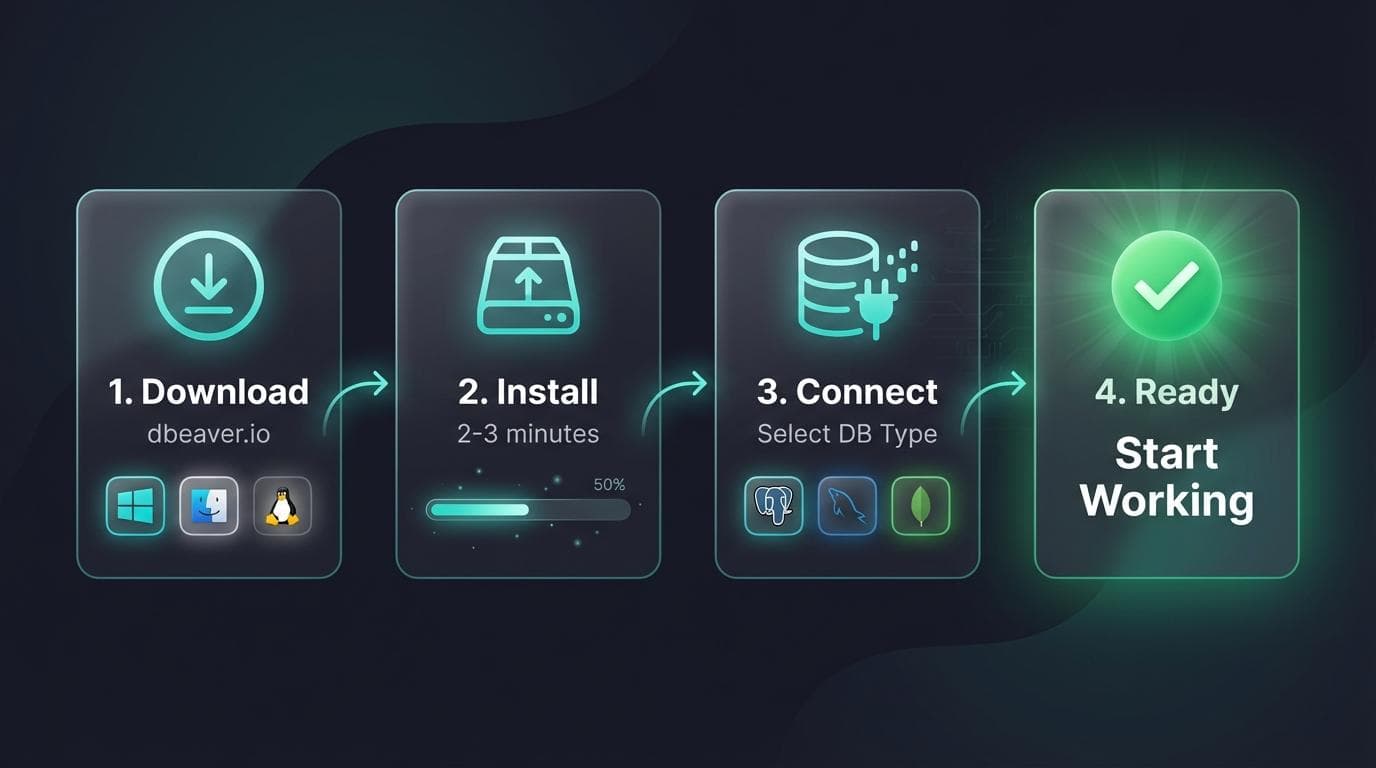
Download from dbeaver.io/download—avoid third-party sources. DBeaver bundles Java in recent versions, so you won't need to install it separately.
Windows Installation
Download the installer (.exe) or portable ZIP. The installer adds DBeaver to your Start menu and handles file associations. The portable version runs from any folder without installation—useful for USB drives or restricted environments.
Run the installer, accept defaults, and launch. Total time: under two minutes.
macOS Installation
Download the DMG package. Drag DBeaver to Applications. On first launch, macOS may block it—open System Preferences > Security & Privacy and click "Open Anyway."
Apple Silicon Macs get a native ARM build. Check the download page for the correct version.
Linux Installation
Choose your package format:
- •DEB (Debian, Ubuntu):
sudo dpkg -i dbeaver-ce_*.deb - •RPM (Fedora, RHEL):
sudo rpm -i dbeaver-ce-*.rpm - •Snap:
sudo snap install dbeaver-ce - •Flatpak:
flatpak install flathub io.dbeaver.DBeaverCommunity
Snap and Flatpak handle dependencies automatically. DEB and RPM may require installing missing libraries.
First Connection Setup
Launch DBeaver. The New Connection wizard appears automatically. Select your database type—DBeaver downloads the required JDBC driver on first use.
Enter your connection details: host, port, database name, username, password. Click "Test Connection" to verify. If it works, save and connect.
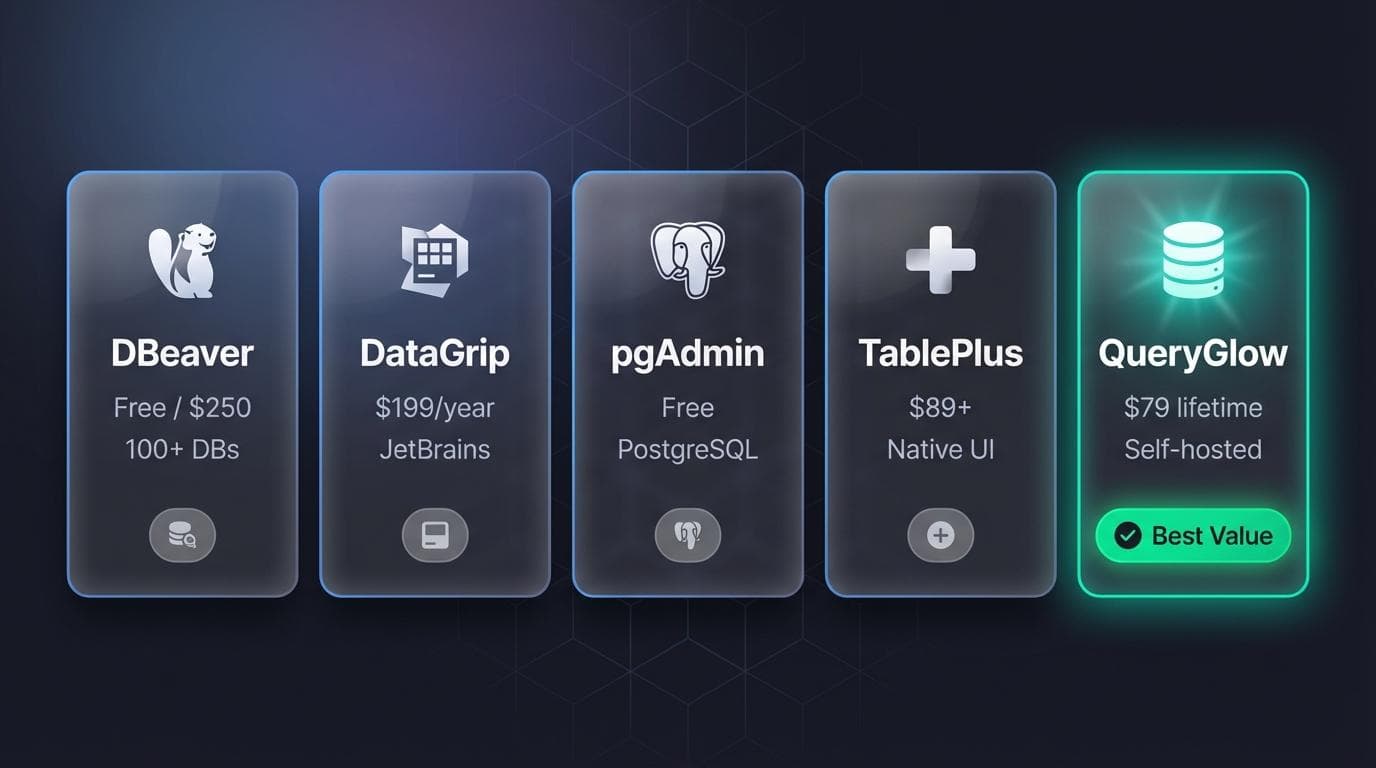
Best DBeaver Alternatives 2026: 6 Tools Ranked
DBeaver isn't the only option. Here are six alternatives, ranked by how likely each is to actually replace it — with an honest verdict on every tool.
Looking for a DBeaver alternative you self-host and pay for once? See the full QueryGlow vs DBeaver comparison — a browser-based database GUI with no Java, no per-seat fees, and AI that only ever sees your schema, never your data.
1. DataGrip — Best Editor, Steepest Team Pricing
DataGrip is JetBrains' database IDE, and the editor experience is noticeably more polished than DBeaver's — smarter autocomplete, real refactoring, tight version-control integration. Pricing is subscription-only: $109/year for individuals (dropping to $87 in year two and $65 from year three), $259/user/year when a company pays, free for non-commercial use. Verdict: the upgrade pick if you live in JetBrains IDEs and write SQL all day; overkill — and pricey at team scale — for occasional queries.
2. TablePlus — Best Native Desktop Feel
TablePlus uses native UI components instead of Eclipse. The result: faster startup, lower memory usage, and an interface that feels modern rather than 2010. Licenses are one-time — Basic $99 for one device, Standard $129 for two, Team $79/seat with a three-seat minimum — and a limited free tier (2 tabs, 2 connections) lets you test first. It's deliberately less feature-rich than DBeaver — our TablePlus vs DBeaver head-to-head breaks down the speed, pricing, and team-access trade-offs. Verdict: the pick when speed and simplicity beat kitchen-sink features, as long as per-device licensing fits how you work.
3. Beekeeper Studio — Best Free Modern UI
Beekeeper Studio is the anti-DBeaver: minimal, clean, and deliberately small in scope. The free Community edition is genuinely usable for everyday queries; paid tiers start at $9/month (billed annually), with Pro at $14/month. It covers 10+ databases rather than DBeaver's 100+, and skips most admin tooling. Verdict: the pick if DBeaver's cluttered interface is your main complaint and you mostly write queries rather than administer servers.
4. DbGate — Best Open-Source Web Option
DbGate's free, open-source Community edition runs as a desktop app or in your browser via Docker — self-hosted web access at no cost, across 18 engines including MongoDB and Redis. Premium ($120/year) unlocks the AI tools (no bring-your-own-key option), query designer, and charts; Team Premium is $150/user/year and is the tier that carries the web app for teams. The UI is rougher than the commercial tools on this list. Verdict: the pick for open-source advocates who want free browser-based access and can live with less polish — see our DbGate review for the full edition-by-edition breakdown.
5. DbVisualizer — Closest Like-for-Like Replacement
DbVisualizer is the closest philosophical match to DBeaver: a Java-based desktop tool for Windows, macOS, and Linux that connects to all the popular databases. The free edition ships a reduced "standard" feature set; Pro costs $199/user the first year and $89/year from year two, and every subscription includes a perpetual license for the version you bought (prices verified June 2026, excl. VAT). Verdict: the pick if you want DBeaver-style breadth with cheaper renewals than DBeaver Enterprise — but it carries the same Java weight you may be trying to escape.
6. pgAdmin — Best If You Only Run PostgreSQL
pgAdmin is PostgreSQL-specific and free. For pure Postgres work it goes deeper than DBeaver: better PG-specific tooling, a web-based interface, and active development by the PostgreSQL community. It loses the moment you need MySQL or MongoDB. Verdict: the pick for Postgres specialists — see PostgreSQL GUI tools compared for that whole field.
When DBeaver Isn't the Right Choice
DBeaver's Eclipse foundation shows its age. Startup takes several seconds. Memory usage runs high. The interface feels cluttered compared to modern tools.
If you need self-hosted database management, web-based access, or a lighter footprint, desktop-only DBeaver may not fit. Teams wanting to avoid per-user pricing should explore one-time license alternatives — our PostgreSQL client comparison weighs desktop, CLI and web-based options side by side.
| Tool | Price | Databases | UI Style | Best For |
|---|---|---|---|---|
| QueryGlow | $79 one-time, unlimited users | 6 engines (Postgres, MySQL, MariaDB, SQLite, CockroachDB, TimescaleDB) | Web-based, self-hosted | Teams wanting browser access without per-seat fees |
| DBeaver Community | Free | 100+ SQL | Eclipse-based | Multi-database work, budget-conscious |
| DBeaver Lite | $113/user/year | 100+ SQL + NoSQL | Eclipse-based | NoSQL + AI on a budget |
| DBeaver Enterprise | $255/user/year | 100+ SQL + NoSQL | Eclipse-based | Teams needing admin tooling + support |
| DataGrip | $109/year | 20+ | Native JetBrains | JetBrains users, polished IDE experience |
| TablePlus | $99 one-time/device | 20+ | Native | Speed and simplicity |
| Beekeeper Studio | Free / from $9/mo | 10+ | Modern, minimal | Query-first work, clean UI |
| DbGate | Free / $120/yr Premium | 10+ | Web or desktop | Open-source self-hosted web access |
| DbVisualizer | Free / $199 yr 1, then $89/yr | All popular DBs | Java-based desktop | DBeaver-like breadth, cheaper renewals |
| pgAdmin | Free | PostgreSQL only | Web-based | PostgreSQL specialists |
Run the three-year math before committing: one DBeaver Enterprise seat costs $765, DataGrip $261 on a personal license ($777 if the company pays), TablePlus $99 once — and QueryGlow $79 once for the whole team, not per seat. The QueryGlow vs TablePlus comparison breaks down that per-device vs per-team difference in detail.
Which DBeaver Edition Should You Choose?
Choose Community if:
- •You work exclusively with SQL databases (PostgreSQL, MySQL, SQLite, SQL Server)
- •Budget is zero or minimal
- •You don't need NoSQL, the Visual Query Builder, or the AI assistant
Choose Lite if:
- •You need NoSQL support (MongoDB, Cassandra, Redis)
- •The Visual Query Builder would speed up your workflow
- •You want the AI SQL assistant
- •You need SSO or Kerberos authentication
Choose Enterprise or Ultimate if:
- •You need the task scheduler and advanced admin/management tooling (Enterprise)
- •You need cloud-native AWS/GCP/Azure integration (Ultimate)
- •You want the highest support tier for a team running DBeaver daily
Consider alternatives if:
- •You want a lighter, faster tool (→ TablePlus or Beekeeper Studio)
- •You only use PostgreSQL (→ pgAdmin)
- •You prefer JetBrains IDEs (→ DataGrip)
- •You want open-source web access (→ DbGate)
- •You need self-hosted web access or one-time pricing
- •Per-user subscription costs don't fit your team budget
If those last two points describe you, that's the QueryGlow row in the table above — try the live demo (real product, sample data, no signup).
For MySQL-specific workflows, check MySQL GUI tool recommendations to compare options.
The 14-day trial works for all paid editions. Test with your actual databases and workflows before deciding. Community Edition has no trial because it has no expiration—download it and see if the limitations actually affect you.
Tags:
Built by an engineer. Zero telemetry. Zero tracking.
DBeaver does a lot. Maybe too much.
QueryGlow is purpose-built for developers who want speed, schema-only AI queries, and self-hosting. $79 once.
“It's the simplest and the most beautiful interface that you can have.”
$79 one-time. Self-hosted. No subscription.