
Quick Answer: In psql, type
\duto list users and roles. In SQL, runSELECT rolname, rolcanlogin FROM pg_roles WHERE rolname NOT LIKE 'pg\_%';. In PostgreSQL a user is simply a role that can log in.
PostgreSQL does not keep users and roles apart: a user is a role with the LOGIN attribute. Below are the psql and SQL ways to list them, to see which ones can log in, and to create a user plus a read-only role for a team. Everything on this page ran on PostgreSQL 16 against a fresh server.
List users and roles in psql with \du
\du\du+\du lists the roles that were created on the server, which on a fresh install is only the postgres superuser. The predefined system roles stay hidden. On the test server it printed:
                             List of roles
 Role name |                         Attributes
-----------+------------------------------------------------------------
 postgres  | Superuser, Create role, Create DB, Replication, Bypass RLS
The Attributes column sums up what a role may do beyond logging in. postgres is a superuser, may create roles and databases, may start replication and bypasses row level security. A plain login role, like the two created further down, shows an empty Attributes cell. \du+ prints the same list with one more column, Description, which holds the comment on each role.
List users with a SQL query
SELECT rolname, rolcanlogin, rolsuper, rolcreatedb, rolcreaterole
FROM pg_roles
WHERE rolname NOT LIKE 'pg\_%'
ORDER BY rolname;
pg_roles is a view with one row per role and one column per attribute. rolcanlogin says whether the role may log in, rolsuper marks superusers, and rolcreatedb and rolcreaterole say whether it may create databases and roles. PostgreSQL ships predefined roles such as pg_read_all_data and pg_database_owner, all named with a pg_ prefix, and the WHERE clause hides them. The backslash matters: LIKE treats _ as a wildcard for any single character, so without the escape the pattern would also drop any role whose name merely starts with pg and one more character, like pgsql_reader.
Only roles that can log in
SELECT usename
FROM pg_catalog.pg_user
ORDER BY usename;
pg_user is a view that shows only the roles with the LOGIN attribute, which is what most people mean by users. It is readable by everyone and blanks out the password field. On the fresh server it returned postgres alone.
Which role am I?
SELECT current_user;current_user returns the role whose privileges apply right now. On the test server that was postgres.
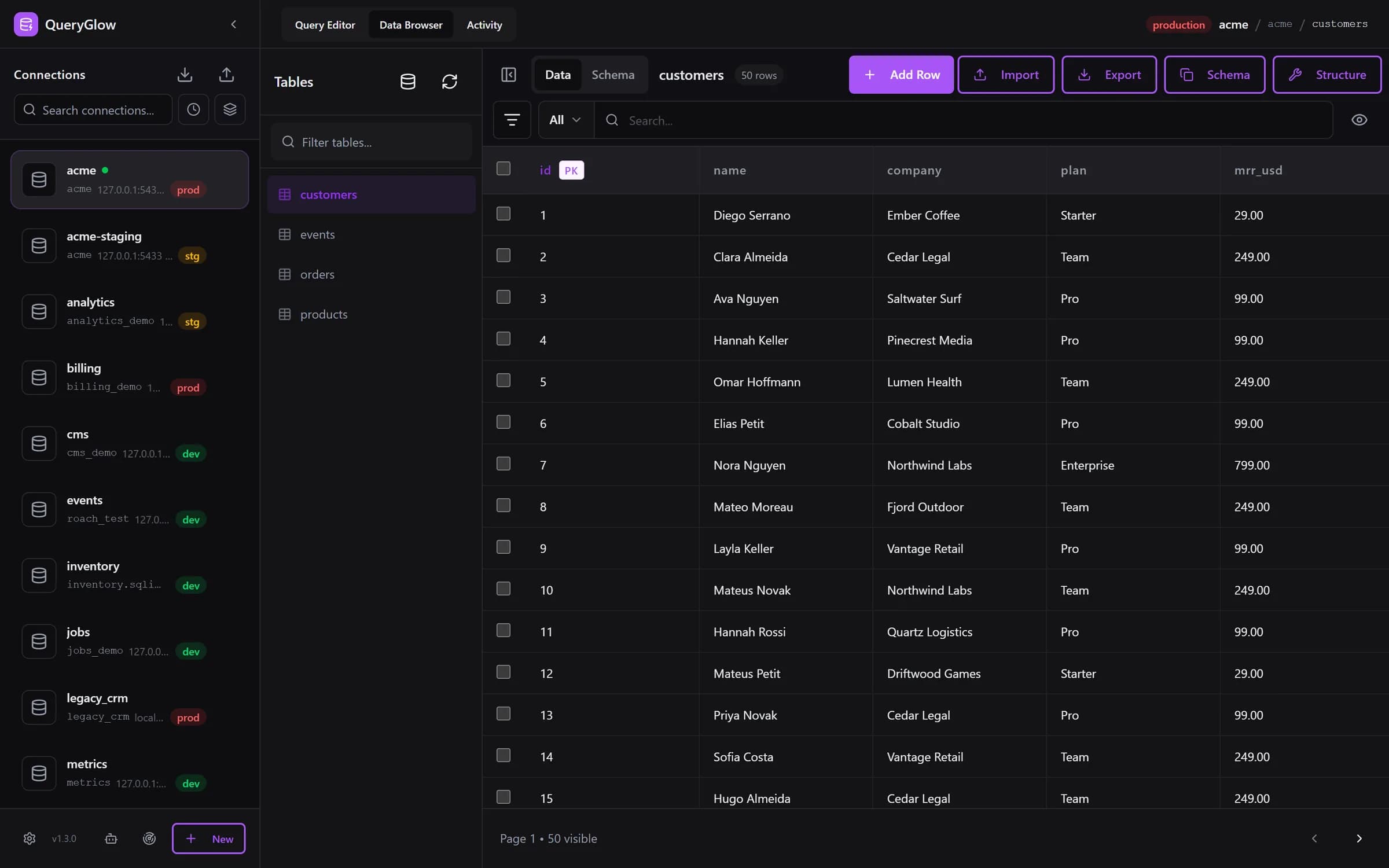
Curious what a web-based database GUI looks like?
QueryGlow runs in your browser from a server you run. Browse, query and edit PostgreSQL, MySQL, SQLite and 3 more engines. $79 once for the whole team.
See the tourUsers and roles are the same thing
Since PostgreSQL 8.1, users and groups are one kind of object, the role. CREATE USER is an alias for CREATE ROLE with one difference: it assumes LOGIN, while CREATE ROLE assumes NOLOGIN. A role without LOGIN works like a group. You grant it privileges once, then grant the role itself to the users who should have them. That is why \du shows users and groups in one list.
Create a user
CREATE USER app_writer WITH PASSWORD 'change-me';This creates app_writer with LOGIN and nothing else: no superuser rights, no right to create databases or roles. Pick a real password instead of change-me. The next GRANT names a database; if you are not sure of its name, list all databases first.
A read-only user for your team
CREATE ROLE app_reader WITH LOGIN PASSWORD 'change-me';
GRANT CONNECT ON DATABASE appdb TO app_reader;
GRANT USAGE ON SCHEMA public TO app_reader;
GRANT SELECT ON ALL TABLES IN SCHEMA public TO app_reader;
ALTER DEFAULT PRIVILEGES IN SCHEMA public GRANT SELECT ON TABLES TO app_reader;
Line by line:
- •CREATE ROLE with LOGIN creates a role that can log in, the same as CREATE USER would.
- •GRANT CONNECT lets app_reader connect to the database appdb.
- •GRANT USAGE on the schema lets it reach the objects in public.
- •GRANT SELECT ON ALL TABLES gives read access to every table and view that exists in public right now.
- •ALTER DEFAULT PRIVILEGES makes tables that are created in public later readable as well.
The caveat sits in the last line. ALTER DEFAULT PRIVILEGES applies only to objects that the role running it creates later. If your tables are created by another role, for example the one your migrations run as, that role has to set the default privileges for its own tables, or new tables stay unreadable for app_reader. Tables that already exist are covered by the GRANT SELECT line alone.
On the test server \du then listed both new roles with an empty Attributes column:
                              List of roles
 Role name  |                         Attributes
------------+------------------------------------------------------------
 app_reader |
 app_writer |
 postgres   | Superuser, Create role, Create DB, Replication, Bypass RLS
As app_reader, a SELECT on public.customer counted both rows, and DELETE FROM public.customer; failed with permission denied for table customer.
Users, roles and your database GUI
QueryGlow has no user or role editor, and it does not need one: it connects as whatever role you put in the connection. A read-only role like app_reader above is a good fit for a team that shares one GUI, because nobody can change data through it, not even by accident. On top of that, Safe Mode in QueryGlow blocks DELETE and UPDATE without WHERE, TRUNCATE and DROP by default.
More commands on one page: the psql commands cheat sheet.
Try QueryGlow: a self-hosted database GUI your team opens in the browser, $79 once for the whole team. Try the live demo (read-only, AI switched off, no signup).
Tags:
Built by an engineer. The app sends no telemetry.
Your database, without the dependencies.
QueryGlow is web-based and self-hosted, source code included. Open a URL from any device, your rows never leave your server. $79 once.
“Beautiful interface and very intuitive.”
Jean-Francois, Mildor Violon, verified customer “I was looking at DBeaver and yours looked a little easier for what I was looking for.”
Mike, verified customer
Stripe checkout. You'll enter your GitHub username for the repo invite. No refunds, so try the read-only demo first.
$79 one-time. Self-hosted. No subscription.