
Quick answer: the best PostgreSQL client depends on your use case — for web-based, self-hosted team access pick QueryGlow ($79 once, 6 databases, runs in your browser); for a free multi-database desktop app pick DBeaver Community.
Best PostgreSQL client in 2026, by use case:
- •Web-based / self-hosted: QueryGlow — runs in your browser from your own server (Docker). $79 once for unlimited users, across PostgreSQL, MySQL, MariaDB, SQLite, CockroachDB and TimescaleDB.
- •Free multi-database desktop: DBeaver Community — open-source, cross-platform.
- •Best for JetBrains users: DataGrip — deepest SQL code intelligence.
- •Best native macOS app: TablePlus.
- •Best command line: psql, or pgcli for autocomplete.
The best PostgreSQL client depends on three things: your platform, your budget, and whether you work alone or with a team. Here's how to pick without reading 15 tool reviews.
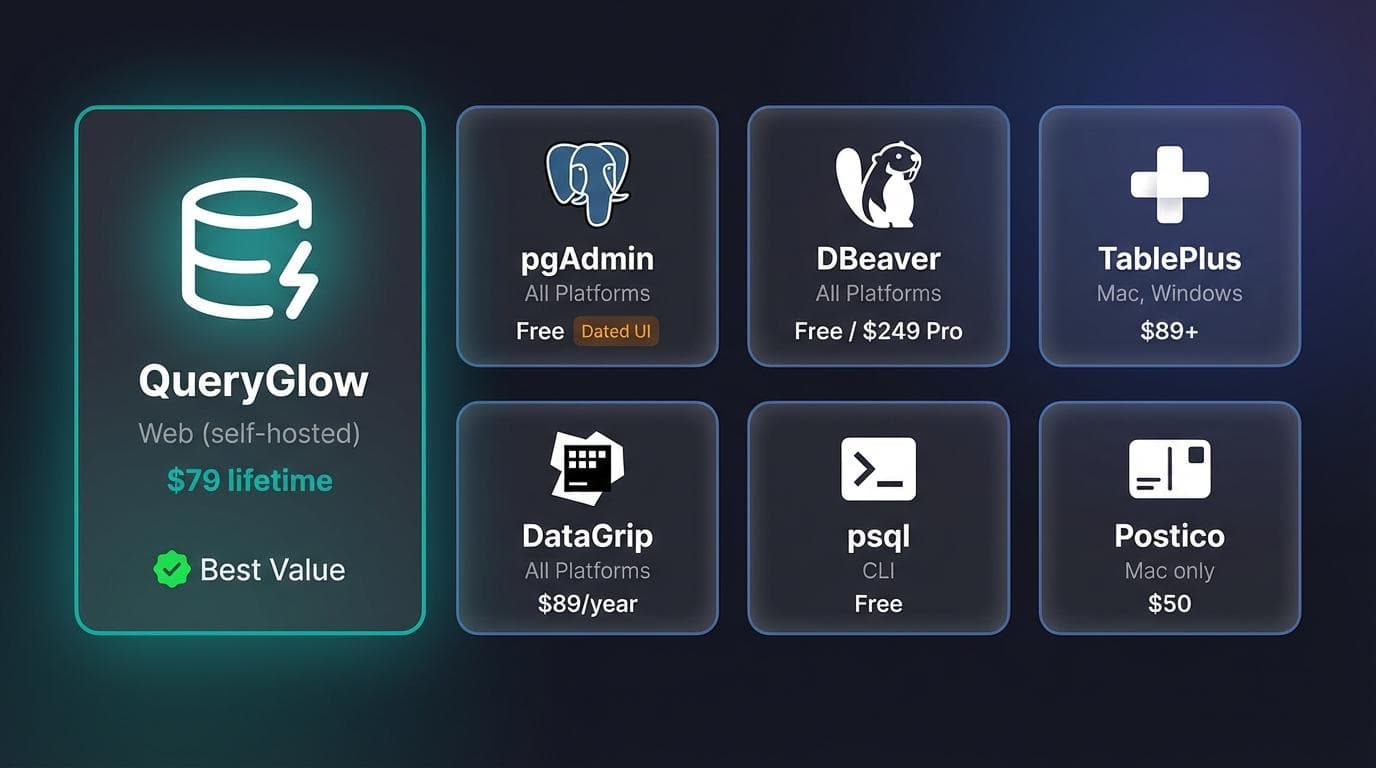
PostgreSQL Client Comparison Table
| Tool | Platform | Price | Best For | Key Limitation |
|---|---|---|---|---|
| QueryGlow | Web (self-hosted) | $79 lifetime | Teams, privacy-focused | Requires Docker setup |
| DBeaver | All | Free / from $113/yr | Multi-database developers | Heavy Java runtime |
| pgAdmin | All | Free | PostgreSQL admins | Slow, dated interface |
| DataGrip | All | $109/year | JetBrains users | Subscription cost adds up |
| TablePlus | Mac, Windows, Linux | $99 one-time | Solo Mac developers | Per-device licensing |
| Beekeeper Studio | All | Free / from $9/mo | UI-focused developers | Fewer admin features |
| HeidiSQL | Windows | Free | Windows power users | Windows-only |
| Postico | Mac only | $69 | Mac-native PostgreSQL | Mac-only, PostgreSQL-only |
| psql | CLI | Free | Scripting, automation | No visual interface |
Top PostgreSQL Clients Reviewed
QueryGlow: The Self-Hosted Web Option
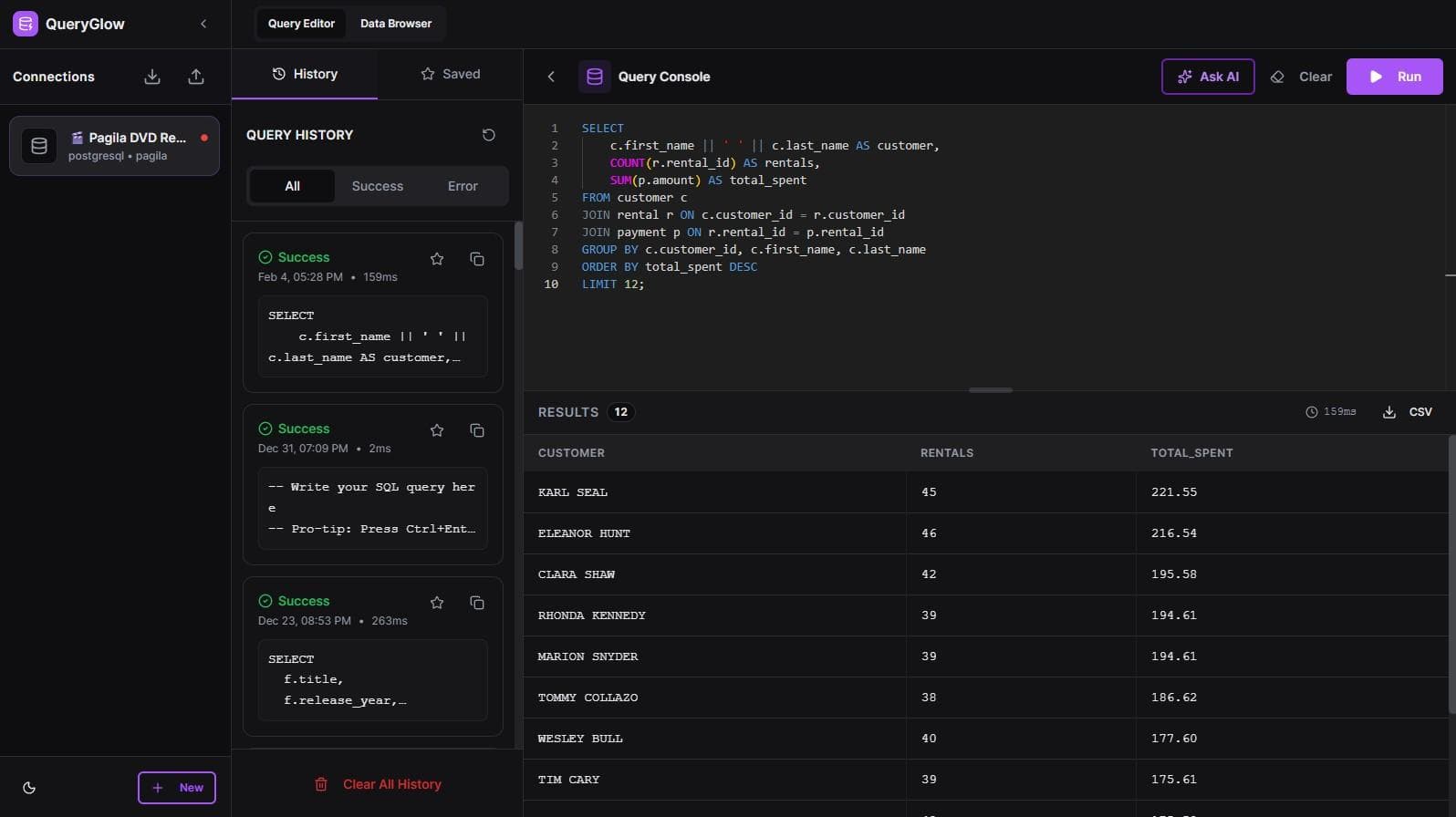
A web-based, self-hosted Postgres GUI — open a URL and you're in your database from any device. Runs as a Docker container on your infrastructure with zero telemetry. AI query generation (bring your own API key, only schema sent), schema-aware SQL autocomplete (type table. to see columns with data types). The same instance covers Postgres-compatible engines too — if you run time-series workloads, it doubles as a TimescaleDB GUI.
Pro: Web-based access from anywhere, $79 once, unlimited team members, self-hosted with zero telemetry, AI SQL with BYOK.
Con: Requires Docker — runs in your browser, not as a desktop app.
You can try it in the live demo first (real product, sample data, no signup). For details, see the QueryGlow vs pgAdmin deep-dive.
DBeaver — Best Free Open-Source Client
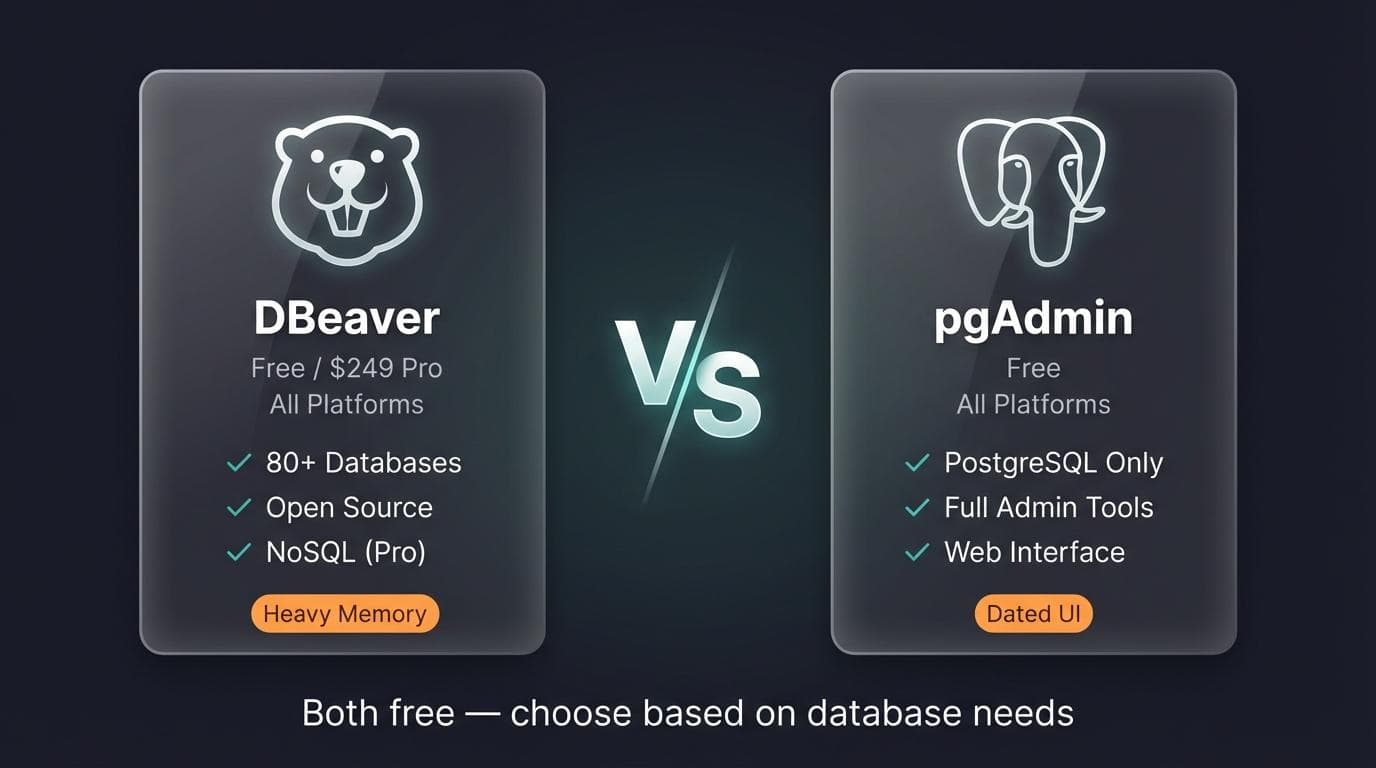
The workhorse of free database tools. The free Community edition covers PostgreSQL, MySQL, and 100+ other relational databases (NoSQL like MongoDB needs a paid edition). Java-based, so expect higher memory usage. Weighing the paid editions or looking for something lighter? Our DBeaver pricing and alternatives guide breaks down every edition.
Pro: Genuinely free with solid features.
Con: Sluggish on older hardware. See our DataGrip vs DBeaver breakdown for details.
pgAdmin — Official PostgreSQL Tool
The official PostgreSQL admin tool. Excellent for server maintenance, backups, and user management. The UI feels dated compared to modern alternatives. Torn between the two free tools? Our pgAdmin vs DBeaver comparison settles it.
Pro: Free, community-maintained, full admin capabilities.
Con: Slow startup, cluttered interface for simple queries.
DataGrip — Best for JetBrains Users
JetBrains' database IDE. If you use IntelliJ or WebStorm, the familiar interface and smart autocomplete make this worth the subscription. $109/year for individuals (free for non-commercial use).
Pro: Best-in-class query autocomplete and refactoring.
Con: Subscription-only. Overkill for simple table browsing.
TablePlus — Best Native macOS Experience
Native app that feels fast on Mac. Clean design, sensible keyboard shortcuts. Linux and Windows versions exist but feel less polished.
Pro: Snappy performance, intuitive UI.
Con: Per-device licensing adds up. See our TablePlus comparison for alternatives.
Beekeeper Studio — Best Modern UI
The prettiest free option. Open-source core with paid team features. Good if you value aesthetics over advanced admin tools.
Pro: Clean interface that doesn't feel like 2005.
Con: Fewer features than DBeaver or pgAdmin — see our Beekeeper Studio comparison for the full breakdown.
HeidiSQL — Best Lightweight Windows Client
Windows-only client that loads instantly. No Java, no bloat. PostgreSQL support isn't as deep as its MySQL features.
Pro: Fast, free, minimal resources.
Con: Windows-only, limited PostgreSQL depth.
What does a web-based PostgreSQL client look like?
QueryGlow is web-based: open a URL and you're in your database from any device. Self-hosted, source code included, $79 once.
Best PostgreSQL Clients by Platform
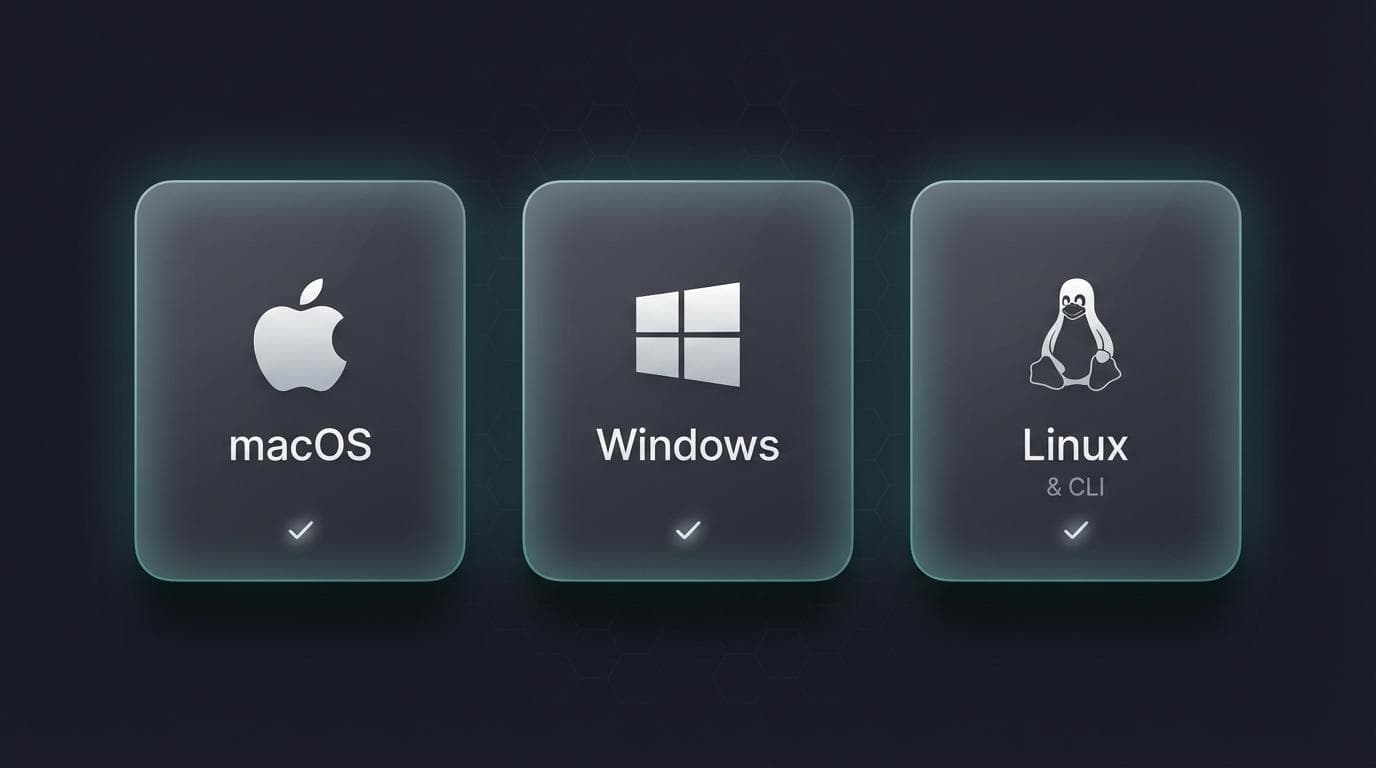
Mac
TablePlus delivers the native Mac feel developers expect. Postico is simpler but PostgreSQL-only. If Mac is the whole question and Postgres is only part of it, our roundup of the best database software for Mac ranks the field across engines.
If you want browser-based access without installing anything, QueryGlow runs in any browser once deployed. For those considering a TablePlus alternative with team features, self-hosted options avoid per-device licensing entirely.
Windows
DBeaver Community handles multi-database work without cost. The Java runtime runs heavy, but free is free. HeidiSQL offers a lightweight alternative if you want instant startup.
For teams prioritizing data privacy, QueryGlow's self-hosted model keeps credentials off third-party servers—deploy behind your VPN and access from any Windows browser.
Linux
DBeaver and Beekeeper Studio both run natively. DataGrip works well if you're in the JetBrains ecosystem. For self-hosted web access, QueryGlow runs anywhere Docker runs.
CLI Tools
psql ships with PostgreSQL. It handles everything but offers no hand-holding.
pgcli adds autocomplete and syntax highlighting to the standard CLI experience. For automation and scripting, nothing beats a direct terminal connection.
Feature Comparison: GUI vs CLI vs Web-Based
| Feature | Desktop GUI | CLI | Web-Based |
|---|---|---|---|
| Visual schema browsing | ✓ | Limited | ✓ |
| Query autocomplete | ✓ | pgcli only | ✓ (schema-aware) |
| Team collaboration | Per-seat licenses | Shared scripts | Single deployment |
| Install required | Yes | Minimal | None (browser) |
| Self-hosted option | Rare | Always | QueryGlow |
| Automation/scripting | Limited | Excellent | API-dependent |
Self-hosted GUI tools excel at visual exploration and ad-hoc queries — running Supabase Studio on your own Postgres is one route people take. CLI wins for scripting and SSH tunneling into production boxes. Web-based clients split the difference—no install, team access, but you need somewhere to host them.
For sensitive data, self-hosted beats cloud every time. Your credentials stay on your infrastructure.
How to Choose the Right PostgreSQL Client
Quick decision matrix:
- •Free + cross-platform → DBeaver
- •Self-hosted + team sharing → QueryGlow
- •Heavy PostgreSQL admin → pgAdmin
- •JetBrains user → DataGrip
- •macOS native → TablePlus
- •Modern UI priority → Beekeeper Studio
- •Windows + lightweight → HeidiSQL
Three questions to narrow it down:
1. Do you work alone or with a team?
- •Solo on Mac → TablePlus or Postico
- •Solo on Windows → DBeaver Community or HeidiSQL
- •Team needing shared access → QueryGlow (one $79 license, unlimited users)
2. What's your budget?
- •Free required → DBeaver Community, pgAdmin, Beekeeper Studio, or psql
- •One-time payment preferred → QueryGlow ($79), TablePlus ($99+)
- •Subscription acceptable → DataGrip ($109/year)
3. Do you need self-hosted/private deployment?
- •Yes → QueryGlow (Docker, zero telemetry)
- •No → Any option works
FAQ
What is the best free PostgreSQL client?
DBeaver Community Edition. Genuinely free (not freemium-limited), supports PostgreSQL plus dozens of other databases, runs everywhere. Trade-off: Java-based memory usage.
Is pgAdmin still good in 2026?
For administration—yes. Backups, user management, and server maintenance work well. For daily development, the dated UI pushes most developers toward DBeaver or TablePlus. See our pgAdmin alternatives for modern options.
Which PostgreSQL client has the best query editor?
DataGrip has the smartest autocomplete ($109/year subscription). QueryGlow uses Monaco (same editor as VS Code) with schema-aware SQL autocomplete and AI query generation—$79 one-time. Type table. and see every column with data types.
Should I use separate schemas or separate databases in Postgres?
Schemas, in most cases: they live inside one database, so cross-schema queries and shared connections still work. Separate databases buy you harder isolation and cost you joins. Our guide on schema vs database in PostgreSQL walks through where each one breaks down.
Try QueryGlow: Web-based PostgreSQL client: open a URL, access your database from anywhere. Self-hosted, source code included, $79 once. See the live demo.
Tags:
Built by an engineer. Zero telemetry. Zero tracking.
Your PostgreSQL client search ends here
QueryGlow is web-based and self-hosted, source code included. Access your database from any device, your data never leaves your network. $79 once.
“It's the simplest and the most beautiful interface that you can have.”
$79 one-time. Self-hosted. No subscription.