
Quick Answer: PostgreSQL has no DESCRIBE command. In psql, type
\d table_name, or\d+ table_namefor more detail. In SQL, queryinformation_schema.columns. For the full CREATE TABLE statement, runpg_dump --schema-only --table=table_name your_database.
If you come from MySQL or Oracle, you are used to a DESCRIBE statement that lists the columns of a table. PostgreSQL has none, but psql, the information schema and pg_dump show you the same details and more. Every command below ran on PostgreSQL 16 against a sample database with the tables public.customer and sales.orders.
Describe a table in psql with \d
\d customer\d customer lists every column with its type, collation, whether it may be null and its default. Below the columns come the indexes on the table and, under Referenced by, the foreign keys in other tables that point to this one. On the test server it printed:
                                   Table "public.customer"
   Column   |           Type           | Collation | Nullable |           Default
------------+--------------------------+-----------+----------+------------------------------
 id         | integer                  |           | not null | generated always as identity
 email      | text                     |           | not null |
 name       | text                     |           |          |
 created_at | timestamp with time zone |           | not null | now()
Indexes:
    "customer_pkey" PRIMARY KEY, btree (id)
    "customer_created_at_idx" btree (created_at)
    "customer_email_key" UNIQUE CONSTRAINT, btree (email)
Referenced by:
    TABLE "sales.orders" CONSTRAINT "orders_customer_id_fkey" FOREIGN KEY (customer_id) REFERENCES customer(id)
The id column is an identity column, the UNIQUE constraint on email shows up as the index customer_email_key, and the Referenced by line tells you that sales.orders holds a foreign key on customer_id. Where a table has them, psql also lists check constraints, the foreign keys of the table itself, rules and triggers.
More detail with \d+
\d+ customer\d+ customer prints the same columns with four more: Storage, Compression, Stats target and Description. Description holds the comment on each column, if anyone wrote one. At the end it also names the access method, which is heap for an ordinary table. On the test server the Description column stayed empty, and Storage read plain for the integer and timestamp columns and extended for the two text columns.
Tables in other schemas
\d sales.orderspsql looks up a bare table name in your search_path, which usually holds only the public schema. For a table in another schema, put the schema in front of the name, as in \d sales.orders. For orders the output ends with a Foreign-key constraints section that lists orders_customer_id_fkey, the outgoing side of the foreign key you saw under Referenced by above.
Describe a table with SQL
SELECT column_name, data_type, is_nullable, column_default
FROM information_schema.columns
WHERE table_schema = 'public'
  AND table_name = 'customer'
ORDER BY ordinal_position;
information_schema.columns belongs to the information schema, which the SQL standard defines, so this query works in any client, from psql to a GUI, and stays stable across PostgreSQL versions. ORDER BY ordinal_position keeps the columns in the order of the table definition:
 column_name |        data_type         | is_nullable | column_default
-------------+--------------------------+-------------+----------------
 id          | integer                  | NO          |
 email       | text                     | NO          |
 name        | text                     | YES         |
 created_at  | timestamp with time zone | NO          | now()
(4 rows)
The identity column id shows no default here, because the view marks identity columns in a separate column, is_identity.
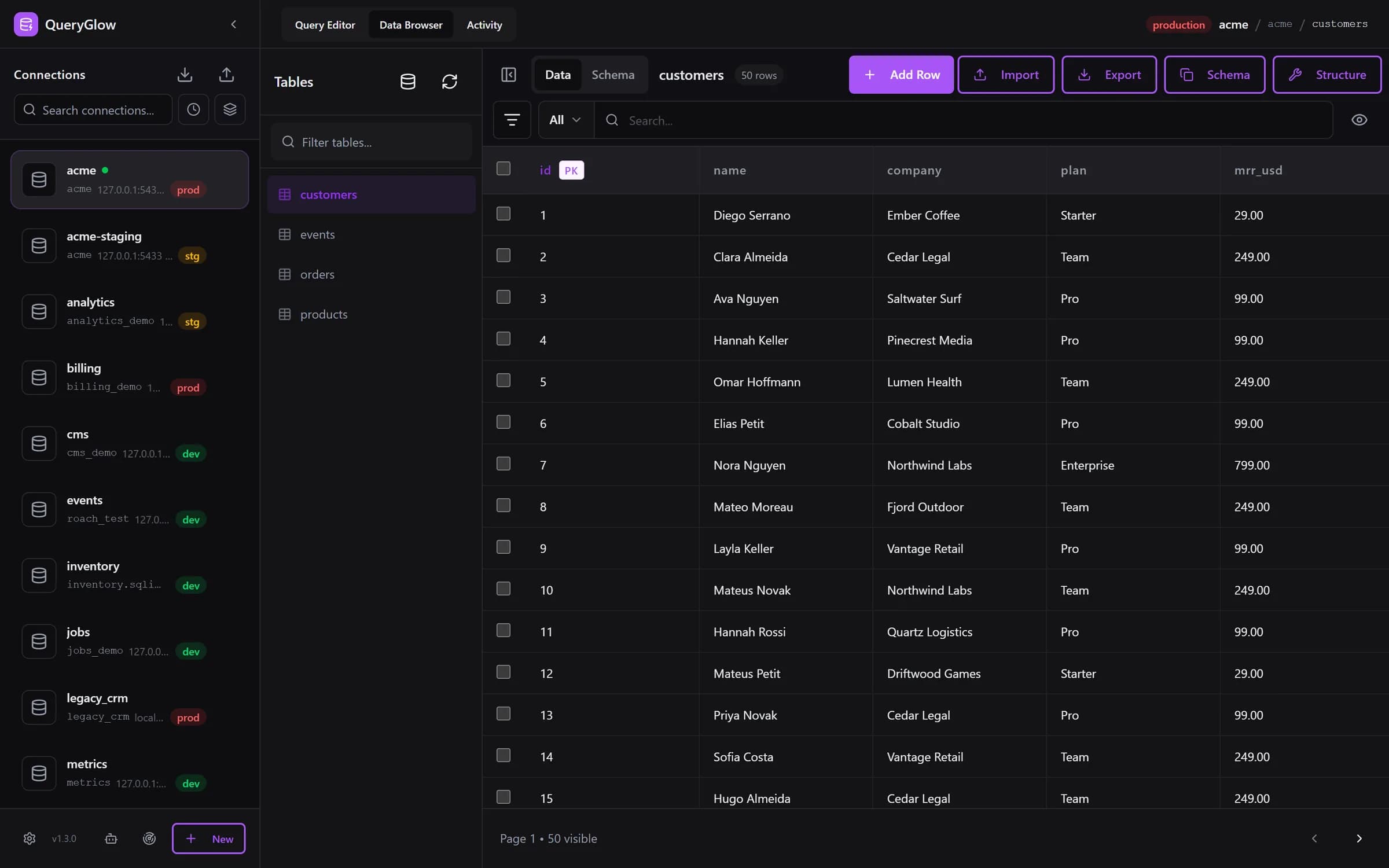
Curious what a web-based database GUI looks like?
QueryGlow runs in your browser from a server you run. Browse, query and edit PostgreSQL, MySQL, SQLite and 3 more engines. $79 once for the whole team.
See the tourShow indexes, constraints and foreign keys
Two queries on the system catalogs fill in what information_schema.columns leaves out.
Indexes
SELECT indexname, indexdef
FROM pg_indexes
WHERE schemaname = 'public'
  AND tablename = 'customer';
pg_indexes returns one row per index with the full CREATE INDEX statement in indexdef. For customer that came to three rows: customer_pkey for the primary key, customer_email_key behind the UNIQUE constraint, and customer_created_at_idx on created_at.
Constraints and foreign keys
SELECT conname, pg_get_constraintdef(oid) AS definition
FROM pg_constraint
WHERE conrelid = 'sales.orders'::regclass;
pg_constraint stores the check, primary key, unique, foreign key and exclusion constraints of every table. The cast to regclass turns the table name into the internal ID that conrelid holds, and pg_get_constraintdef rebuilds each constraint the way you would write it in CREATE TABLE. For sales.orders it returned:
         conname         |                    definition
-------------------------+---------------------------------------------------
 orders_pkey             | PRIMARY KEY (id)
 orders_customer_id_fkey | FOREIGN KEY (customer_id) REFERENCES customer(id)
(2 rows)
Get the CREATE TABLE statement
pg_dump --schema-only --table=public.customer appdbPostgreSQL has no SHOW CREATE TABLE either; SHOW only displays run-time settings. pg_dump does the job from your shell: --schema-only dumps the definitions without the data, and --table limits the dump to the tables that match the name. Pass the same host, port and user options you give psql. For customer the dump held the CREATE TABLE statement, the identity sequence, the table comment, the primary key and unique constraints and the index on created_at, each as a statement of its own.
Describe a table in a GUI
In pgAdmin, the columns, constraints and indexes of a table appear as nodes under the table in the Object Explorer tree.
In QueryGlow, open a table in the Data Browser and switch from Data to Schema. You see the columns with their type, NOT NULL, UNIQUE and default, the indexes, and the foreign keys with the table each one points to. Copy Schema puts the table's CREATE TABLE statement on your clipboard, the closest thing PostgreSQL has to MySQL's SHOW CREATE TABLE. One honest limit: on PostgreSQL the Data Browser covers the public schema.
More commands on one page: the psql commands cheat sheet.
Try QueryGlow: a self-hosted database GUI your team opens in the browser, $79 once for the whole team. Try the live demo (read-only, AI switched off, no signup).
Tags:
Built by an engineer. The app sends no telemetry.
Your database, without the dependencies.
QueryGlow is web-based and self-hosted, source code included. Open a URL from any device, your rows never leave your server. $79 once.
“Beautiful interface and very intuitive.”
Jean-Francois, Mildor Violon, verified customer “I was looking at DBeaver and yours looked a little easier for what I was looking for.”
Mike, verified customer
Stripe checkout. You'll enter your GitHub username for the repo invite. No refunds, so try the read-only demo first.
$79 one-time. Self-hosted. No subscription.