
Answer Box: Schema vs Database in PostgreSQL
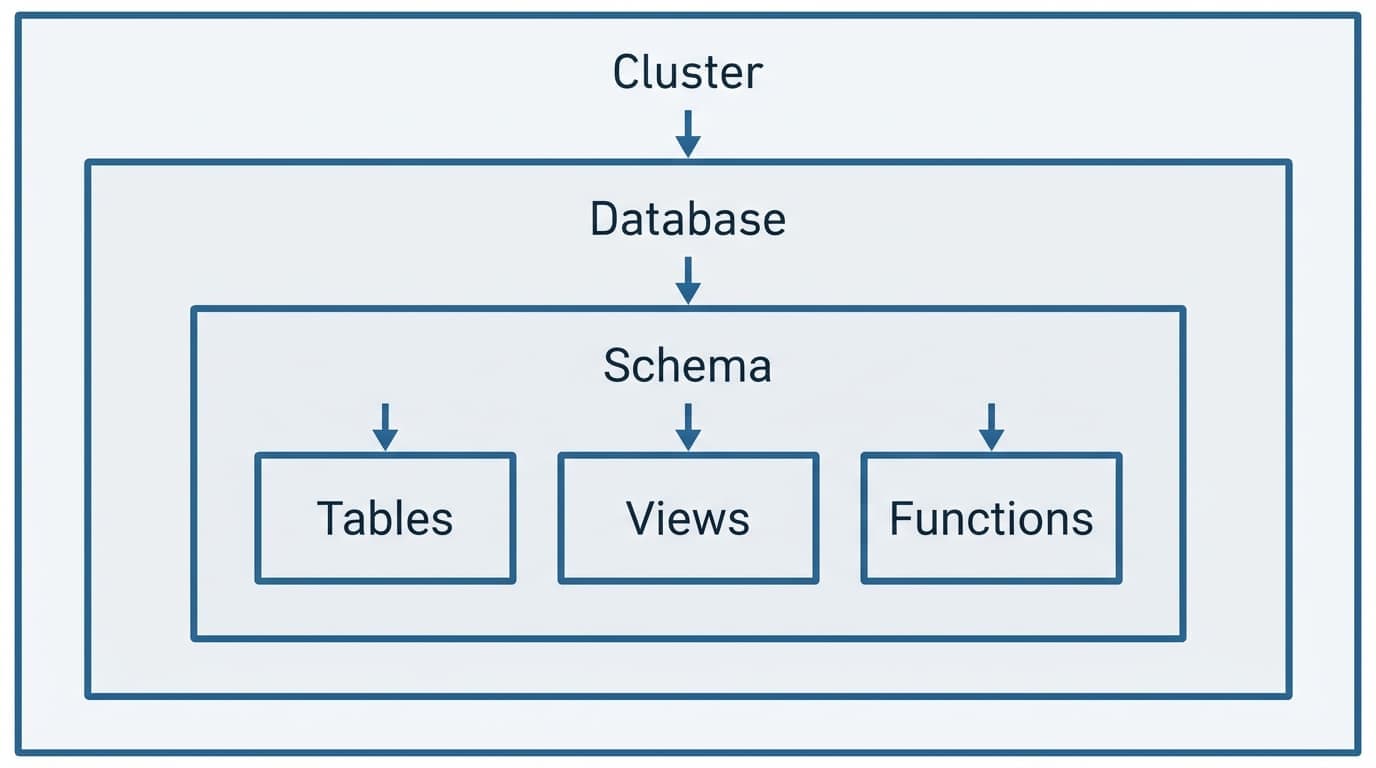
Quick Answer: In PostgreSQL, a database is an isolated container with separate connections, backups, and user access. A schema is a namespace within a database used to organize tables, views, and functions. You connect to a database. You organize with schemas. Databases provide full isolation; schemas enable cross-queries while keeping things tidy.
The confusion is real. You connect to a database but organize with schemas—it sounds backwards until you see the hierarchy.
Here's the rule: You connect to a DATABASE. You organize within a SCHEMA.
PostgreSQL Schema vs Database: Quick Comparison
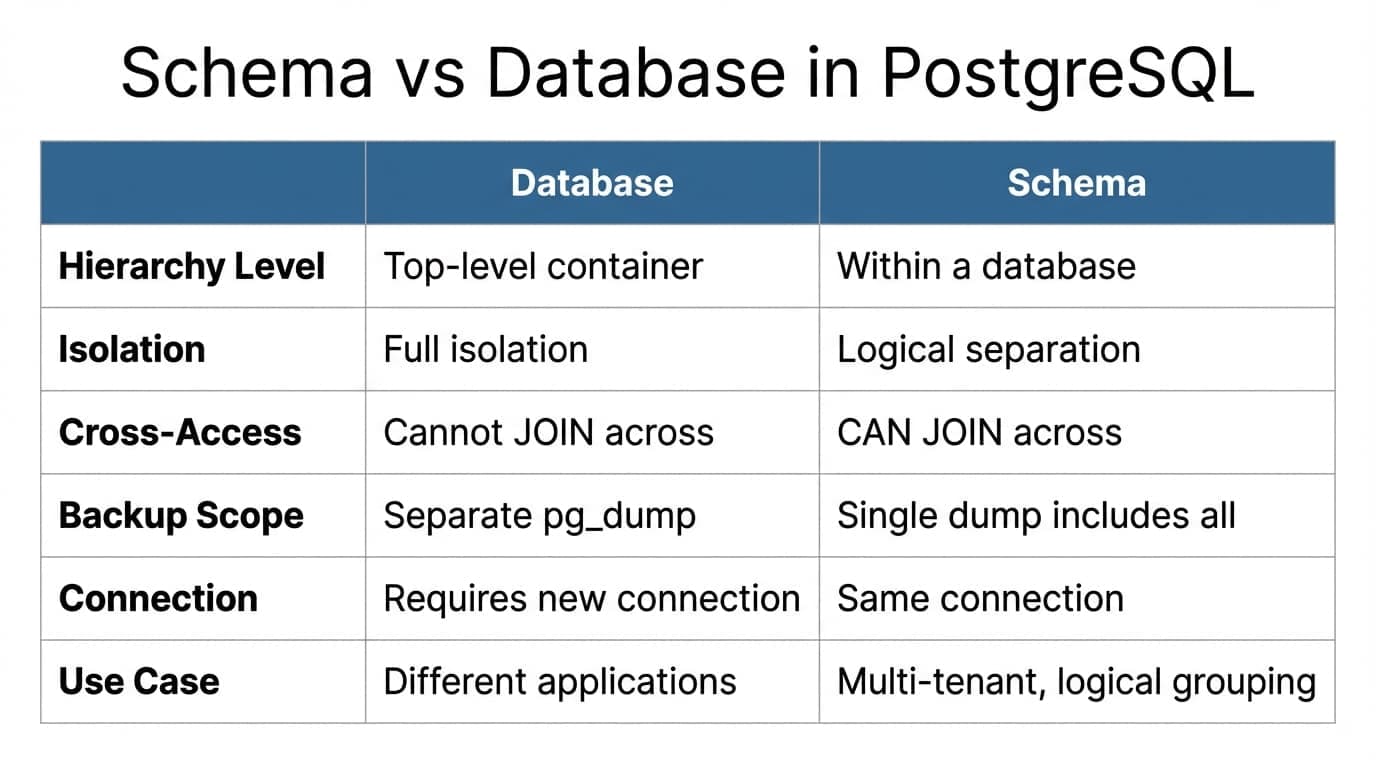
| **Aspect** | **Database** | **Schema** |
|---|---|---|
| Hierarchy Level | Top-level container | Within a database |
| Isolation | Full isolation | Logical separation |
| Cross-Access | Cannot JOIN across databases | CAN JOIN across schemas |
| Backup Scope | Separate pg_dump per database | Single dump includes all schemas |
| Connection | Requires new connection | Same connection |
| Use Case | Different applications | Multi-tenant apps, logical grouping |
According to the official PostgreSQL documentation, backups operate at the cluster level—meaning pg_dump targets entire databases, not individual schemas. This matters when you're planning disaster recovery.
When to Use a Database vs Schema: Decision Framework
Answer these three questions:
- •Do you need to JOIN data across boundaries? → Use schemas (same database)
- •Do you need separate backup schedules or recovery points? → Use separate databases
- •Do you need strict user access isolation with zero overlap? → Use separate databases
Use Separate Databases When
You need full isolation. Different applications. Different backup cycles. Completely separate user pools.
Examples:
- •Production vs. staging environments
- •Separate client applications that should never interact
- •Different backup retention policies (keep HR data for 7 years, keep analytics for 30 days)
CREATE DATABASE app_production;
CREATE DATABASE app_staging;
Each database gets its own connection string. No accidental cross-queries. When Heroku PostgreSQL provisions a database, they give you a separate isolated unit—not a schema within a shared database.
Use Schemas Within One Database When
You need logical grouping but want to query across boundaries. Multi-tenant SaaS apps. Shared analytics across teams.
Examples:
- •Multi-tenant app with one schema per customer
- •Organizing by function:
api,internal,archive - •Keeping test data separate from production data in the same environment
CREATE SCHEMA sales;
CREATE SCHEMA support;
CREATE SCHEMA archive;
You can JOIN across schemas in the same query. You can't do that with separate databases.
For detailed setup instructions, see the PostgreSQL documentation.
Need a better way to browse PostgreSQL schemas?
QueryGlow is web-based — browse schemas, run queries, and manage databases from any device. Self-hosted on your infrastructure.
Practical Examples: Creating and Querying
Creating a Schema
CREATE SCHEMA sales;

-- Set search path so you don't need to qualify every table
SET search_path TO sales, public;

-- Now create tables in the sales schema
CREATE TABLE orders (
  id SERIAL PRIMARY KEY,
  customer_id INT,
  total DECIMAL(10,2)
);
Creating a Database
-- Must be run from a different database (e.g., postgres)
CREATE DATABASE analytics;

-- Connect to the new database
\c analytics

-- Now you're in a completely separate environment
CREATE TABLE reports (
  id SERIAL PRIMARY KEY,
  report_type VARCHAR(50)
);
Querying Across Schemas
-- Join tables from different schemas in the same database
SELECT
  o.id,
  o.total,
  c.name
FROM sales.orders o
JOIN support.customers c ON o.customer_id = c.id;
This query works because both schemas live in the same database. Try to JOIN across databases? Postgres says no.
Managing multiple schemas gets messy in command-line tools. A web-based SQL client shows you the full schema hierarchy without memorizing search paths.
Managing Schemas and Databases Efficiently
Command-line schema management means memorizing search paths, qualifying every table name, and switching connections manually.
Visual tools eliminate that friction. See the full schema hierarchy at a glance. Switch between databases without typing connection strings. Filter tables by schema without WHERE clauses.
Try QueryGlow: Manage PostgreSQL schemas and databases from any device — open a URL and you're in. Web-based, self-hosted on your infrastructure, $79 one-time payment. See every schema, table, and connection in one view. Try the live demo.
Tags:
Built by an engineer. Zero telemetry. Zero tracking.
Put your PostgreSQL knowledge to work
QueryGlow is web-based and self-hosted. Manage databases and schemas from any device, AI writes SQL from plain English. $79 once.
“It's the simplest and the most beautiful interface that you can have.”
$79 one-time. Self-hosted. No subscription.