
Five MySQL tools. One table. Let's cut through the noise.
You're not here for a history lesson on relational databases. You need to pick a MySQL client and get back to work. Here's the breakdown.
Quick Answer: Best MySQL Database Software in 2026
Quick Answer: For web-based team access, go with QueryGlow ($79 lifetime). For Oracle ecosystem users, MySQL Workbench is free and official. For multi-database environments, DBeaver handles everything. If Workbench specifically is what you're replacing, our focused roundup of MySQL Workbench alternatives goes deeper on that question.
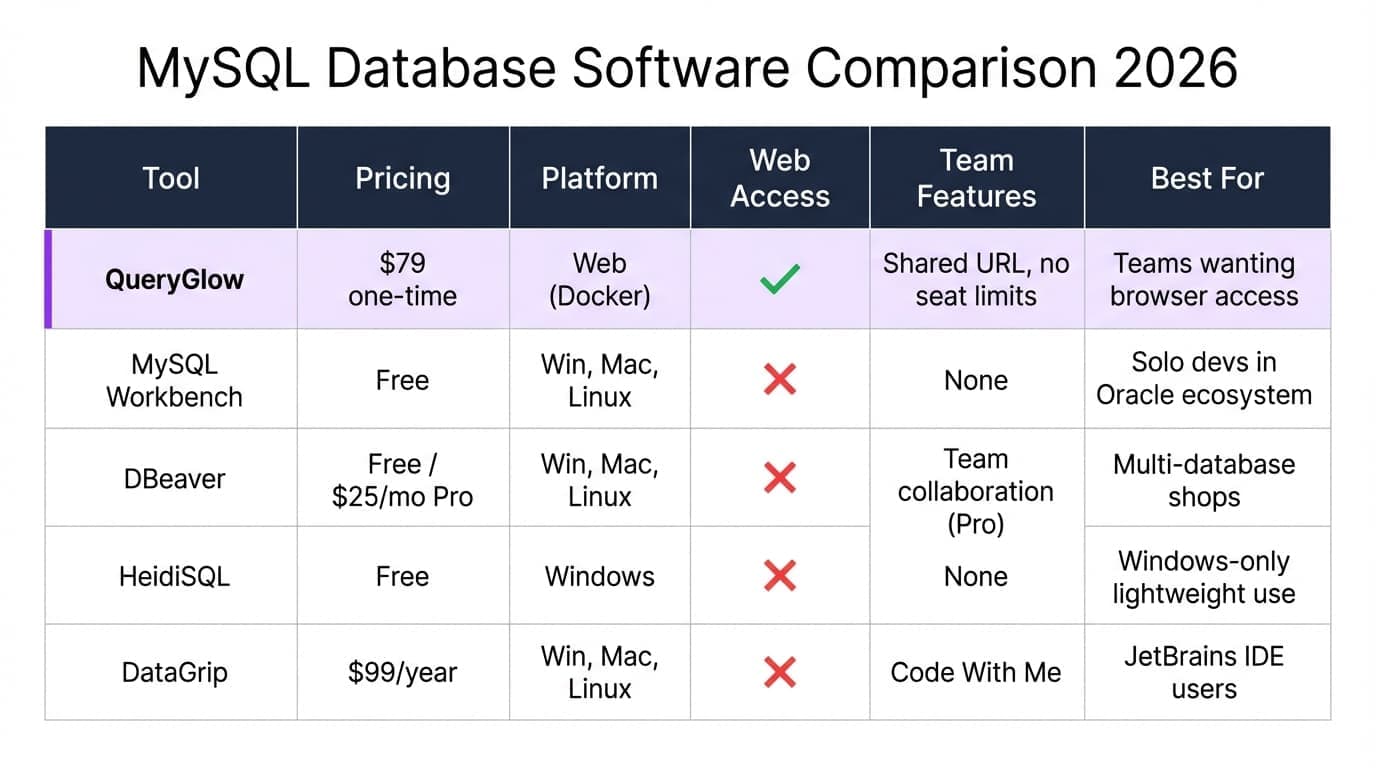
MySQL Tools Comparison Table
| Tool | Pricing | Platform | Web Access | Team Features | Best For |
|---|---|---|---|---|---|
| QueryGlow | $79 one-time | Web (Docker) | ✓ | Shared URL, no seat limits | Teams wanting browser-based access |
| MySQL Workbench | Free | Windows, Mac, Linux | ✗ | None | Solo devs in Oracle ecosystem |
| DBeaver | Free / from $113/yr | Windows, Mac, Linux | ✗ | Team collaboration (paid) | Multi-database shops |
| HeidiSQL | Free | Windows | ✗ | None | Windows-only lightweight use |
| DataGrip | $109/year | Windows, Mac, Linux | ✗ | Code With Me | JetBrains IDE users |
Top MySQL Database Software Reviewed
QueryGlow: Web-Based Team Access
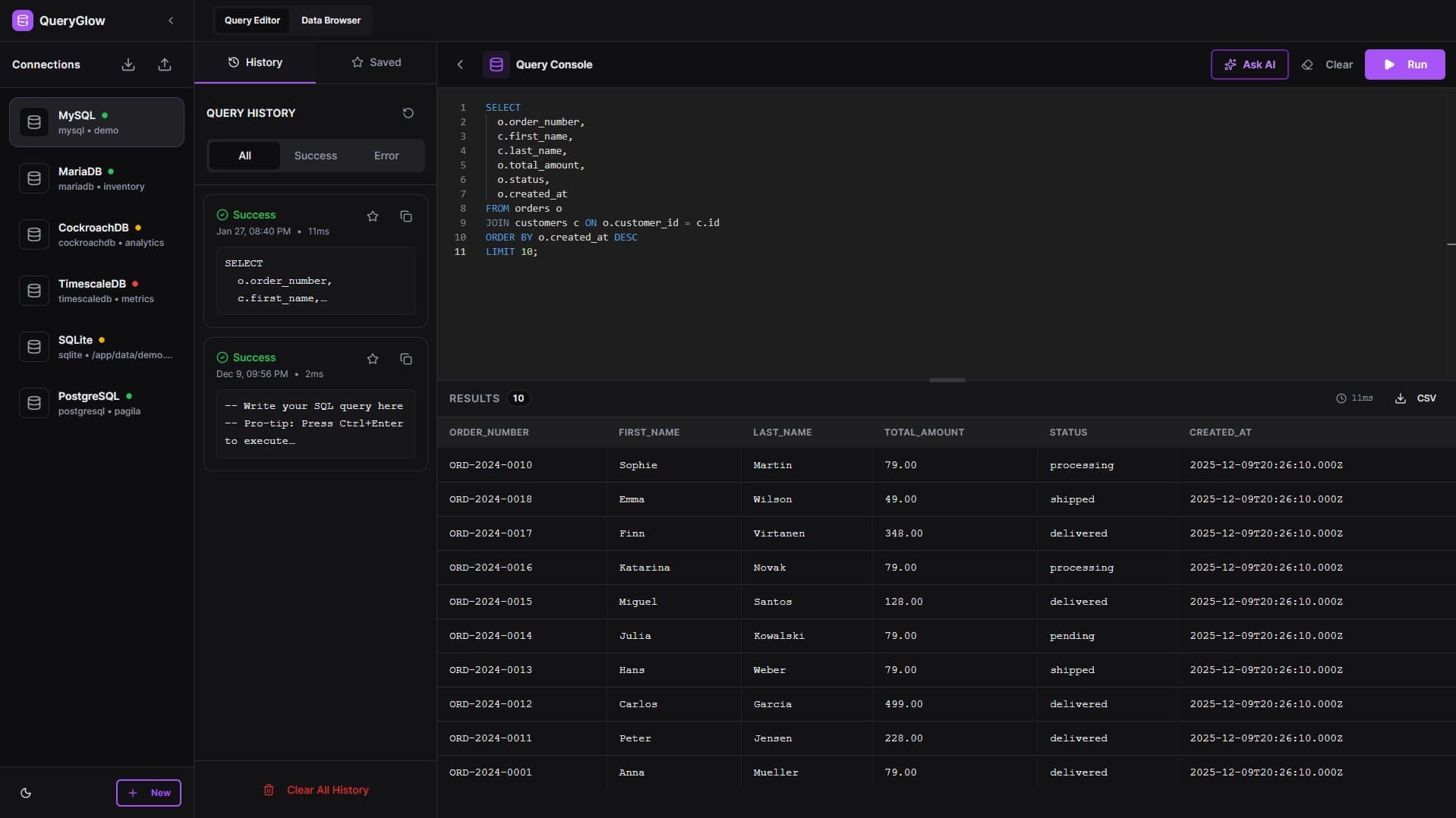
$79 lifetime • Web-based • Self-hosted
Deploy once, share a URL with your team. No per-seat fees. QueryGlow runs as a Docker container on your infrastructure — your credentials never leave your server. Access your MySQL databases from any device with a browser. Supports MySQL 5.7+, 8.x, and MariaDB — the same deployment doubles as a MariaDB GUI. AI writes SQL from plain English (bring your own API key, only schema sent). The live demo is the quickest way to check the fit (real product, sample data, no signup).
MySQL Workbench – Best Free Official Tool
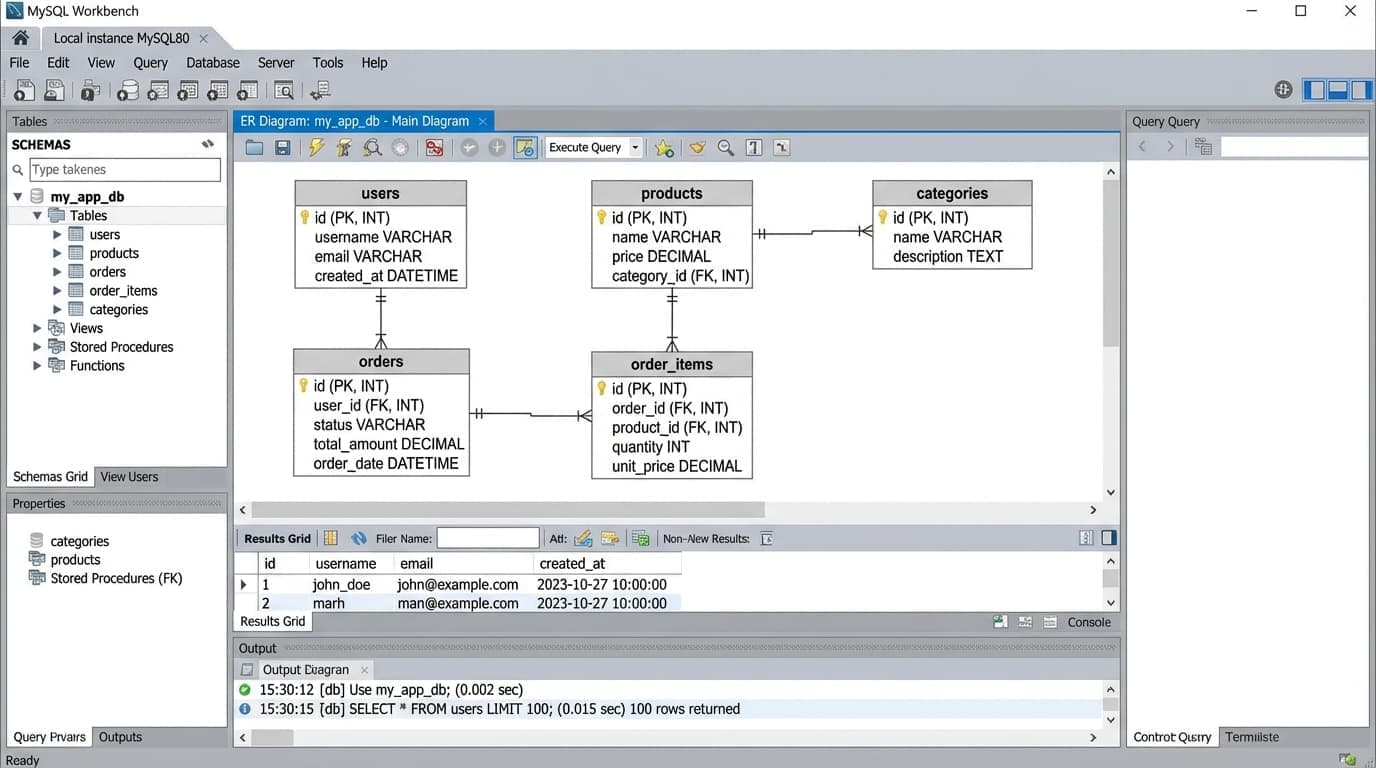
Free • Desktop • Oracle-maintained
The official client from Oracle. Solid ER diagrams, visual query builder, and schema design tools. It's free and well-documented via the MySQL community resources. The downsides: sluggish startup, cluttered UI, and MySQL-only. See our MySQL Workbench alternatives roundup for a detailed look at what to use instead.
DBeaver – Best Multi-Database Option
Free / from $113/yr • Desktop • Eclipse-based
Connects to nearly everything—MySQL, PostgreSQL, MongoDB, you name it. The free Community Edition covers most needs. Heavy on RAM due to Java, and the UI feels dated. Paid editions unlock team features and NoSQL support. Check the QueryGlow vs DBeaver comparison if you're weighing these two, or see our complete DBeaver SQL client guide for pricing and edition details.
HeidiSQL – Best Lightweight Windows Client
Free • Windows only
Fast, simple, gets the job done. No bloat. If you're on Windows and just need to run queries and browse tables, HeidiSQL is hard to beat. No Mac or Linux support, and no advanced team features.
DataGrip – Best for JetBrains Users
$109/year • Desktop • JetBrains
If you already live in IntelliJ or PyCharm, DataGrip feels like home. Smart code completion, refactoring tools, and version control integration. The subscription model adds up over time, and it's overkill if you're not deep in the JetBrains ecosystem. At the premium end of the market, Navicat is the other big name — our QueryGlow vs Navicat comparison breaks down what that price tag actually buys, and our full Navicat review covers every edition and its pricing in detail.
Curious what a web-based MySQL GUI looks like?
QueryGlow is web-based: open a URL, access your MySQL databases from any device. Self-hosted, source code included, $79 once.
How to Choose the Right MySQL Tool
- •Solo dev on Windows → HeidiSQL (free, fast, simple)
- •Solo dev on Mac/Linux → DBeaver Community (free, cross-platform)
- •Team needing shared access → QueryGlow (web-based SQL client with no seat limits)
- •Enterprise Oracle stack → MySQL Workbench (official tooling, free)
- •Multi-database environment → DBeaver or DataGrip
- •Performance-critical work → Pair any GUI with proper indexing
The MySQL platform compatibility docs confirm version support across these tools if you're running older MySQL instances.
Get Started with QueryGlow
Try QueryGlow: Web-based, self-hosted MySQL GUI — open a URL, access your database from anywhere. Works with MySQL 5.7+, 8.x, and full MariaDB support. $79 once, then it's yours. See the live demo.
Tags:
Built by an engineer. Zero telemetry. Zero tracking.
Ready to pick your MySQL tool?
QueryGlow is web-based and self-hosted, source code included. Access MySQL from any device, your data stays on your infrastructure. $79 once.
“It's the simplest and the most beautiful interface that you can have.”
$79 one-time. Self-hosted. No subscription.