
Quick Answer: Mac database software comes in two kinds. To keep records without writing SQL, use a personal database app such as FileMaker Pro, Tap Forms or LibreOffice Base. To work with PostgreSQL, MySQL or SQLite, use a SQL client: QueryGlow covers all three in one browser interface ($79 once), Postico (PostgreSQL) and Sequel Ace (MySQL, free) are single-database picks, and DBeaver covers the most ground for free.
Three projects, three database types, three different tools open at once. This is normal for Mac developers, and it's completely avoidable.
The Mac database software landscape splits into two camps: free tools, several built on Java, and paid native clients that charge per device or per month.
This comparison breaks down the best options by database type, then gives you a decision framework at the end.
Personal Database Apps for Mac (No SQL Needed)
Many people who search for Mac database software do not want SQL at all. They want an app to keep records: a collection, clients, inventory, a small business. For that job a personal database app is the right tool, and none of the SQL clients further down are.
| App | What it is | Devices | Price |
|---|---|---|---|
| FileMaker Pro | Low-code platform from Claris for building your own apps around your data | Mac, Windows, iPad, iPhone, web browser | Subscription, see claris.com |
| Tap Forms Pro | Database app to organize records such as projects, expenses, inventory and recipes | Mac, iPhone, iPad, Apple Watch | Subscription, $4.99 a month or $44.99 a year (Mac, individual license) |
| LibreOffice Base | Database part of the free LibreOffice suite, with tables, forms, queries and reports | Mac, Windows, Linux | Free |
When your records outgrow one person's app, or several people need the same data at once, a real database such as PostgreSQL or MySQL plus a SQL client is the next step. That is what the rest of this guide compares.
Best Mac Database Software at a Glance
| Tool | Databases | Price | Interface | Key Strength |
|---|---|---|---|---|
| QueryGlow | 6 (PG, MySQL, MariaDB, SQLite, CockroachDB, TimescaleDB) | $79 once | Web-based | One tool for six engines |
| pgAdmin 4 | PostgreSQL only | Free | Desktop app or browser (server mode) | Official PostgreSQL tool |
| Postico 2 | PostgreSQL only | $69 one-time | Native Mac | Best Mac-native PostgreSQL UX |
| Sequel Ace | MySQL/MariaDB | Free | Native Mac | Free, Mac-native MySQL client |
| MySQL Workbench | MySQL only | Free | Desktop | Official MySQL tool |
| DB Browser for SQLite | SQLite only | Free | Desktop (cross-platform) | Best free SQLite GUI |
| TablePlus | 15+ databases | $99/device | Native Mac | Native UI, per-device pricing |
| DBeaver Community | 100+ databases | Free | Desktop (Java) | Most database support, free tier |
Prices as of September 2026.
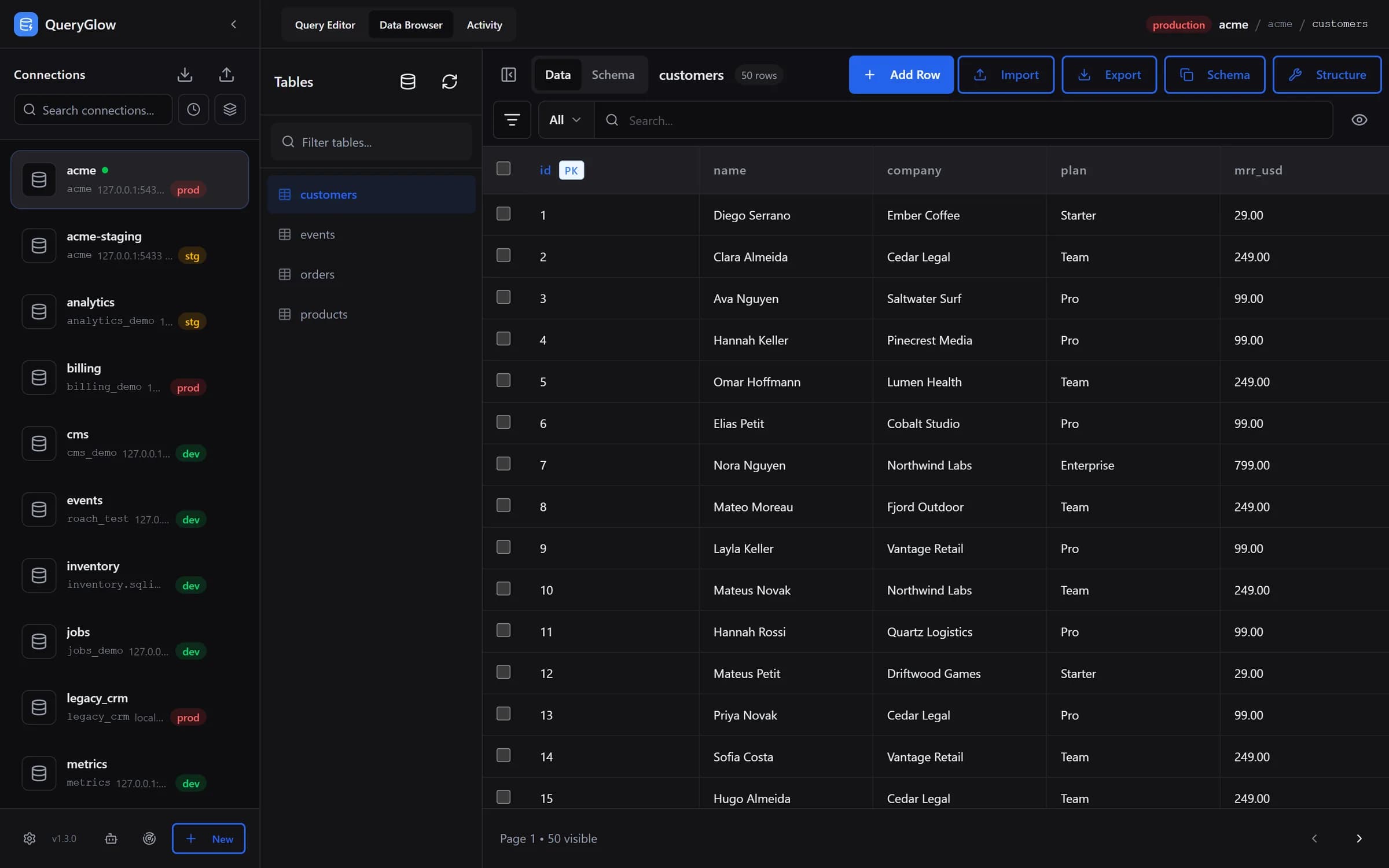
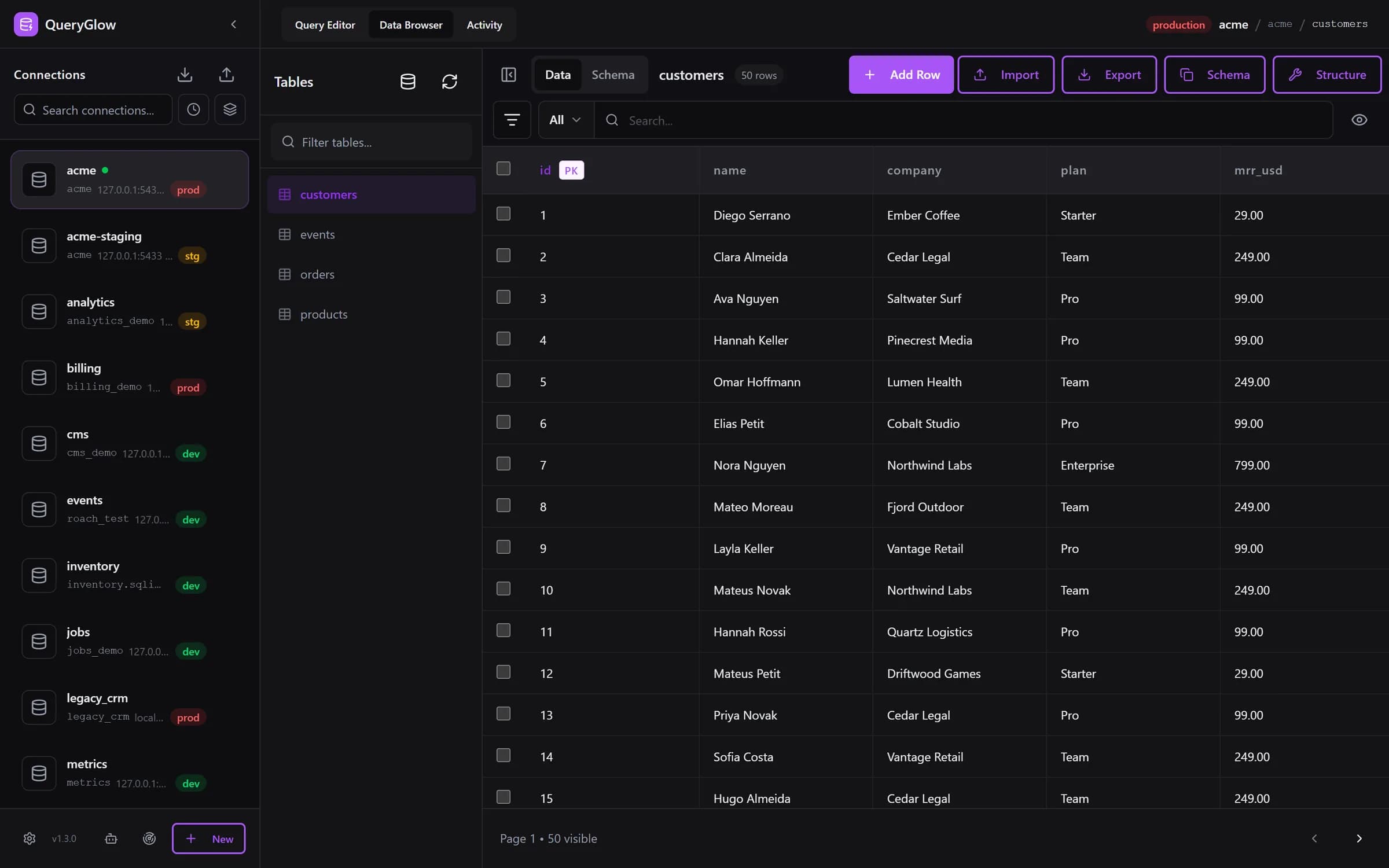
Try the live demo (the real app on a sample database, read-only, AI switched off, no signup)
Best PostgreSQL Clients for Mac
PostgreSQL is the most popular database among Mac developers by a wide margin. You have real choices here.
QueryGlow is for Mac developers and teams who work across several databases and want them in one place, open in Safari or Chrome. It runs on a Linux server you run, self-hosted with no telemetry, and handles PostgreSQL alongside five other engines. In the browser you click a cell in the Data Browser to edit it, get autocomplete that lists a table's columns with their types (type table.), and run EXPLAIN to see a visual plan with concrete index suggestions. The sidebar has search, sort by recently used and group by host, and Preferences set the theme, one of six accent colors or your own, date and number format and your time zone. Ask AI writes SQL from your schema with your own OpenAI, Anthropic or Google key, entered in the app and stored encrypted on your server; it never sees your rows. $79 once, whole team, every server you run, source code included. The honest con: it needs a Linux server you run, and there is no native Mac app. Try the live demo from your Mac (the real app on a sample database, read-only, AI switched off, no signup).
pgAdmin 4 is the official PostgreSQL client. It's free, runs as a desktop app or in a browser in server mode, and goes deep on PostgreSQL administration. It handles PostgreSQL only.
Postico 2 is the best native Mac PostgreSQL experience. Clean interface, genuinely good UX, built specifically for macOS. One limitation: PostgreSQL only. If you ever touch MySQL or SQLite, you'll need another tool.
For deeper evaluation of PostgreSQL-specific tools, the PostgreSQL client comparison covers more options in detail.
Quick comparison:
- •QueryGlow: web-based access from any device, self-hosted, $79 once, AI query generation with your own key
- •pgAdmin 4: free, PostgreSQL only, deep admin tools
- •Postico 2: native Mac, PostgreSQL only, excellent UX, $69 one-time
Best MySQL Tools for Mac
MySQL on Mac has one well-known free native option and one official tool from Oracle.
QueryGlow handles MySQL and MariaDB in the same interface as your PostgreSQL connections. No switching apps when you move between projects. Paste a mysql:// connection URL and the form fills itself. SSH tunnels are built in, with private key and passphrase, which matters for most production MySQL setups; the first connection pins the server's SSH host key, and a changed key is refused.
Sequel Ace is the community fork of the beloved Sequel Pro. Free, native Mac app, solid MySQL support. If you only ever work with MySQL, this is a genuinely good free choice. It doesn't support PostgreSQL, SQLite, or anything else, though.
MySQL Workbench is Oracle's official MySQL tool, free, and rebuilt as Workbench 26.7 in July 2026 on MySQL Shell. Oracle says Workbench 8.0 is no longer maintained.
For a full breakdown of MySQL GUI options beyond Mac-specific tools, the MySQL GUI tools guide goes deeper.
Pros/Cons:
QueryGlow
- •✓ Web-based: access from any device, nothing to install on your Mac
- •✓ Self-hosted on your infrastructure, zero telemetry
- •✓ Multi-database (no tool switching)
- •✓ AI SQL generation (your own key, schema only, never rows)
- •✗ Not a native Mac app (runs in the browser, needs a Linux server you run)
- •✗ $79 (vs free alternatives)
Sequel Ace
- •✓ Free
- •✓ Native Mac app
- •✓ Great MySQL/MariaDB support
- •✗ MySQL/MariaDB only
- •✗ No PostgreSQL or SQLite
MySQL Workbench
- •✓ Free, official Oracle tool
- •✓ MySQL-only focus, deep feature set
- •✗ MySQL only
- •✗ Desktop app, no shared web access
Best SQLite GUI Managers for Mac
SQLite is everywhere: local dev, mobile backends, embedded databases. The free options here are actually good.
QueryGlow adds SQLite to your existing multi-database workspace. If you're already using it for PostgreSQL or MySQL, your SQLite databases live in the same interface, same connection manager, same query history. The file has to sit in QueryGlow's data directory on the server; a local .db file on your Mac is copied there first. That said, SQLite support is a bonus rather than a specialization.
DB Browser for SQLite is the default recommendation for SQLite-only work. Free, open-source, cross-platform desktop app; the latest stable release is 3.13.0 (August 2024). The SQLite documentation is excellent, and DB Browser implements the spec faithfully. No AI features, no multi-database support, but for pure SQLite work it's hard to argue against free. For the full cross-platform field beyond Mac, our best SQLite GUI tools comparison ranks every option.
TablePlus is a native app and supports 15+ databases including SQLite. The free tier exists but limits you to two open tabs, two windows and two advanced filters. The paid tier starts at $99 per device (Basic); the two-device Standard license is $129, so covering a desktop and laptop runs $129. If per-device licensing is the dealbreaker, our TablePlus alternatives roundup covers free and one-time-payment picks, and the direct TablePlus pricing comparison runs the exact cost math.
Comparison:
- •QueryGlow: SQLite + 5 other databases, $79 once, every server you run
- •DB Browser for SQLite: SQLite only, free, cross-platform, open-source
- •TablePlus: 15+ databases, $99/device, per-device licensing adds up
Free SQL Clients for Mac Worth Trying
Two free options cover more ground than anything else without requiring a credit card.
DBeaver Community supports 100+ databases: PostgreSQL, MySQL, SQLite, SQL Server, Oracle, and dozens more. The most versatile free database tool on any platform. The trade-off: it runs on Java, and the UI is not Mac-native. If your work spans many database types, including an Oracle SQL client for legacy systems, DBeaver is often the only free option that covers everything.
VS Code with Microsoft's MSSQL extension covers SQL Server. Azure Data Studio, Microsoft's earlier SQL editor, was retired in February 2026.
When free clients make sense:
- •You only need occasional database access → DBeaver free tier
- •You only need to open a SQLite file or read a Postgres query plan once → our free database tools run in the browser, nothing to install
- •You work primarily with SQL Server or Azure databases → VS Code with the MSSQL extension
- •You need Oracle + other databases in one free tool → DBeaver
- •You work daily across PostgreSQL, MySQL, and SQLite → consider QueryGlow at $79 to keep them in one tool
- •Your team shares database access → a shared deployment like QueryGlow avoids per-seat licensing
Does Apple Have Database Software?
Quick Answer: Apple has no SQL client. Its subsidiary Claris makes FileMaker, a no-code app platform. Mac developers use third-party tools for SQL work.
FileMaker Pro (now Claris FileMaker) is made by Claris, an Apple subsidiary, but it's a no-code application database platform aimed at business users, not a SQL client for developers.
If you're looking for something equivalent to Microsoft Access on Mac, the options are either dedicated no-code tools like Airtable, or a combination of a proper database (SQLite or PostgreSQL) with a GUI client like QueryGlow or DB Browser. The developer route is usually better.
How to Choose the Right Mac Database Software
The decision comes down to three questions:
How many databases do you work with?
→ One database type (PostgreSQL, MySQL, or SQLite) → Use a specialized tool (Postico, Sequel Ace, or DB Browser)
→ Multiple database types → Use QueryGlow or DBeaver
What's your budget?
→ Zero → DBeaver (most databases) or DB Browser (SQLite only) or Sequel Ace (MySQL)
→ One-time payment → QueryGlow at $79, or Postico/Sequel Ace for single databases
→ Per-year subscription → DataGrip at $109/year (after 3 years you've paid more than 3× what QueryGlow costs)
Do you need team access?
→ Solo developer → Any tool works
→ Team access → TablePlus charges per device; QueryGlow deploys once on your server (HTTPS and a shared password by default, or behind your VPN) and the whole team uses the same URL, no per-seat fees
The practical framework:
- •PostgreSQL only, solo, Mac-native matters → Postico 2 ($69)
- •MySQL only, free is the priority → Sequel Ace (free)
- •SQLite only, free is the priority → DB Browser for SQLite (free)
- •Multiple databases, daily use → QueryGlow ($79 once)
- •Maximum database coverage, budget is zero → DBeaver Community (free)
- •Team needs shared access → QueryGlow (one license, whole team)
Tags:
Built by an engineer. The app sends no telemetry.
Access your databases from any Mac. No desktop app to install.
QueryGlow is web-based and self-hosted, source code included. Open a URL from any device. PostgreSQL, MySQL, SQLite, and 3 more engines. $79 once.
“Beautiful interface and very intuitive.”
Jean-Francois, Mildor Violon, verified customer “I was looking at DBeaver and yours looked a little easier for what I was looking for.”
Mike, verified customer
Stripe checkout. You'll enter your GitHub username for the repo invite. No refunds, so try the read-only demo first.
$79 one-time. Self-hosted. No subscription.