
Quick Answer: Run
USE your_database;and thenSHOW TABLES;to list its tables, orSHOW TABLES FROM your_database;without switching.SHOW FULL TABLES;adds a column that tells tables from views. In any client,SELECT table_name FROM information_schema.tables WHERE table_schema = DATABASE();returns the same list.
This guide is for anyone who needs the table list of a MySQL database, from a quick look in the mysql client to a query you can run from code. Every command on this page ran on MySQL 8.4 against a sample database appdb, with the tables customer and orders and the view recent_customers, and a second database, analytics. The outputs below are copied from that run.
List tables with SHOW TABLES
Pick the database with USE, then ask for its tables:
USE appdb;
SHOW TABLES;
SHOW TABLES lists the tables and the views of the current database. The column header names the database, here Tables_in_appdb:
+------------------+
| Tables_in_appdb  |
+------------------+
| customer         |
| orders           |
| recent_customers |
+------------------+
recent_customers is a view, but nothing in this output says so. The section on tables and views below shows how to tell them apart.
Tables in another database
You do not have to switch databases to look into another one. FROM names the database directly:
SHOW TABLES FROM analytics;In the log it returns page_views, the one table in analytics, under the header Tables_in_analytics. The current database does not change: the next statement in the log still runs against appdb.
Filter by name with LIKE
Add LIKE and a pattern to narrow the list. The % stands for any characters, so this returns every table whose name starts with cust:
SHOW TABLES LIKE 'cust%';In the sample database that is customer. The header shows the pattern you used, Tables_in_appdb (cust%), so you can tell from the output which filter produced it.
Tell tables and views apart
SHOW FULL TABLES adds a second column, Table_type:
SHOW FULL TABLES;+------------------+------------+
| Tables_in_appdb | Table_type |
+------------------+------------+
| customer | BASE TABLE |
| orders | BASE TABLE |
| recent_customers | VIEW |
+------------------+------------+Plain SHOW TABLES mixes both kinds in one list, so FULL is the quick way to see which name is a view. Tables show BASE TABLE and views show VIEW. To list only the views, filter on that column:
SHOW FULL TABLES WHERE Table_type = 'VIEW';In the log that returns recent_customers alone.
Curious what a web-based database GUI looks like?
QueryGlow runs in your browser from a server you run. Browse, query and edit PostgreSQL, MySQL, SQLite and 3 more engines. $79 once for the whole team.
See the tourList tables with a SQL query
information_schema.tables holds the same list as a regular result set. A SELECT on it works in any client, in scripts and in application code, and you can filter and sort it like any other query:
SELECT table_name, table_type
FROM information_schema.tables
WHERE table_schema = DATABASE()
ORDER BY table_name;
DATABASE() stands for the current database, so the query follows whatever USE picked. The columns come back as TABLE_NAME and TABLE_TYPE in capitals, even though the query writes them in lower case; keep that in mind when your code reads them by name. table_type holds the same BASE TABLE and VIEW values as SHOW FULL TABLES.
Tables in every database
Replace the DATABASE() condition and the same view covers the whole server. This query lists the base tables of every database except the four system ones:
SELECT table_schema, table_name
FROM information_schema.tables
WHERE table_type = 'BASE TABLE'
  AND table_schema NOT IN ('information_schema', 'mysql', 'performance_schema', 'sys')
ORDER BY table_schema, table_name;
In the log the result has three rows: analytics.page_views, appdb.customer and appdb.orders. The view recent_customers is left out by the table_type condition.
List tables sorted by size
information_schema.tables also has size and row numbers for each table. This query sorts the base tables of the current database by size, data and indexes together:
SET SESSION information_schema_stats_expiry = 0;
SELECT table_name,
       ROUND((data_length + index_length) / 1024 / 1024, 2) AS size_mb,
       table_rows
FROM information_schema.tables
WHERE table_schema = DATABASE()
  AND table_type = 'BASE TABLE'
ORDER BY data_length + index_length DESC;
The first line matters. information_schema_stats_expiry is 86400 seconds by default, one day, so sizes and table_rows can be cached for up to a day. Setting it to 0 makes this session read fresh values. size_mb is in megabytes, rounded to two decimal places.
See the columns of a table
Once you have found the table, DESCRIBE shows its columns:
DESCRIBE customer;It prints one row per column with six fields: Field, Type, Null, Key, Default and Extra. For the sample customer table:
+------------+--------------+------+-----+-------------------+-------------------+
| Field      | Type         | Null | Key | Default           | Extra             |
+------------+--------------+------+-----+-------------------+-------------------+
| id         | int          | NO   | PRI | NULL              | auto_increment    |
| email      | varchar(255) | NO   | UNI | NULL              |                   |
| name       | varchar(100) | YES  |     | NULL              |                   |
| created_at | timestamp    | NO   | MUL | CURRENT_TIMESTAMP | DEFAULT_GENERATED |
+------------+--------------+------+-----+-------------------+-------------------+
In the log, id is PRI, the primary key; email is UNI, which matches its unique key; and created_at is MUL, the column of the index customer_created_at_idx. For the full definition, ask for the CREATE TABLE statement:
SHOW CREATE TABLE customer\GIt prints the full CREATE TABLE statement, including the indexes and the table comment. The \G at the end, in place of the semicolon, prints each column of the result on its own line instead of a table, which keeps a long statement readable.
Why SHOW TABLES says No database selected
Run SHOW TABLES from the shell without naming a database and MySQL refuses:
mysql -u root -p -e "SHOW TABLES;"ERROR 1046 (3D000) at line 1: No database selectedNo default database was chosen, so MySQL does not know whose tables to list. There are three fixes: run USE your_database first, name the database with SHOW TABLES FROM your_database, or put the database name on the command line as the last plain argument:
mysql -u root -p appdb -e "SHOW TABLES;"That run lists customer, orders and recent_customers. -u names the account, -p without a value prompts for the password, and -e runs the statement and exits.
See your tables in a GUI
If you are still choosing a client, our comparison of MySQL GUI tools covers desktop and web options.
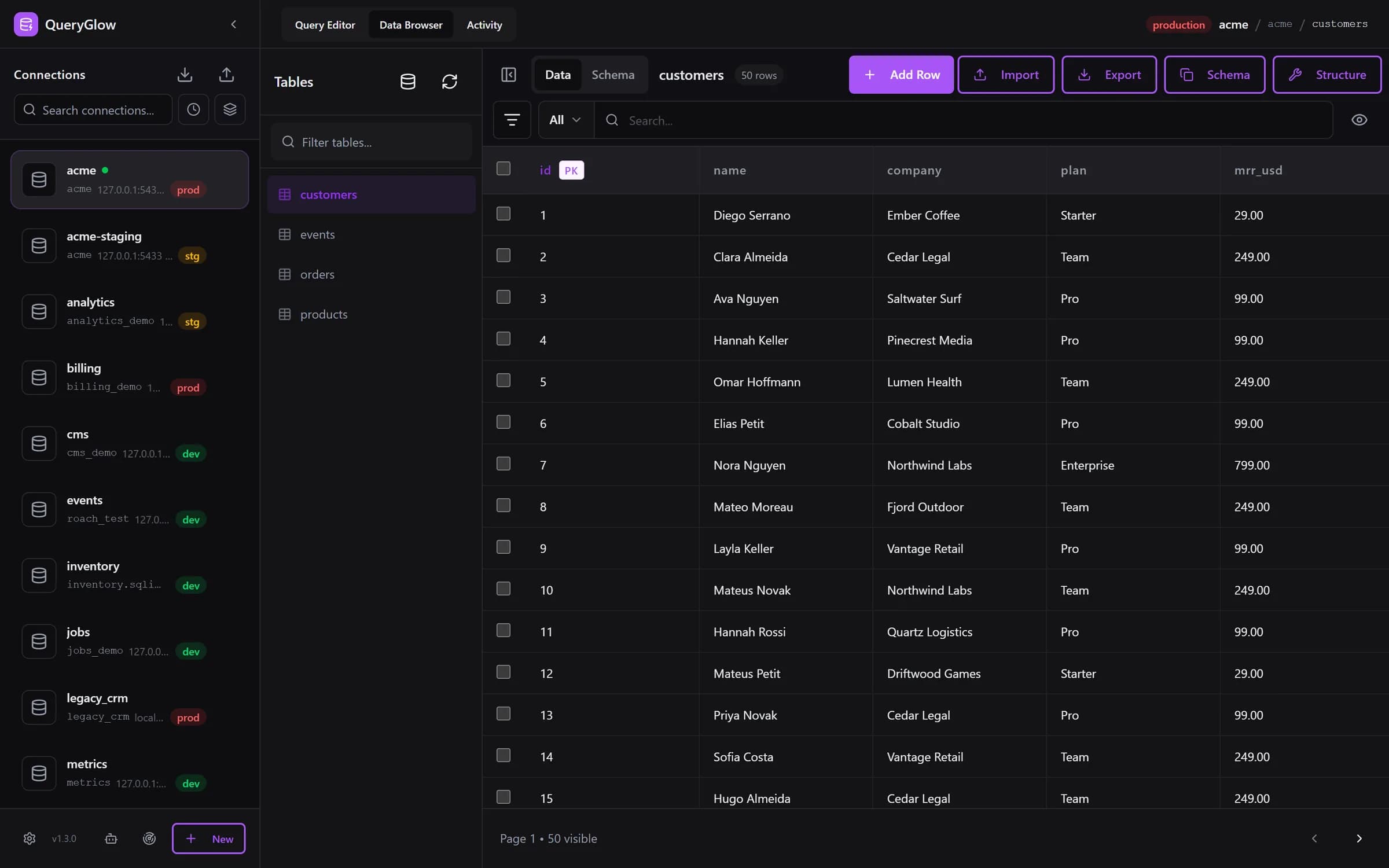
If you would rather see the list than type it, a GUI keeps it on screen. In QueryGlow the Data Browser has a Tables panel with a filter box, and a click on a table opens its rows in a grid you can edit; switch from Data to Schema to see its columns, indexes and foreign keys. On MySQL that panel lists the base tables of the database the connection points to. Views do not appear there, so you query them in the Query Editor, where every query on this page works as it is.
Try QueryGlow: a self-hosted database GUI your team opens in the browser, $79 once for the whole team. Try the live demo (read-only, AI switched off, no signup).
Tags:
Built by an engineer. The app sends no telemetry.
Your database, without the dependencies.
QueryGlow is web-based and self-hosted, source code included. Open a URL from any device, your rows never leave your server. $79 once.
“Beautiful interface and very intuitive.”
Jean-Francois, Mildor Violon, verified customer “I was looking at DBeaver and yours looked a little easier for what I was looking for.”
Mike, verified customer
Stripe checkout. You'll need a GitHub account for the repo invite. No refunds, so try the read-only demo first.
$79 one-time. Self-hosted. No subscription.