
The Verdict: DataGrip vs DBeaver (TL;DR)
Quick Answer: DataGrip has the faster, context-aware autocomplete once your schema is indexed but needs 2–4 GB RAM; DBeaver is free with 100+ database drivers and runs lighter at 1–2 GB. Neither wins if you just need to view tables and run queries—both are overkill for that.
Here's who should pick what:
- •You use IntelliJ/PyCharm daily and have budget → DataGrip
- •You need NoSQL support or can't spend a dollar → DBeaver Community
- •You want paid features (NoSQL, Visual Query Builder, AI) without JetBrains pricing → DBeaver Lite
- •You just need quick data access without IDE overhead → Neither (keep reading)
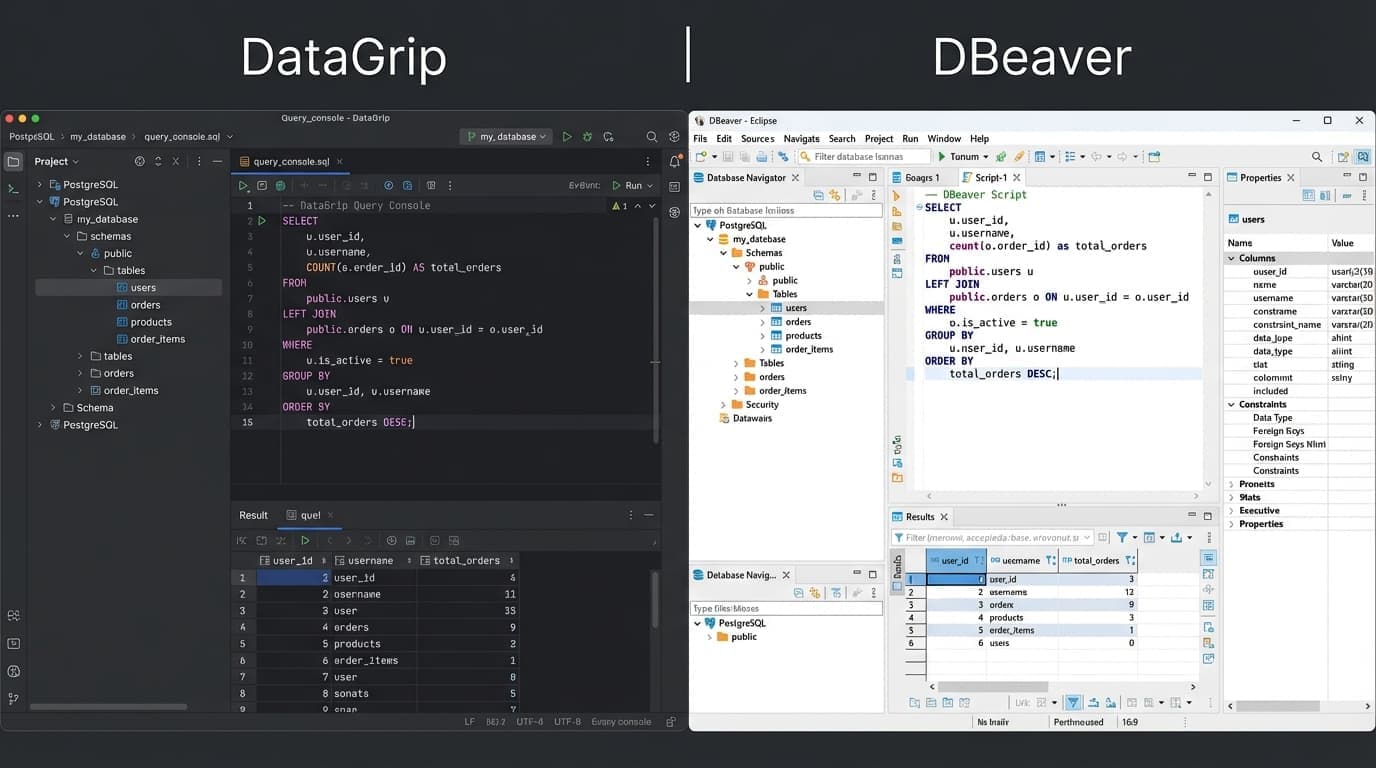
Feature Comparison Table
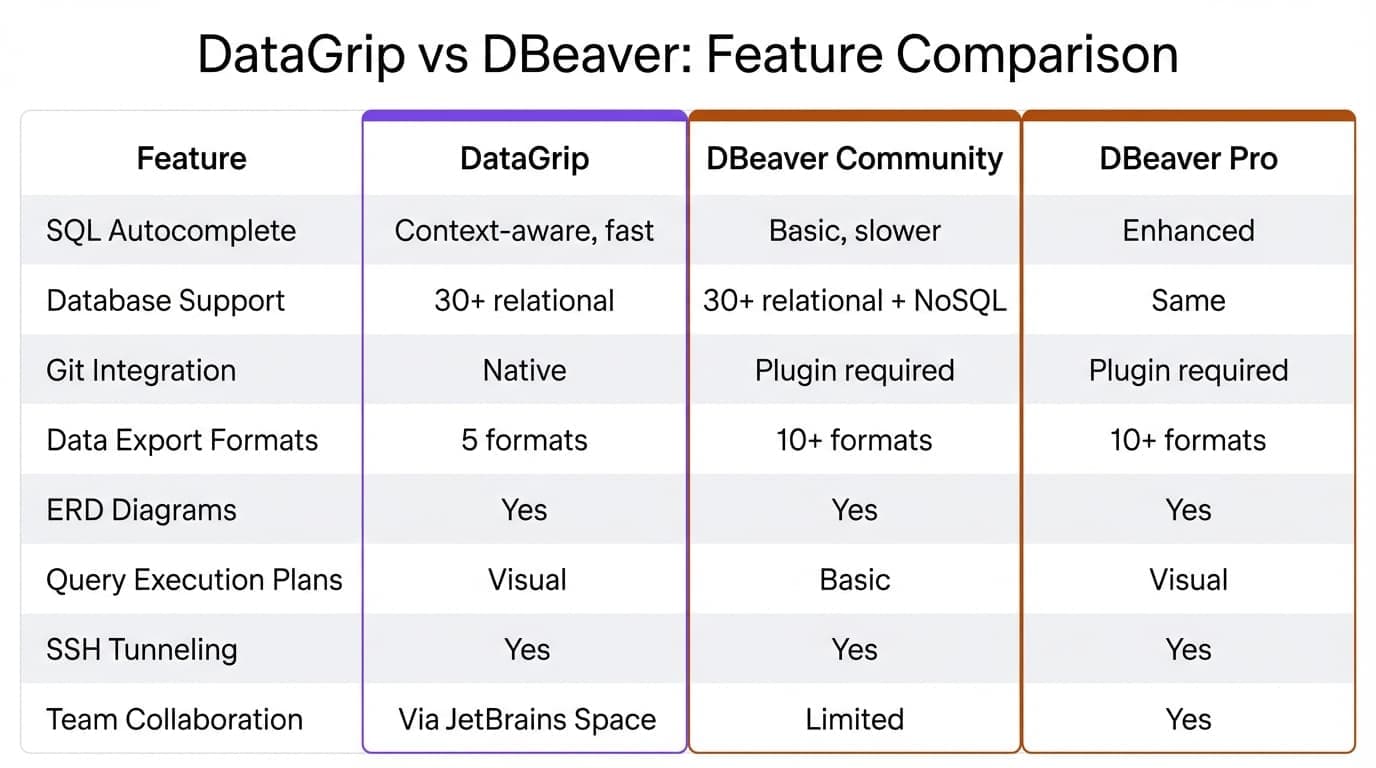
DataGrip covers 20+ databases; DBeaver reaches 100+. The differences are in the details.
| Feature | DataGrip | DBeaver Community | DBeaver (paid) |
|---|---|---|---|
| SQL Autocomplete | Context-aware, fast | Basic, slower | Enhanced |
| Database Support | 20+ relational | 100+ relational (no NoSQL) | Community + NoSQL |
| Git Integration | Native | Plugin required | Plugin required |
| Data Export Formats | 5 formats | 10+ formats | 10+ formats |
| ERD Diagrams | Yes | Yes | Yes |
| Query Execution Plans | Visual | Basic | Visual |
| SSH Tunneling | Yes | Yes | Yes |
| Team Collaboration | Via JetBrains Space | Limited | Yes |
DataGrip's autocomplete is noticeably faster once it indexes your schema. DBeaver gives you more export options for free. For a deeper look at DataGrip's positioning, see DataGrip compared to modern alternatives.
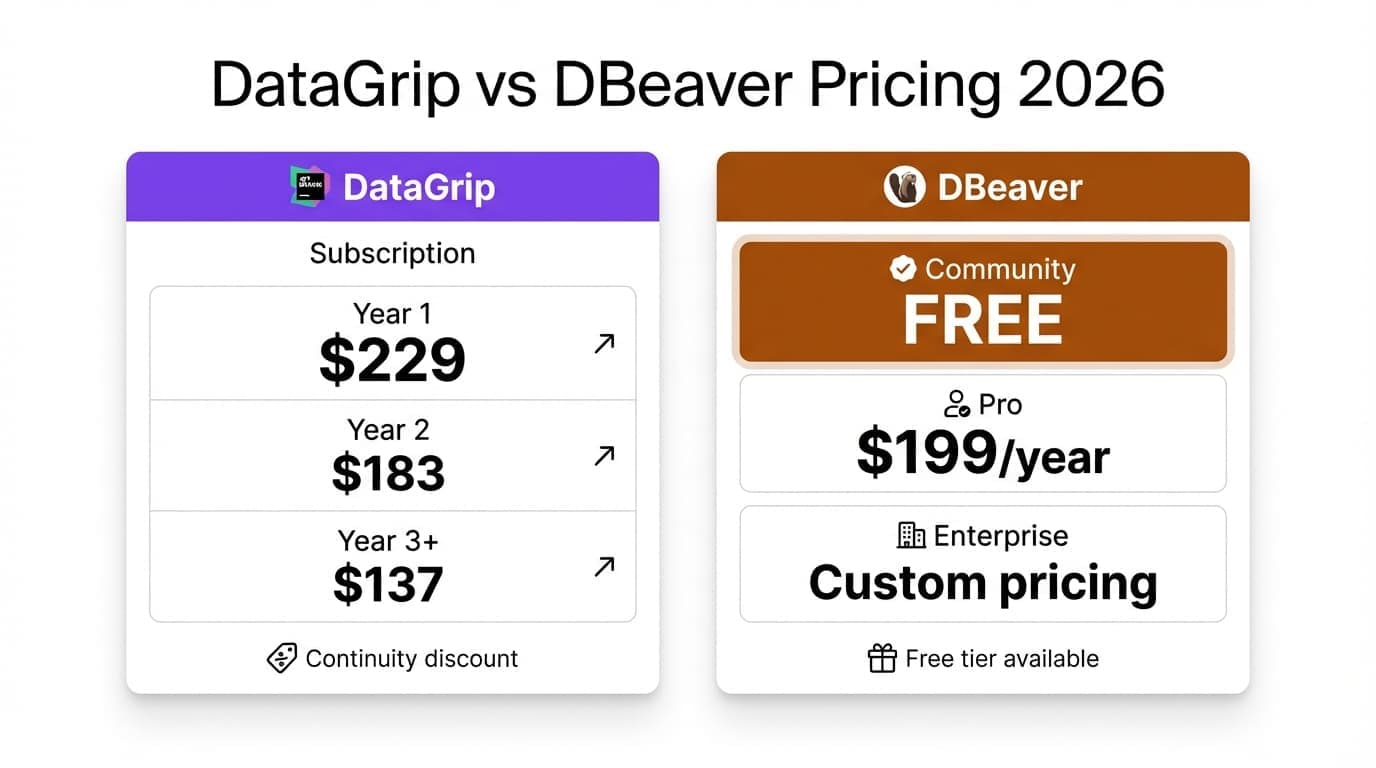
Pricing Breakdown 2026
DataGrip Pricing
| Plan | Year 1 | Year 2 | Year 3+ |
|---|---|---|---|
| Individual | $109 | $87 | $65 |
| Organization | $259/user | $259/user | $259/user |
JetBrains gives personal licenses a continuity discount — you pay less each year you renew (cancel and you restart at full price). Organization licenses get no such discount; new commercial subscriptions stay at $259/user/year. DataGrip is also free for non-commercial use (learning, hobby, open source).
DBeaver Pricing Tiers
| Edition | Price | Key Additions |
|---|---|---|
| Community | Free | Core SQL features (open source) |
| Lite | $113/year | NoSQL, Visual Query Builder, AI assistant |
| Enterprise | $255/year | Task scheduler, admin tooling, priority support |
| Ultimate | $510/year | Cloud-native (AWS/GCP/Azure) integration |
DBeaver Community is genuinely free. No feature walls for basic relational work. The paid Lite tier adds NoSQL (MongoDB, Redis), the Visual Query Builder, and an AI assistant; perpetual licenses are no longer sold. For a complete breakdown of all DBeaver editions and their pricing, see our DBeaver SQL client guide.
What if you paid $79 once instead of $109/year?
QueryGlow: self-hosted, schema-only AI SQL, multi-database support. No subscription.
Performance & Resource Usage
Both tools eat RAM for breakfast.
Typical Memory Usage (observed):
DataGrip:  2-4 GB RAM, 15-30s cold start, faster after indexing
DBeaver:   1-2 GB RAM, 10-20s cold start, Eclipse framework overhead
DataGrip indexes your entire schema on first connect. Slow initially, faster later. DBeaver runs on Eclipse, which means Java overhead whether you want it or not.
If you're opening a database tool to run three queries and check some data, both feel heavy. That's the tradeoff of full IDEs—they're built for developers who live in them all day, not for quick checks.
For lightweight DBeaver alternatives that skip the IDE overhead, web-based tools are worth considering.
When to Choose Neither
Full SQL IDEs make sense if you're writing complex stored procedures or need deep code navigation. They don't make sense if you:
- •Just need to view tables, filter data, run basic queries → Skip the IDE
- •Want team access without paying per seat → Web-based tools solve this
- •Need self-hosted for compliance/privacy → Most IDEs are desktop-only
- •Context-switch between databases constantly → Unified interfaces beat switching apps
A browser-based SQL client gives your whole team access through a URL. No desktop installs. No per-seat licensing. No 2GB RAM tax on every developer's machine.
The Third Option: QueryGlow
DataGrip and DBeaver are both desktop IDEs — installed per machine and heavy by design, with DataGrip licensed per seat for commercial use and DBeaver per seat once you need the paid editions. QueryGlow takes the third path: a self-hosted web GUI your team opens in the browser. Deploy it once with Docker, connect PostgreSQL, MySQL, MariaDB, SQLite, CockroachDB or TimescaleDB, and share one URL — $79 once for unlimited users, no subscriptions.
You still get the parts of an IDE that matter for database work: schema-aware SQL autocomplete, AI that drafts queries from plain English (bring your own API key — it only ever sees your schema, never your data), and a visual EXPLAIN plan that flags sequential scans and suggests indexes. What you skip is the 1–4 GB RAM footprint and the per-seat renewal.
Both tools are multi-engine, so the sharper comparison usually depends on which database you actually live in: our MySQL GUI tools compared roundup covers that side, and Oracle SQL client options covers the Oracle end. If it's specifically the JetBrains renewal pricing you want to escape, our roundup of DataGrip alternatives ranks the free and one-time options.
Try QueryGlow: A self-hosted database GUI that runs in your browser. Schema-aware SQL autocomplete, AI query generation, EXPLAIN Visualizer. $79 once, unlimited users, 6 databases. No IDE overhead.
Tags:
Built by an engineer. Zero telemetry. Zero tracking.
Why choose between DataGrip and DBeaver?
QueryGlow gives you schema-aware autocomplete and a visual EXPLAIN plan without the subscription. $79 one-time, self-hosted, with schema-only AI queries built in.
“It's the simplest and the most beautiful interface that you can have.”
$79 one-time. Self-hosted. No subscription.