
DataGrip Download: Direct Links for Windows, Mac & Linux
Quick Answer: DataGrip 2026.2 is available at jetbrains.com/datagrip/download. Free for non-commercial use (learning, hobby projects, open-source). Commercial licenses start at $109/year for individuals and $259/user/year for organizations.
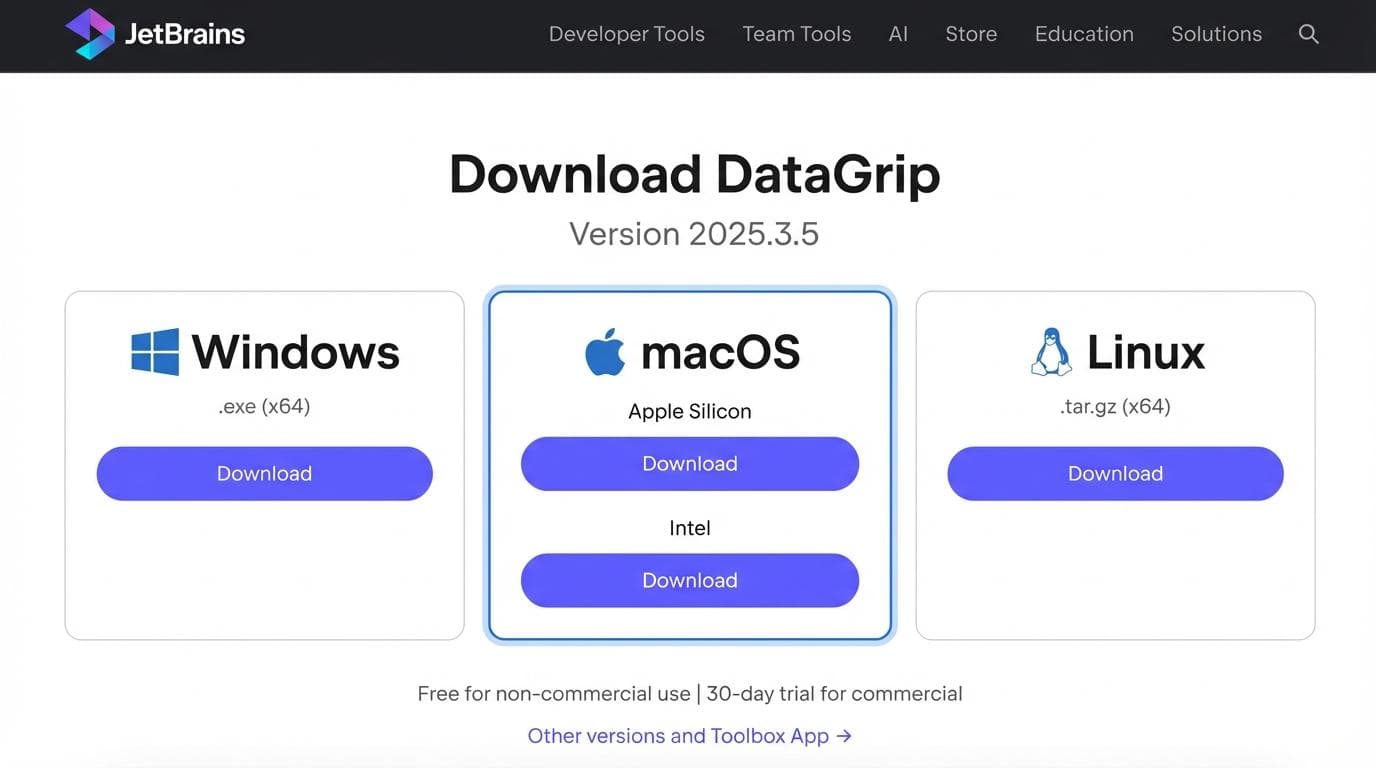
JetBrains made DataGrip free for non-commercial use in October 2025. If you're a student, hobbyist, or open-source contributor, you can download and use the full IDE without paying anything.
For commercial work, you'll need a paid subscription. More on that pricing math below: it gets interesting fast when you're buying for a team.
System Requirements & Installation Steps
Before downloading, make sure your machine meets JetBrains' requirements for DataGrip 2026.2:
| Spec | Requirement |
|---|---|
| RAM | 8 GB total system RAM, 3 GB available for the IDE |
| Disk Space | 10 GB (SSD recommended) |
| Display | 1024×768 minimum, Full HD (1920×1080) recommended |
| OS | Windows (64-bit), macOS 15 or 26, Linux with glibc 2.28 or later |
| Java | Bundled (JBR 21) |
You don't need to install Java separately. DataGrip bundles its own JetBrains Runtime.
Windows Installation
- 1.Download the
.exeinstaller from jetbrains.com/datagrip/download - 2.Run the installer and follow the wizard
- 3.Choose whether to create a desktop shortcut and add
binto PATH - 4.Launch DataGrip and select your license type
Alternatively, install via the JetBrains Toolbox App, which manages updates and lets you run multiple JetBrains IDEs from one place. If you use other JetBrains tools, Toolbox is the better option.
macOS Installation
- 1.Download the
.dmgdisk image (separate versions for Intel and Apple Silicon) - 2.Mount the image and drag DataGrip to Applications
- 3.Launch from Applications, Launchpad, or Spotlight
Pick the right architecture. The Apple Silicon build runs natively on M-series chips; the Intel build would run through Rosetta.
Linux Installation (Ubuntu/Snap)
The fastest path on Ubuntu:
sudo snap install datagrip --classicThat's it. Snap handles updates automatically.
If your distro doesn't support Snap, download the .tar.gz tarball and extract it:
sudo tar -xzf datagrip-*.tar.gz -C /opt/
/opt/DataGrip-*/bin/datagrip.sh
For a desktop entry, go to Tools → Create Desktop Entry inside DataGrip after first launch.
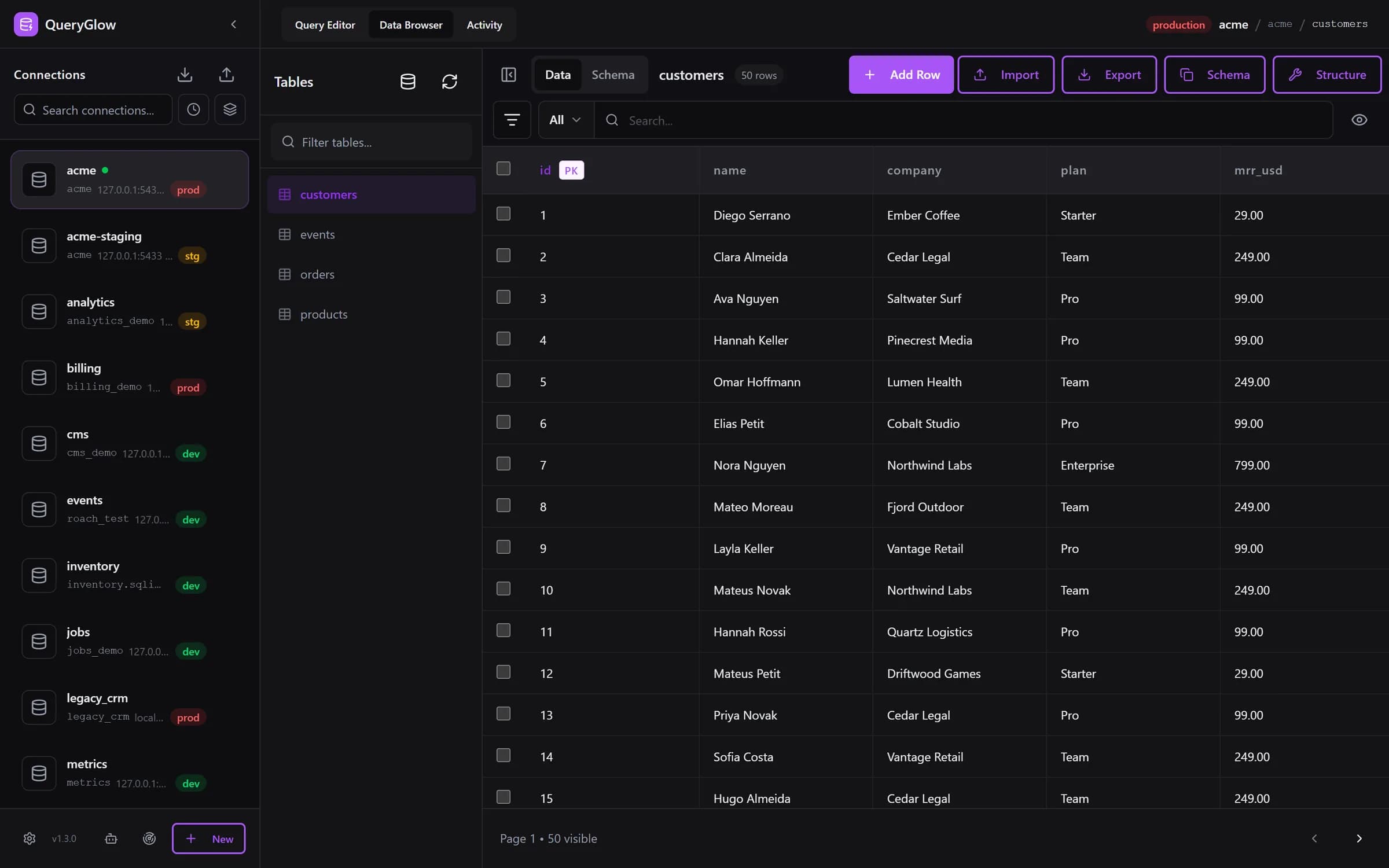
What if you didn't need a JetBrains subscription?
Six engines (PostgreSQL, MySQL, MariaDB, SQLite, CockroachDB, TimescaleDB), self-hosted, $79 once. No JetBrains account needed.
See the tourDataGrip Pricing 2026: Free vs. Paid Tiers
Here's where things get real. The free tier is generous for personal use, but commercial pricing adds up.
| Plan | Year 1 | Year 2 | Year 3+ |
|---|---|---|---|
| Non-Commercial | Free | Free | Free |
| Individual (personal funds) | $109/year | $87/year | $65/year |
| Organization | $259/user/year | $259/user/year | $259/user/year |
Prices as of September 2026. Continuity discounts only apply to personal licenses; organization licenses stay at full price every year. Do the math for a team: five developers on organization licenses cost $1,295 in year one, and $3,885 over three years, and you're still renting the software.
Non-commercial use covers learning, hobby projects, open-source work, and even monetized content creation (like YouTube tutorials). The moment your work generates revenue for a company, you need a commercial license.
DataGrip vs. Web-Based SQL Clients: When Desktop IDEs Are Overkill
DataGrip is a desktop app. Every developer on your team needs to download, install, and configure it on their own machine. New laptop? Reinstall. New hire? Another license.
Web-based SQL clients flip that model. Deploy once on a server, hand your team a URL. A team admin pastes a connection URL or lets Find databases on this server add every database of a server once, for everyone.
For a QueryGlow vs DataGrip comparison, the difference is stark:
| Factor | DataGrip | Web-Based (QueryGlow) |
|---|---|---|
| Installation | Per-machine | One install on a server (./queryglow install) |
| Updates | On each machine (Toolbox or installer) | ./queryglow update on the server, with backup and automatic rollback |
| Team Access | Per-user license ($259+/yr) | Shared URL, whole team on one install |
| Total Cost (5 devs, 3 years) | ~$3,885 | $79 once |
| Access from any device | No, installed machines only | Yes (browser-based) |
| Requires Local Resources | Yes (8 GB system RAM) | No (runs on server) |
Desktop IDEs make sense when you need deep schema introspection, stored procedure debugging, or tight integration with JetBrains' other tools. If your workflow is mostly querying, viewing data, and making edits, a web-based client is cheaper and easier to share.
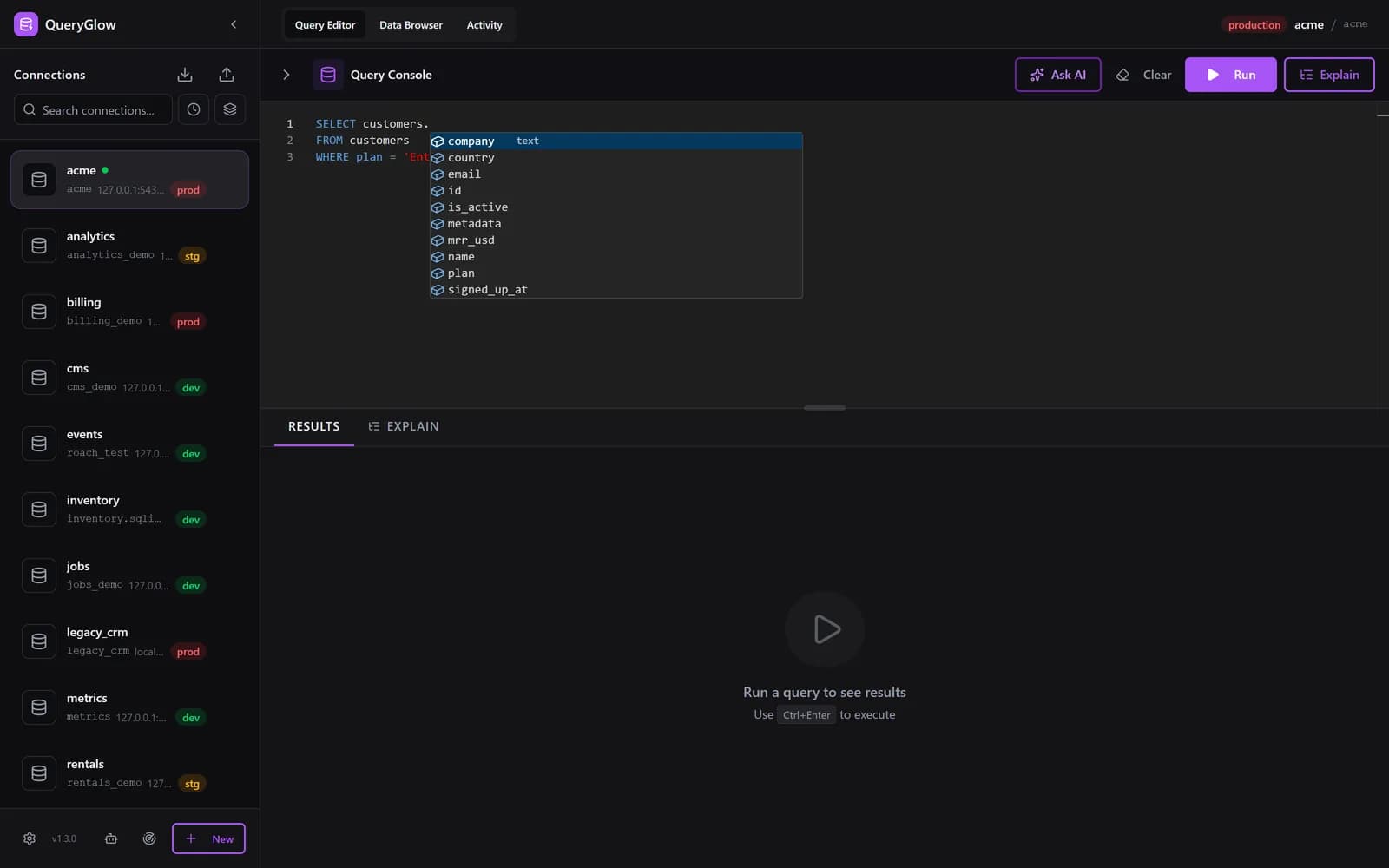
Alternative SQL IDEs Worth Considering
DataGrip isn't the only option, and it might not be the right one for your situation.
DBeaver is the go-to free alternative. It's open-source, supports dozens of databases, and doesn't require a subscription. The tradeoff: it runs on Java. For a detailed DataGrip vs DBeaver breakdown, the choice often comes down to whether you need JetBrains-level code intelligence or just a solid DBeaver SQL client that gets the job done.
QueryGlow takes a different approach entirely. It's a self-hosted web GUI that you install on a Linux server with one command and open from any browser. No per-user fees, no local installs. At $79 once, it costs less than four months of a single DataGrip organization license. It supports PostgreSQL, MySQL, MariaDB, SQLite, CockroachDB, and TimescaleDB. Safe Mode blocks DROP TABLE, TRUNCATE and DELETE or UPDATE without WHERE by default, and the Query Editor asks for confirmation before any write on a connection marked production. Run, Explain, Ask AI and Save take the keyboard shortcuts you set in Preferences, and ./queryglow update updates the server for everyone, backing up first and rolling back on its own if the new version does not come up.
When DataGrip is the right call: You write complex stored procedures daily, you need deep code intelligence across SQL dialects, or your company already pays for the JetBrains All Products Pack.
When it's overkill: You mostly run queries, view data, and share access with teammates. You don't need a full desktop IDE on every machine for that.
If you're evaluating pgAdmin alternatives or comparing across the broader SQL tool landscape, the decision usually comes down to three things: team size, budget, and whether you need desktop-grade features or just reliable database access.
Should You Download DataGrip or Go Web-Based?
Three questions to decide:
- •Are you doing non-commercial work (learning, hobby, OSS)? → Download DataGrip free. No reason not to.
- •Are you a solo commercial developer who lives in JetBrains? → DataGrip individual license ($109/yr) makes sense, especially if you already use IntelliJ or PyCharm.
- •Are you buying for a team that needs shared database access? → QueryGlow replaces per-seat renewals with one $79 payment and eliminates per-machine setup entirely.
The non-commercial tier changed the equation for individuals. If you don't need it for paid work, DataGrip is now one of the best free SQL IDEs available.
But for commercial teams, the subscription cost stacks up. A five-person team pays more for one year of DataGrip than QueryGlow costs once, with the whole team on one install and nothing to install on anyone's laptop.
Try QueryGlow: Self-hosted database GUI for your team. One install, six databases, $79 once. Try the live demo (read-only, AI switched off, no signup), then read the QueryGlow documentation: clone the repo, run ./queryglow install, and the installer walks you through DNS, HTTPS and the password.
Tags:
Built by an engineer. The app sends no telemetry.
Skip the subscription
QueryGlow gives you six engines, schema-aware autocomplete and a visual EXPLAIN plan for $79, once. Self-hosted, no JetBrains account needed.
“Beautiful interface and very intuitive.”
Jean-Francois, Mildor Violon, verified customer “I was looking at DBeaver and yours looked a little easier for what I was looking for.”
Mike, verified customer
Stripe checkout. You'll enter your GitHub username for the repo invite. No refunds, so try the read-only demo first.
$79 one-time. Self-hosted. No subscription.