
Quick Answer: Beekeeper Studio is the best free TablePlus alternative for most developers, and DBeaver Community wins if you need more database engines. QueryGlow ($79 once, self-hosted, one install for the whole team) fixes the per-device licensing problem for teams. On a Mac with MySQL? Sequel Ace is free and open source.
TablePlus is a genuinely good native client. The complaint that sends most people looking elsewhere is the license model: the $99 Basic license covers exactly one device, so a desktop plus a laptop means paying twice. These four alternatives sidestep that.
TablePlus Alternatives at a Glance
| Tool | Price | Platforms | Best For |
|---|---|---|---|
| Beekeeper Studio | Free (Community) | Win, Mac, Linux | Minimal UI, zero cost |
| DBeaver Community | Free | Win, Mac, Linux | 100+ database engines |
| QueryGlow | $79 one-time | Web (any browser) | Teams: one install, one URL |
| Sequel Ace | Free (MIT) | macOS only | MySQL/MariaDB on Mac |
Prices as of September 2026.
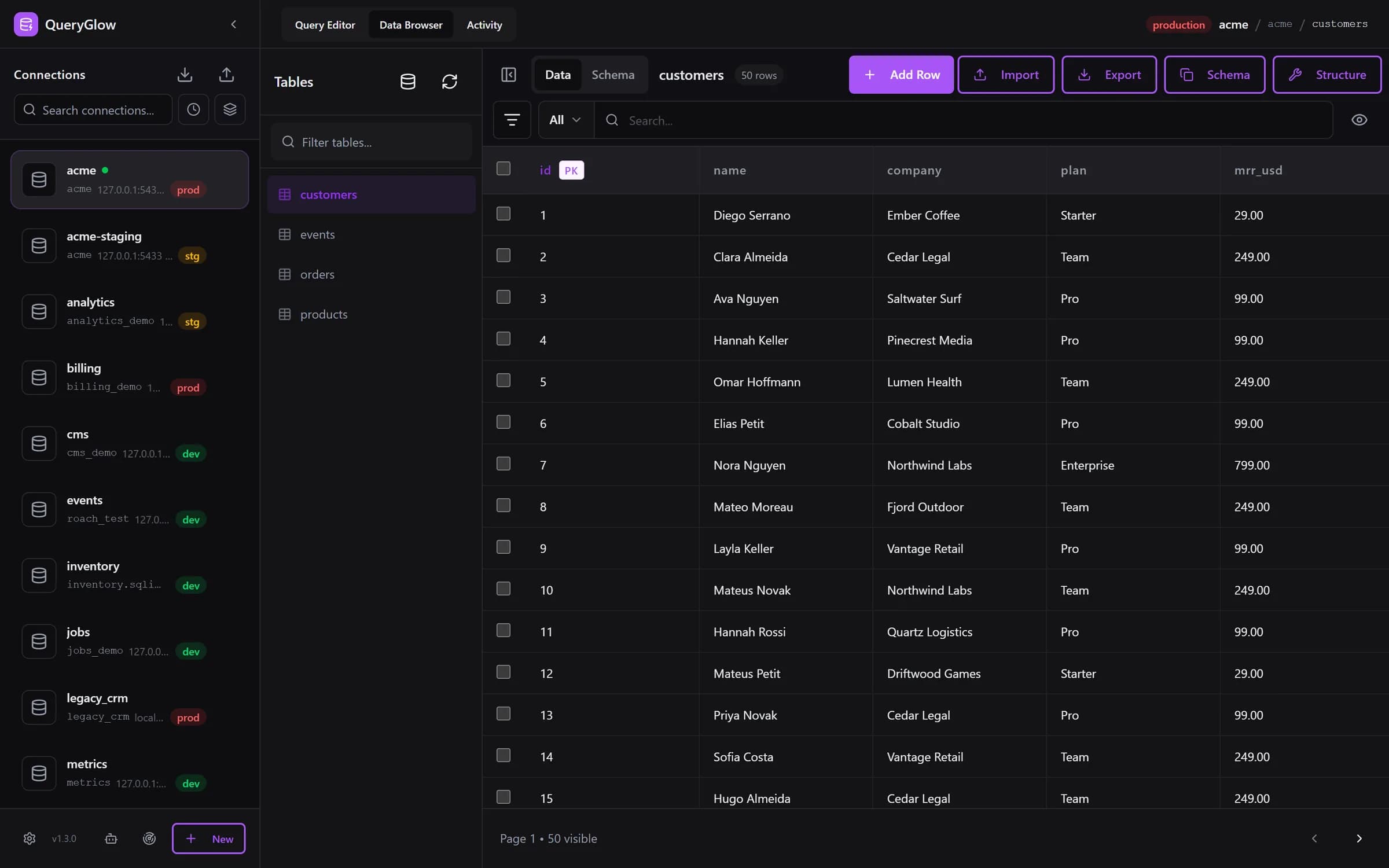
Paying for TablePlus per device?
QueryGlow: one self-hosted install, every device and every teammate on one URL. $79 once.
See the tourBeekeeper Studio
The closest free match to TablePlus: a minimal cross-platform app (Electron) that stays out of your way. The open-source Community edition is genuinely usable for daily query work. Trade-off: fewer supported engines than DBeaver. For how it stacks up against a self-hosted web option, see QueryGlow vs Beekeeper Studio.
DBeaver Community
Free and supports 100+ databases, far beyond the 15+ engines TablePlus lists. It's a Java app with an Eclipse-style interface, and the Community edition includes AI Chat. If you're weighing exactly these two, our TablePlus vs DBeaver head-to-head covers the trade-offs.
QueryGlow
For teams tired of counting devices, and for anyone who works across a desktop, a laptop and the odd phone: QueryGlow is self-hosted on a Linux server you run and used from the browser, so every device and every teammate opens the same URL. You keep the parts TablePlus users care about. In the browser you click a cell in the Data Browser to edit it and get autocomplete that lists a table's columns with their types. Preferences set the theme, one of six accent colors or a color of your own, and your own keyboard shortcuts; every connection carries a development, staging or production badge, and the Query Editor asks before any write on production. Ask AI writes SQL with your own API key and only ever sees your schema, never row data, and Safe Mode blocks destructive statements by default.
$79 once, whole team, every server you run, source code included. The honest con: it needs a Linux server you run; there is no desktop app. Try the live demo first (the real app on a sample database, read-only, AI switched off, no signup), and see the QueryGlow vs TablePlus comparison for the full pricing and feature math.
Sequel Ace
Free, MIT-licensed, and actively maintained (v6.0.1 shipped September 2026). It's macOS-only and handles only MySQL/MariaDB, but inside that lane it's excellent. For the wider field of Mac database tools, see our separate roundup.
Bottom Line
Solo dev on one machine? Beekeeper Studio costs nothing. Need many engines? DBeaver. A team tired of counting devices? QueryGlow costs less than a single TablePlus license. Mac plus MySQL? Sequel Ace.
Tags:
Built by an engineer. The app sends no telemetry.
One license. Every device. The whole team.
Your theme and accent color, schema-aware autocomplete and your own keyboard shortcuts. Self-hosted, $79 once.
“Beautiful interface and very intuitive.”
Jean-Francois, Mildor Violon, verified customer “I was looking at DBeaver and yours looked a little easier for what I was looking for.”
Mike, verified customer
Stripe checkout. You'll enter your GitHub username for the repo invite. No refunds, so try the read-only demo first.
$79 one-time. Self-hosted. No subscription.