
Quick Answer: Pick TablePlus if you work alone and want a native desktop client: $99 one-time, but per device. Pick DBeaver if you need maximum database coverage for free and are fine with a Java desktop app. Choosing for a team? Neither licensing model fits well; a self-hosted browser tool like QueryGlow ($79 once, your whole team on one install) is the third option worth knowing.
TablePlus vs DBeaver at a Glance
| Feature | TablePlus | DBeaver Community | QueryGlow |
|---|---|---|---|
| Price | $99 one-time (1 device) | Free | $79 one-time (whole team) |
| App type | Native desktop | Java/Eclipse desktop | Self-hosted web (Docker) |
| Databases | 15+ | 100+ | 6 |
| Runtime | Native app | Java (JVM) | Runs on your server; your laptop only needs a browser |
| Free tier | 2 open tabs, 2 windows, 2 advanced filters | Community edition is free | No; read-only live demo |
| Team licensing | $79/seat, 3-seat minimum | Free per install | One install, shared URL |
| Best for | Solo devs on one machine | Multi-engine power users | Teams sharing access |
Prices as of September 2026.
Where TablePlus Wins: A Native Desktop App
TablePlus is a native app on macOS, Windows, Linux and iOS, built around focused work: inline editing and multi-tab workflows are part of the core app. It supports 15+ databases, including Postgres, MySQL, SQLite and Redis.
The fine print is the pricing model. The free tier caps you at 2 open tabs, 2 windows and 2 advanced filters: enough for evaluating, limiting for daily work. A Basic license is $99 one-time but covers exactly one device. Work on a desktop and a laptop? That's the $129 Standard license (2 devices). Teams pay $79 per seat with a 3-seat minimum. None of this is outrageous, but "one-time" feels less generous once you start counting your machines.
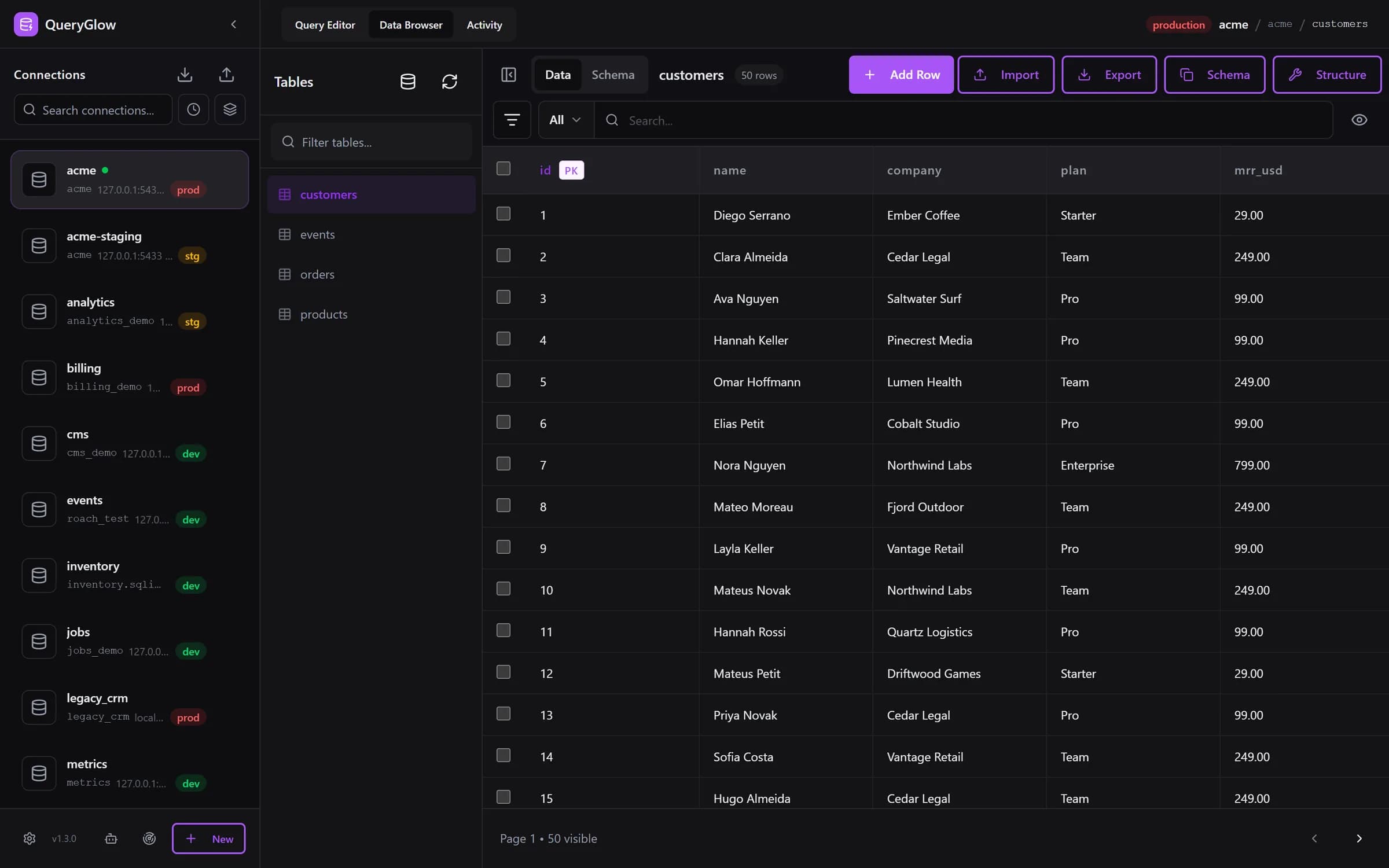
Neither licensing model fits your team?
QueryGlow: one self-hosted install, the whole team on one URL. $79 once.
See the tourWhere DBeaver Wins: Price and Coverage
DBeaver Community is free, open source, and connects to 100+ databases. If your week involves Postgres, MySQL and an Oracle instance, both open all three; DBeaver Community does it for free. ER diagrams, data import/export, AI Chat and a capable SQL editor are all in the free build.
The trade-off is the platform: DBeaver runs on the Eclipse platform (Java), with an Eclipse-style interface. Paid tiers (Lite $113/yr, Enterprise $255/yr, Ultimate $510/yr; DBeaver PRO is now sold as these subscriptions, with no new perpetual licenses since version 23.3) mainly add NoSQL drivers, more AI providers and cloud integrations most solo developers won't need.
The Problem Both Share: Teams
Both are desktop apps, and that shows the moment a second person needs access. Every developer installs the client, configures connections by hand, and stores production credentials on their own laptop. With TablePlus you're also buying seats; with DBeaver the software is free, but every install keeps its own connection settings.
QueryGlow approaches this differently: you install it once on a Linux server with ./queryglow install, and the whole team works in the browser at a shared URL, $79 one-time, with credentials encrypted server-side (AES-256-GCM) and a Safe Mode that blocks destructive statements by default. You also get schema-aware autocomplete, Ask AI with your own OpenAI, Anthropic or Google key (it only ever sees your schema, never row data), column-level schema edits with an exact SQL preview, and a visual EXPLAIN plan that flags sequential scans and missing indexes. For TablePlus users who care about how their tool feels: QueryGlow's Preferences dialog sets the theme, one of six accent colors or a color of your own, and your own keyboard shortcuts; every connection carries a development, staging or production badge, and the Query Editor asks before any write on production. The Data Browser pages up to 500 rows, and pages over 100 rows render only the rows near the viewport. The trade-offs are real too: 6 engines (PostgreSQL, MySQL, MariaDB, SQLite, CockroachDB, TimescaleDB) instead of DBeaver's 100+, and you need a Linux server to run it on; there is no desktop app. The head-to-head pages, QueryGlow vs TablePlus and QueryGlow vs DBeaver, break down both matchups feature by feature, and the live demo shows the real app on a sample database (read-only, AI switched off, no signup).
Verdict: Which Should You Pick?
- •Solo dev, one machine, native feel matters → TablePlus. The $99 is fair for what you get.
- •You touch many database engines and the budget is zero → DBeaver. Free wins.
- •Two or more people need the same databases → QueryGlow. One $79 install instead of per-seat or per-laptop math.
If TablePlus's per-device licensing is what's pushing you away, our roundup of TablePlus alternatives covers more one-time and free options beyond DBeaver.
Tags:
Built by an engineer. The app sends no telemetry.
Stop counting devices and seats
Themes and accent colors, your own shortcuts, environment badges and a confirmation before writes on production. Self-hosted, $79 once, the whole team.
“Beautiful interface and very intuitive.”
Jean-Francois, Mildor Violon, verified customer “I was looking at DBeaver and yours looked a little easier for what I was looking for.”
Mike, verified customer
Stripe checkout. You'll enter your GitHub username for the repo invite. No refunds, so try the read-only demo first.
$79 one-time. Self-hosted. No subscription.