Postgres Connection String Builder
Runs in your browser. Nothing is uploaded.
Fill in a host, database and user to see the connection strings.
How a PostgreSQL connection string works
A PostgreSQL connection URI puts every setting into one line. The general shape is:
postgresql://user:password@host:port/dbname?param=valueThe scheme can also be written as postgres://, and libpq treats both the same. The port defaults to 5432 and can be left out. Parameters after the question mark are joined with &, for example ?sslmode=require&application_name=reports.
User names and passwords often contain characters that mean something inside a URI. Percent-encode them: @ becomes %40, : becomes %3A, / becomes %2F and # becomes %23. A password like p@ss#1 is written as p%40ss%231. The builder above encodes every field for you.
libpq, the C library behind psql and many drivers, also reads a key=value form: host=db.example.com port=5432 dbname=app user=app_user. Values with spaces go in single quotes. Some drivers and older config files expect this form, and psql accepts it as well.
Java applications use a JDBC URL instead, such as jdbc:postgresql://host:5432/dbname?user=app_user&password=secret. There is no user:password@ part; user and password go into the query string.
The sslmode parameter decides whether the connection is encrypted and what gets checked:
disable: no encryption at all.prefer: try SSL first and fall back to plain text if the server does not offer it. This is the libpq default.require: always encrypt, but do not verify the server certificate.verify-full: encrypt, check the certificate against a trusted CA and check that the host name matches.
For failover you can list several hosts separated by commas, as in postgresql://app_user@host1:5432,host2:5432/app. libpq tries them in order and uses the first one that accepts the connection. Add target_session_attrs=read-write when it has to be the primary.
Use the URI in QueryGlow
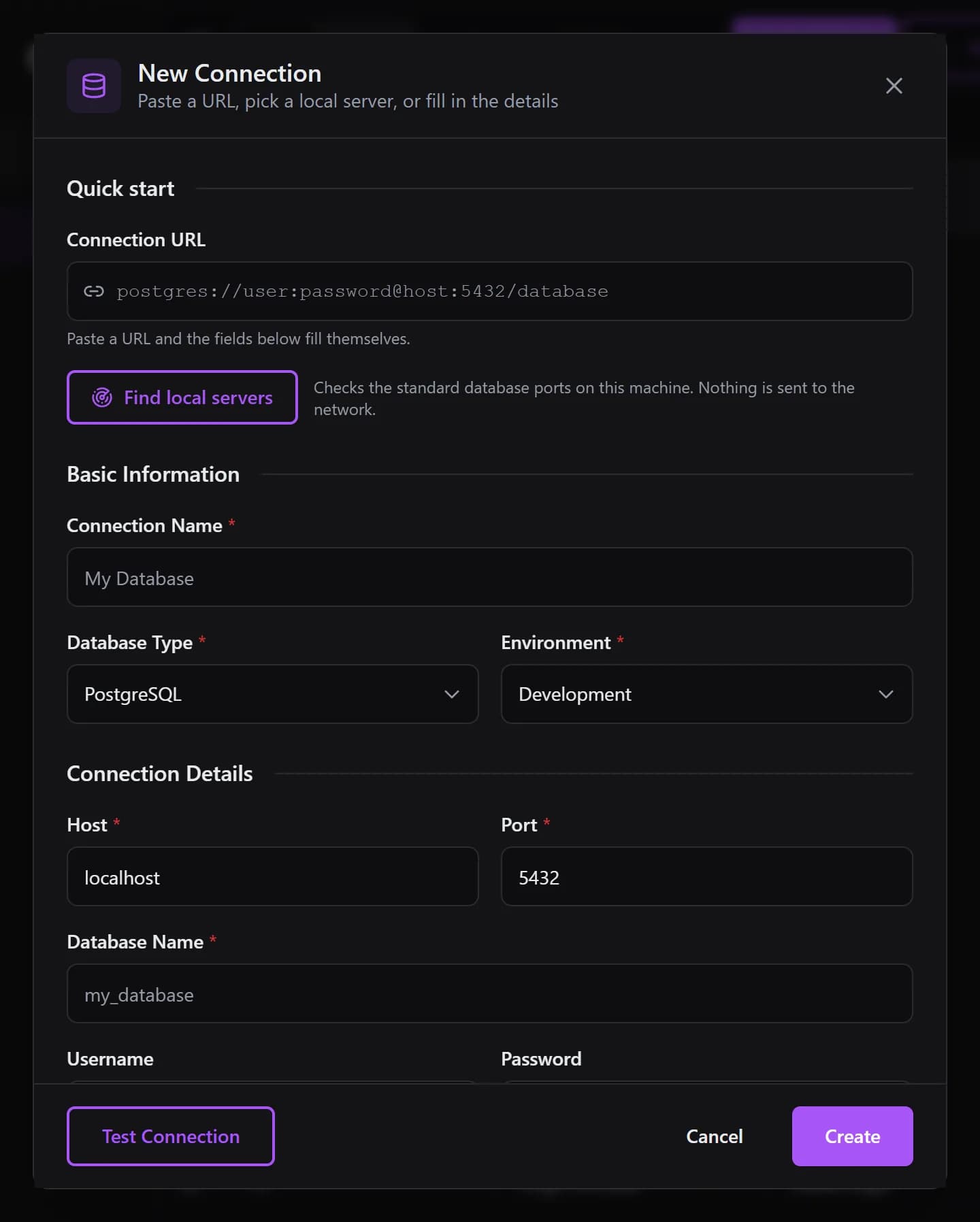
QueryGlow's New Connection dialog takes a postgres:// or postgresql:// URL and fills in host, port, database, user and password for you. With sslmode=require, verify-ca or verify-full it switches SSL on. JDBC URLs and key=value strings are not parsed there, so copy the URI line. QueryGlow is a Docker database GUI your whole team opens in a browser, $79 once.
Stripe checkout. You'll enter your GitHub username for the repo invite. No refunds, so try the read-only demo first.
FAQ
What is the format of a PostgreSQL connection string?
postgresql://user:password@host:port/dbname?param=value. Only the host is required in practice; port defaults to 5432 and the database defaults to the user name.
How do I use special characters in a Postgres password in a URI?
Percent-encode them: @ becomes %40, : becomes %3A, / becomes %2F and # becomes %23. The builder on this page does it for you.
Which sslmode should I use?
For any server that is not on your machine, use require at minimum and verify-full when you have the server's CA certificate. prefer and allow can fall back to an unencrypted connection.