
Quick Answer: Pick pgAdmin for PostgreSQL administration: it's the official tool, and roles, backups, and monitoring go deepest there. Pick DBeaver if you query more than you administer or work across many engines (100+, free). If you need one URL for a team, a self-hosted web GUI like QueryGlow ($79 once) is the third option neither camp mentions.
pgAdmin vs DBeaver: Comparison Table
| Feature | pgAdmin 4 | DBeaver Community | QueryGlow |
|---|---|---|---|
| Price | Free | Free (paid from $113/yr) | $79 one-time |
| Databases | PostgreSQL only | 100+ | 6 (Postgres, MySQL, MariaDB, SQLite, CockroachDB, TimescaleDB) |
| Architecture | Desktop app or self-hosted web server | Desktop (Java) | Self-hosted web (Docker) |
| Team access | Install per machine, or one server-mode deployment you maintain | Install per machine | One URL, your whole team uses the same install |
| AI assistant | ✓ AI Assistant (9.13+) | ✓ AI Chat (built in) | ✓ Your own OpenAI, Anthropic or Google key, sees schema only |
| EXPLAIN plans | Graphical | Basic text/grid | Visual, flags seq scans + missing indexes |
| Admin depth (roles, backups, replication) | Roles, backup and restore dialogs, server dashboards | Fewer PostgreSQL admin tools than pgAdmin | Column edits only; no roles, backups or replication |
Features and prices as of September 2026.
pgAdmin: The Official PostgreSQL Tool
pgAdmin 4 is what the PostgreSQL project itself points you to, and for pure administration it goes deepest. Role and permission management, backup/restore dialogs, server dashboards, and config editing are all first-class, free, with no paid tier at all. Since version 9.13 (March 2026) it also has an AI Assistant: AI chat in the Query Tool and AI Insights for EXPLAIN. Without pgAdmin at hand, a plan pasted into a Postgres EXPLAIN ANALYZE visualizer shows the same tree in the browser.
pgAdmin 4 is a web app in an Electron desktop shell (or a server you open in the browser), and it handles PostgreSQL only. If your stack includes MySQL or SQLite, you need a second tool.
DBeaver: One Free Tool for Every Database
DBeaver Community is the opposite trade: 100+ databases, a mature SQL editor with autocomplete, ER diagrams, solid import/export and AI Chat, all free and open source.
It is a Java desktop application built on Eclipse. For deep Postgres administration (replication, fine-grained roles), DBeaver covers less than pgAdmin, so DBAs often end up back in psql anyway.
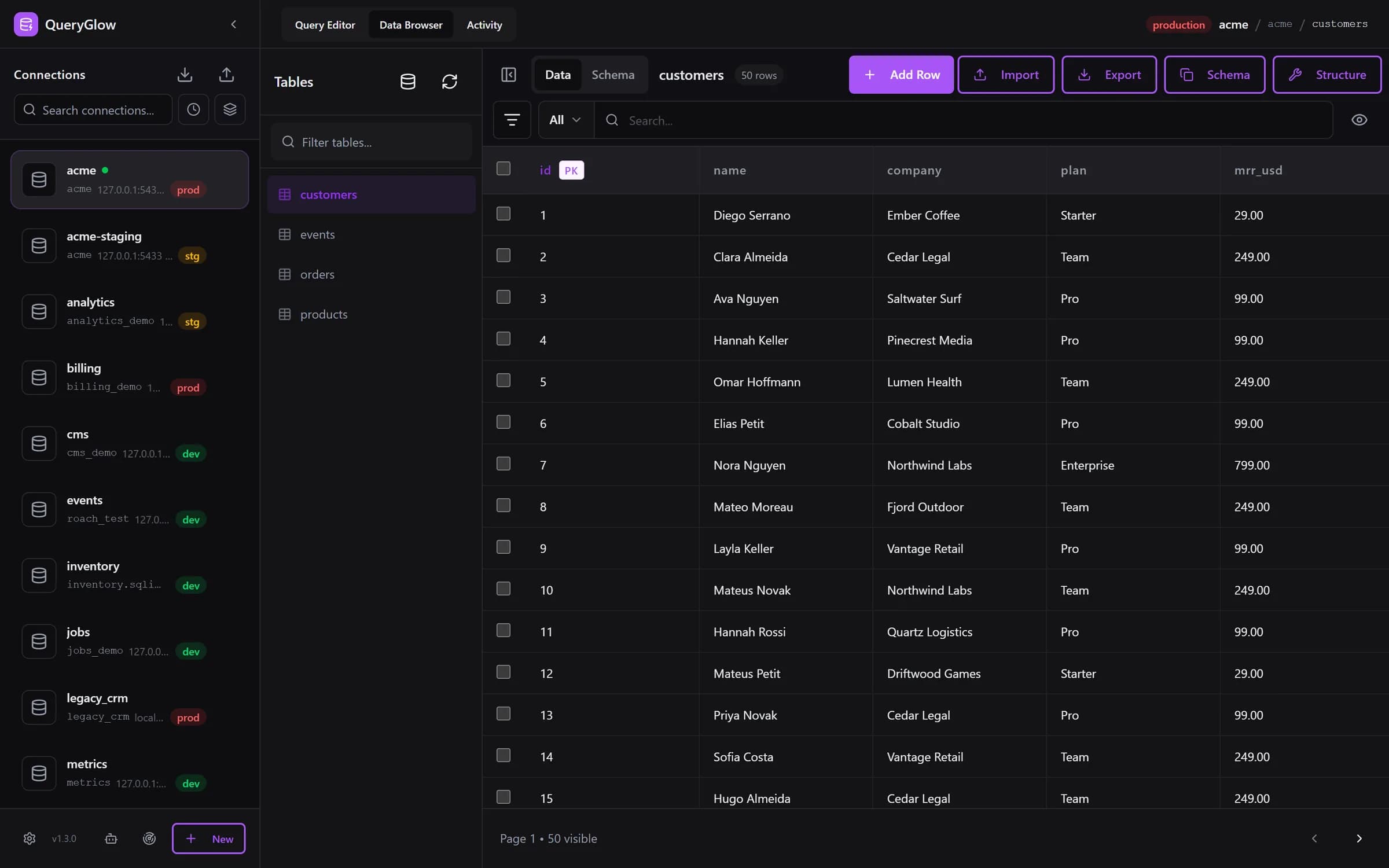
Want one URL for the whole team?
QueryGlow runs on your server, the whole team opens one URL. PostgreSQL plus 5 more engines, $79 once.
See the tourPricing: Both Free, So What Does the Choice Cost?
In the pgAdmin 4 vs DBeaver matchup, the sticker price is identical: $0. The difference is in what each covers: admin depth, engine coverage and team access.
DBeaver does sell commercial tiers (as of September 2026): Lite at $113/yr, Enterprise at $255/yr, Ultimate at $510/yr. DBeaver PRO is now sold as these three subscriptions, with no new perpetual licenses since version 23.3. They add NoSQL drivers, more AI providers and cloud features most individuals never need; the Community edition is not a crippled trial.
When to Pick Which
The DBeaver vs pgAdmin decision comes down to admin depth versus engine breadth:
- •Pick pgAdmin when PostgreSQL is your only database and your work is administration: users, backups, monitoring.
- •Pick DBeaver when you mostly write queries across several engines and want it free.
- •Pick neither when a per-machine install is the problem; see below.
The Third Option: A Self-Hosted Web GUI
DBeaver installs per machine: for a team, that's one install and one copy of credentials per laptop. pgAdmin's server mode is a PostgreSQL-only web deployment you set up and maintain yourself. QueryGlow is one self-hosted install for the whole team and six database engines: install it once on a Linux server, share a URL, and everyone queries in the browser. It is built for teams who want one GUI for daily querying instead of one install per laptop. The QueryGlow vs pgAdmin comparison shows where it replaces pgAdmin and where it doesn't.
Adding servers works the way pgAdmin users expect: paste a postgres:// URL and the form fills itself, or enter one login and use Find databases on this server to add every database that login can open in one step; the sidebar can then group them by host. In the browser you click a cell in the Data Browser to edit it (JSON and JSONB cells show as JSON text), get autocomplete that lists a table's columns with their types, and run EXPLAIN to see a visual plan that flags sequential scans and suggests the index to add. Ask AI writes SQL from plain English with your own OpenAI, Anthropic or Google key; the model sees your schema, never your rows. Safe Mode blocks destructive statements by default, and the Query Editor asks before any write on a connection marked production.
$79 once, whole team, every server you run, source code included. The honest con: it's not an admin console (pgAdmin still wins for roles and backups), and it needs a Linux server you run; there is no desktop app. Try the live demo first (the real app on a sample database, read-only, AI switched off, no signup). The QueryGlow vs DBeaver comparison covers the multi-database trade-off in detail.
FAQ
Is pgAdmin 4 better than DBeaver?
For administration, yes: pgAdmin's role management, backup dialogs, and monitoring go deeper. For everyday querying across several engines, DBeaver is the more practical pick, and it covers every other database you run.
Is DBeaver really free?
Yes. DBeaver Community is free and open source with 100+ drivers, and it includes AI Chat. Paid tiers (Lite $113/yr and up) add NoSQL and enterprise features you won't need for standard SQL work.
Can DBeaver replace pgAdmin completely?
Almost. DBeaver covers query editing, data browsing, and export. What's thinner is PostgreSQL-specific admin (replication overview, server config editing), so DBAs keep pgAdmin around for those.
What should teams use instead of pgAdmin or DBeaver?
Teams that want shared browser access without per-machine installs typically move to a self-hosted web GUI: install once, share a team URL, manage credentials centrally (QueryGlow stores them encrypted with AES-256-GCM on your server; $79 once, and your whole team uses the same install).
Tags:
Built by an engineer. The app sends no telemetry.
The third option: one Postgres GUI for the whole team
Visual EXPLAIN, schema-aware autocomplete and a confirmation before writes on production. Self-hosted, source code included, $79 once.
“Beautiful interface and very intuitive.”
Jean-Francois, Mildor Violon, verified customer “I was looking at DBeaver and yours looked a little easier for what I was looking for.”
Mike, verified customer
Stripe checkout. You'll enter your GitHub username for the repo invite. No refunds, so try the read-only demo first.
$79 one-time. Self-hosted. No subscription.