
Best Oracle SQL Client Tools at a Glance (2026)
Short answer: grab SQL Developer if you want a free, full-featured Oracle IDE. Use SQL*Plus if you live in the terminal and automate everything. Pick a third-party GUI like DBeaver if you manage Oracle alongside other databases; QueryGlow covers PostgreSQL, MySQL, MariaDB, SQLite, CockroachDB and TimescaleDB but has no Oracle connector.
Here's how they stack up:
| Tool | Price | OS Support | GUI/CLI | Oracle Features | Learning Curve |
|---|---|---|---|---|---|
| SQL Developer | Free | Windows, Mac, Linux | GUI | PL/SQL debugger, data modeler, full admin | Moderate |
| SQL*Plus | Free (with Instant Client) | Windows, Mac, Linux | CLI | Scripting, automation, raw SQL execution | Steep |
| DBeaver | Free / from $113/yr | Windows, Mac, Linux | GUI | Oracle via JDBC, ER diagrams, data export | Low to moderate |
| QueryGlow | $79 one-time | Web (any browser) | GUI | None (no Oracle connector); PostgreSQL, MySQL, MariaDB + 3 more engines | Low |
Prices as of September 2026.
Oracle SQL Developer: Free Official IDE
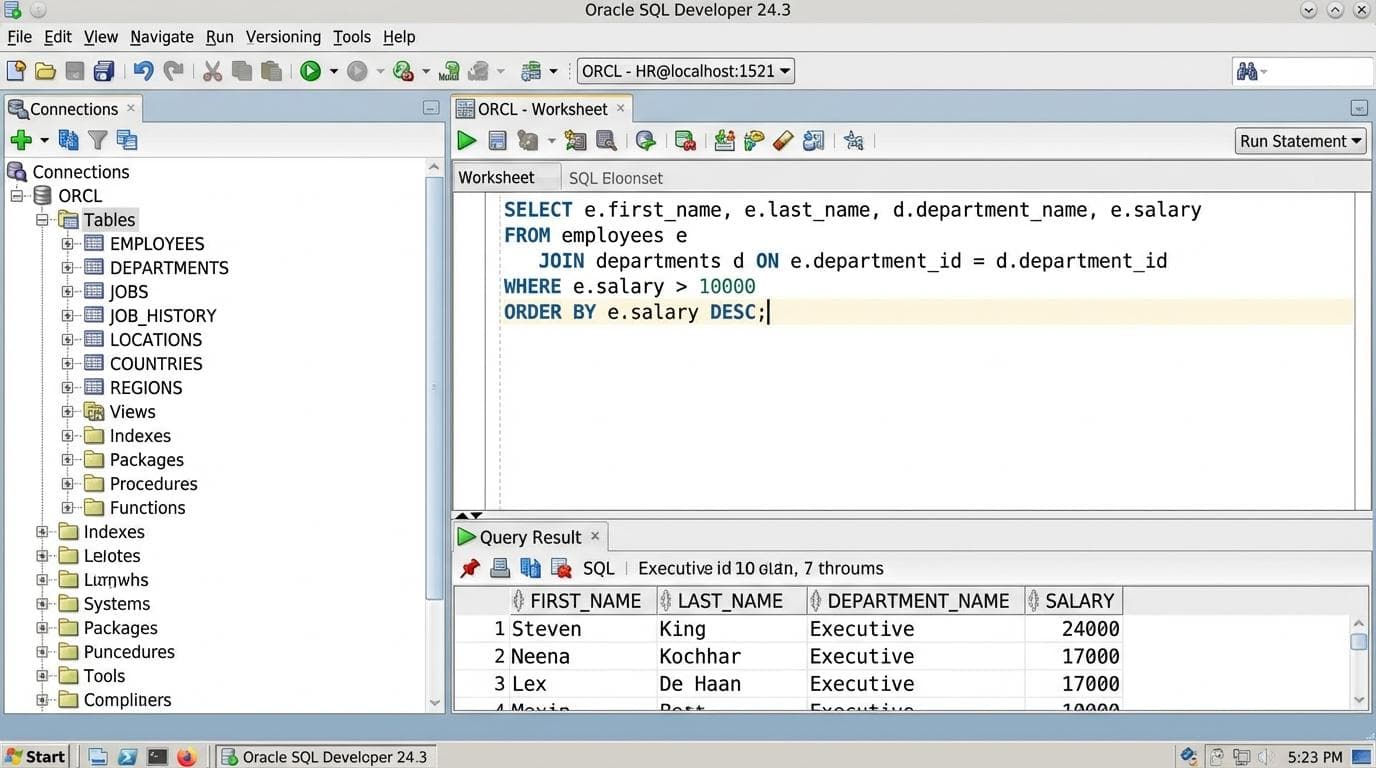
Oracle's own IDE, free, runs on Windows, Mac, and Linux. Version 24.3 gives you PL/SQL debugging, a visual data modeler, database diff tools, and a migration workbench. Oracle plans no new features for the desktop app; new features now ship in the SQL Developer extension for VS Code. The right pick if Oracle is your primary database.
Pros:
- •Free with no feature gating
- •Full PL/SQL debugging and profiling
- •Built-in data modeler and ERD generation
Cons:
- •Java desktop application
- •Oracle-only (no PostgreSQL or MySQL browsing)
There's also a VS Code extension if you'd rather stay in your editor.
SQL*Plus: Command-Line Power
SQL*Plus ships with Oracle Instant Client, also free. It's the tool for scripting deployments, running batch jobs, and piping SQL through CI/CD pipelines.
sqlplus username/password@//hostname:1521/service_name

SQL> SELECT table_name FROM user_tables;
No GUI, no hand-holding. Its modern sibling SQLcl adds JSON/CSV formatting and Liquibase integration. Oracle Instant Client Docker images make containerized deployments straightforward.
Need a SQL client for the databases next to your Oracle?
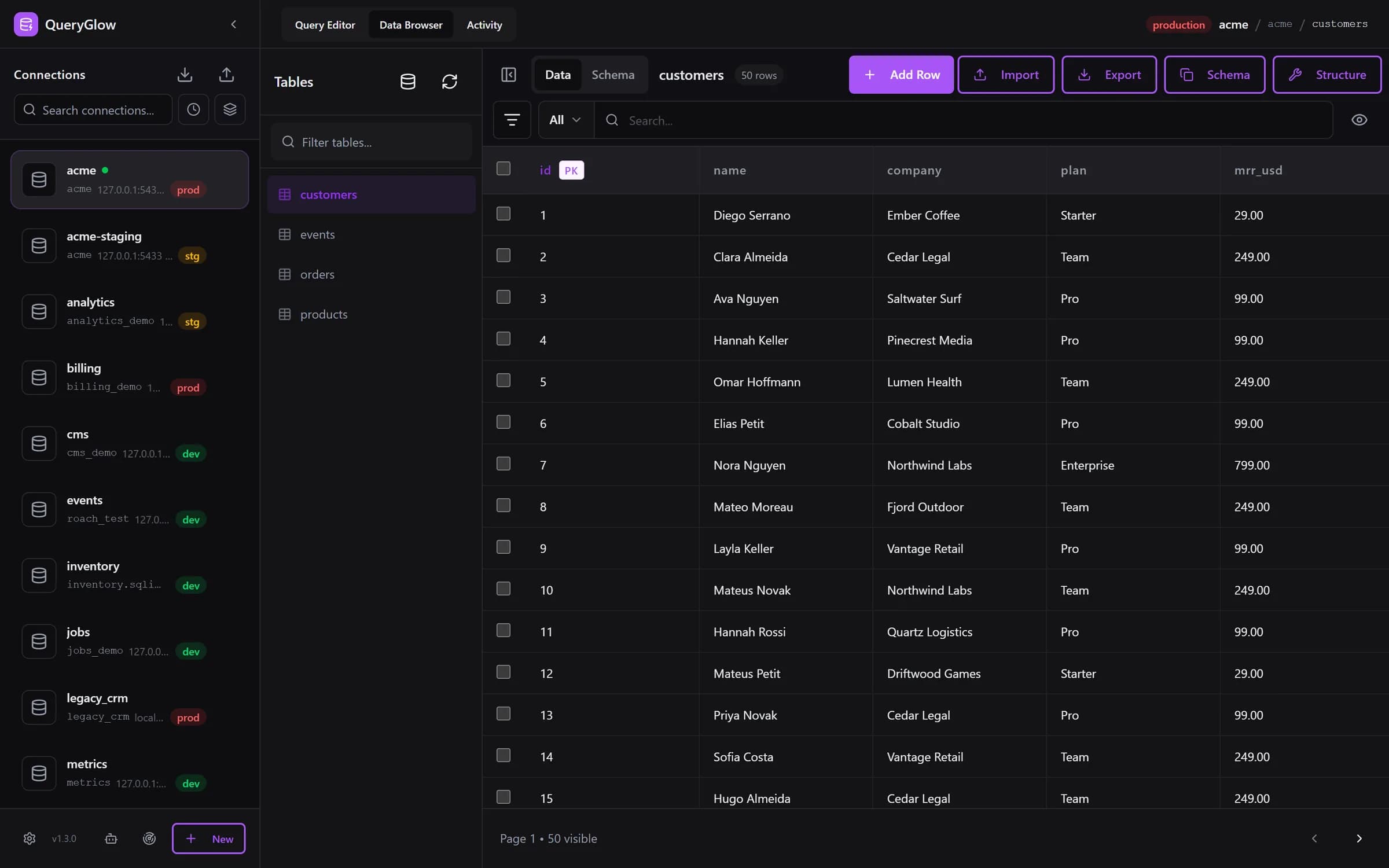
QueryGlow works with PostgreSQL, MySQL, MariaDB, SQLite, CockroachDB and TimescaleDB (not Oracle). Self-hosted, $79 once.
See the tourThird-Party GUI Editors: Multi-Database Flexibility
If your stack isn't Oracle-only, dedicated Oracle tools feel limiting.
DBeaver
Open-source, supports 100+ databases including Oracle. The free Community Edition handles querying and data browsing. Paid editions (Lite from $113/yr) add visual query builders and team collaboration. Read our DBeaver SQL client breakdown for details.
QueryGlow
Web-based and self-hosted: install it once on a Linux server, open it from any browser. It has no Oracle connector. QueryGlow covers PostgreSQL, MySQL, MariaDB, SQLite, CockroachDB, and TimescaleDB in one interface. If you're evaluating PostgreSQL client options or MySQL tools alongside Oracle, it covers those six engines, which Oracle-specific tools leave out. Paste a connection URL or let Find databases on this server add every database your login can open in one step. $79 one-time, no per-seat fees.
Feature checklist: third-party tools
- •✓ Multi-database support in a single interface
- •✓ Web-based access (QueryGlow) or desktop app (DBeaver)
- •✓ Team sharing without per-user licensing (QueryGlow)
- •✓ Oracle support (DBeaver)
- •✓ Self-hosted web deployment (QueryGlow; CloudBeaver for DBeaver)
Quick Setup: Oracle Database Client on Windows, Mac & Linux
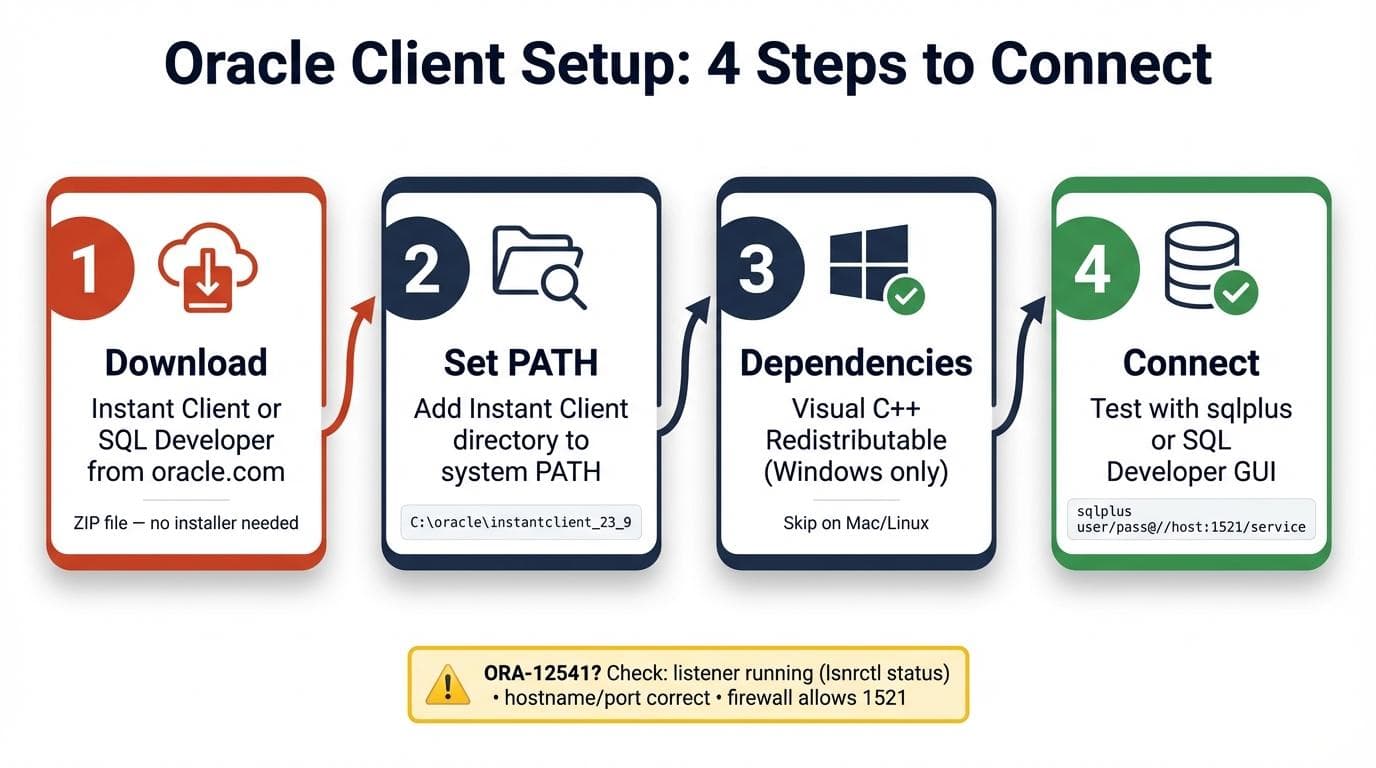
Getting connected, step by step:
- 1.Download: grab Instant Client or SQL Developer from oracle.com. Instant Client is a zip, no installer.
- 2.Set your PATH: unzip to a directory like
C:\oracle\instantclient_23_9or/opt/oracle/instantclient. Add it to your system PATH. - 3.Visual C++ Redistributable (on Windows): Instant Client 23.x needs the latest version from Microsoft.
- 4.Test the connection: run
sqlplus username/password@//host:1521/serviceor connect through SQL Developer's GUI.
Troubleshooting: ORA-12541 (TNS:no listener) Your client can't reach the database listener. Check that the listener is running (lsnrctl status), verify hostname and port, and confirm no firewall blocks port 1521.
Is the Oracle Client Free?
Quick Answer: Yes. Oracle Instant Client, SQL Developer, and SQLcl are all free to download and use, for both development and production. No license fees, no registration walls (though Oracle may ask for an account to download). Third-party alternatives like DBeaver offer free community editions, and QueryGlow uses one-time pricing at $79.
Which Oracle SQL Client Should You Choose?
Three questions, three answers:
- 1.Do you script database tasks or run CI/CD pipelines? → SQL*Plus or SQLcl
- 2.Is Oracle your primary (or only) database? → SQL Developer
- 3.Do you manage Oracle alongside PostgreSQL, MySQL, or other engines? → DBeaver for Oracle-native support, QueryGlow for your non-Oracle databases
Most teams end up using at least two: SQL*Plus for automation plus a GUI for daily work. The real question is which GUI fits your stack.
Try QueryGlow: Self-hosted database GUI for PostgreSQL, MySQL, and 4 more engines (not Oracle). One payment, no subscriptions. See how it works →
Tags:
Built by an engineer. The app sends no telemetry.
One SQL client for your non-Oracle databases
Safe Mode, schema-aware autocomplete and a visual EXPLAIN plan for PostgreSQL, MySQL, SQLite and 3 more engines (not Oracle). Self-hosted, $79 once.
“Beautiful interface and very intuitive.”
Jean-Francois, Mildor Violon, verified customer “I was looking at DBeaver and yours looked a little easier for what I was looking for.”
Mike, verified customer
Stripe checkout. You'll enter your GitHub username for the repo invite. No refunds, so try the read-only demo first.
$79 one-time. Self-hosted. No subscription.